--list-sessions is gone, and shell completions installed by 0.35.0 must be installed again. A detached run is now an instance, and the flag that lists them is --list-instances; the old spelling is removed rather than hidden, so a script that still calls it fails loudly instead of quietly getting nothing. The completion scripts that termide --install-completions wrote in 0.35.0 call --list-sessions to offer the ids after --attach, so after upgrading run termide --install-completions once more. The .deb, .rpm and AUR packages update their system-wide copies on their own, but a copy that --install-completions placed in your home directory stays as it was and keeps calling the old flag. See the “Session now means one thing” entry below for the rest of the rename.
Added
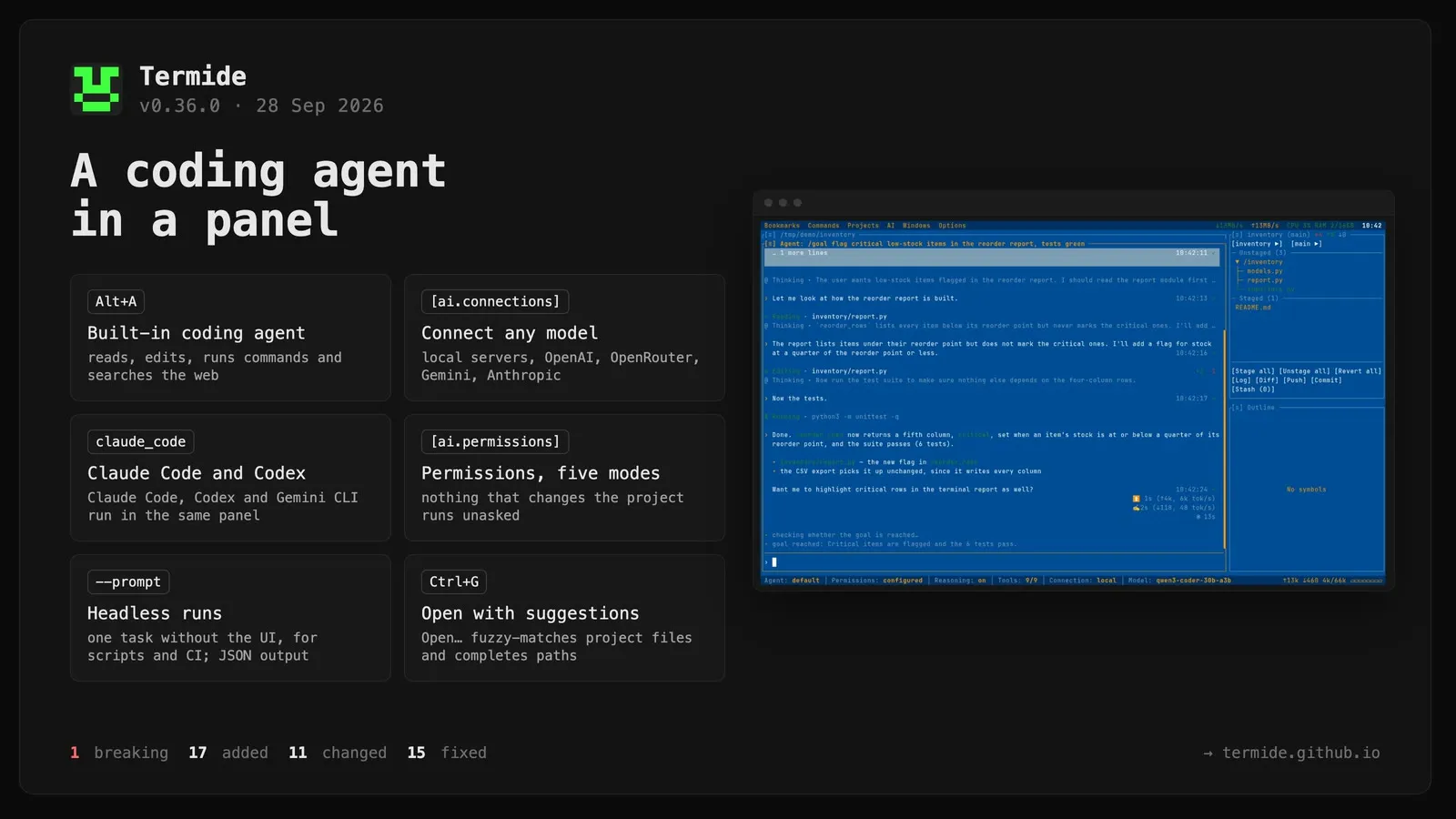
Built-in coding agent. A new panel (Alt+A, Windows → Agent, or Open Agent in the command palette) where you describe a task and a language model carries it out in your project: it reads files, edits them, runs shell commands, searches the web and asks you when a decision is yours. Like a new terminal, the panel works in the directory of the panel that had focus. Each Alt+A opens another panel, so several agents can work side by side, and two panels never share one session. An agent panel is saved with the project layout and comes back on the session it was in. See doc/en/agent.md.
A conversation made of foldable blocks. Your message, the agent’s reasoning, each tool call and the answer are separate blocks, each opened by a glyph and an action ($ Running, < Reading src/main.rs, ± Editing, ↓ Fetching, & Delegating to reviewer, …). Reasoning and tool calls fold to their one-line headline; [ai] fold_blocks (Fold blocks in settings) sets whether that happens immediately, once a block finishes, or never. Ctrl+O unfolds every block and keeps new ones unfolded until pressed again. Tab moves into the chat, where ↑/↓ pick a block, Space/Enter or →/← unfold and fold it as in the file manager’s tree, o opens it in its own read-only panel and Ctrl+C copies it. A click selects a block and a second click folds it; a mouse drag selects transcript text the way a terminal does. Edits show a coloured diff. Every block carries a dim time and ✓/✗, a tool call its duration (🕒 6s), and a turn its prefill and generation figures (⏫ 6s (↑42k, 7k tok/s), ✍️ 12s (↓5k, 420 tok/s)). While a run works, an animated run clock under the last block counts its total time, and it freezes when the run ends. A fresh session opens on a banner naming the connection, model, agent and tools, each a click away from its picker. The status bar holds the agent, Permissions, Reasoning, connection and model chips, plus the session’s token totals (↑ billed input, ↻ cache hits, ↓ output) and the context window as a fill bar.
The prompt box.Enter sends; text typed while the agent works is queued in a strip above the input and goes out as one message at the next turn, and ↑ takes the queue back to edit. ↑/↓ also recall earlier requests. @ completes a file or directory path from the panel’s directory with fuzzy matching (@srmain finds src/main.rs), leaving out what git ignores. A paste of more than five lines or 2000 characters is held as a [#1 pasted 40 lines] placeholder and spliced back in on send; pasting it again unmasks it. The box wraps long lines and grows to half the panel. It selects, cuts, pastes and undoes like every other input. The run controls on its top border pause ([‖]), continue ([▶]) or stop ([■]) a run.
Permissions, with five modes. Nothing that changes the project runs unasked. A card above the input offers allow once, allow for the session, allow always in this project or everywhere, deny, deny for the session, deny with a reason the model reads, or stop the run. Allowing always writes a rule to [ai.permissions]. Rules are per tool, and the strictest match wins. A shell command is judged part by part: cargo build && rm -rf target needs both halves allowed, termide follows cd through the line, and a quoted script or here-document stays one command. Reading inside the project and a list of look-only commands (ls, rg, git status, …) never ask. The Permissions chip and Shift+Tab switch between ask, plan, edit, configured (the default) and all, and a change reaches a running task at its next tool call; settings pick the mode new sessions start in. In plan mode nothing that could change anything runs; the agent answers with a plan, and a card then offers to carry it out, accepting edits or under the configured rules. A panel waiting on you while out of sight turns its header the warning colour and rings the terminal bell, as does a long run that finished; bell_on_attention = false silences the bell.
Connections to any model. Models are configured as named connections under [ai.connections.<name>], each with a provider, base_url, model, api_key_env and context_window_fallback, and edited on a Connections page in the settings modal’s new AI section. openai_compatible covers local servers (llama.cpp, Ollama, vLLM, omlx), OpenAI, OpenRouter, the Gemini API and most gateways, with no key needed for a local server. anthropic_compatible speaks Anthropic’s Messages API. An API key is read from the environment variable api_key_env names and never stored in the config. A connection may leave the model to the provider, and when the endpoint reports a model’s context window, the panel uses it; context_window_fallback applies only when it does not. The Connection and Model chips switch a session to another connection or model and carry the conversation over; the session log records both, so a reopened session continues where it ran. Reasoning turns extended thinking / reasoning_effort on or off per session (prefer_reasoning, on by default). By default no output limit is sent (max_tokens_per_turn = 0).
Claude Code, Codex and Gemini CLI in the same panel. The claude_code, codex and gemini_cli providers drive those CLIs over the Agent Client Protocol through npx, on their own sign-in or subscription; a Model chip lists each agent’s own models. Claude Code runs on termide’s system prompt and tools, served to it over a local MCP server, so every call goes through the same permission mode, rules, plan mode and /undo checkpoints as the built-in loop. Codex and Gemini CLI keep their own tools and are put in the approval modes that match the panel’s. Any other ACP agent can be added with an [acp] table in an agent’s agent.toml. An external agent’s permission requests go through termide’s rules and session answers first, so nothing already allowed is asked twice.
An ai directory for everything the agent reads. It exists at three levels: the panel’s directory, the project root (.termide/ai/) and the configuration directory. The system prompt is a template, AGENTS.md, assembled from files alone; /prompt shows the result. The service prompts are files as well: compaction, plan mode, /goal’s judge and /handoff. Further agents are directories under agents/, with an optional SOUL.md and an agent.toml naming a description, model, mode and a subset of tools. With more than one agent, a task tool hands a self-contained job to another agent, which reports back only its final answer. Skills in the agentskills.io shape (skills/<name>/SKILL.md, also .agents/skills/) are listed in the prompt and loaded on demand, or sent by hand as /name args. Prompt templates (prompts/<name>.md) and executable command scripts (commands/<name>) run as /name args, and a script that came with the project asks first. MCP servers in mcp.toml join over stdio as server__tool. Command hooks in hooks.toml run around tool calls and may block, rewrite or approve them. Shims in shims/ shadow shell commands to save tokens. The agent follows AGENTS.md (or CLAUDE.md) files from the filesystem root down to its working directory. The Tools chip switches built-in tools, skills and MCP tools off for a session. Shipped files are kept current on upgrade, and a file you edited is left alone, with the new version written beside it as <file>.new.
Web tools.web_search and fetch work through a local Chrome, Chromium, Edge or Brave, on a profile of the agent’s own that has none of your logins. The browser runs without a window by default; when a search engine asks for a human check, a window opens to solve it. Show browser window in the AI menu shows the browser so you can watch it work. Without such a browser, fetch falls back to plain HTTP. [ai.web] picks the backend, the search engine (DuckDuckGo, Bing, Google, Yandex, or a file of your own) and the window mode.
A question tool. The agent can put up to four questions to you in a card, with a note per choice, one or several picks, and a line for your own answer. Declining stops the run.
Sessions, and taking work back. Every session is a JSON Lines log under ai/sessions/ in the configuration directory. F7 starts a new session, F6 switches between this directory’s sessions, F8 deletes one, F2 renames it and F3 shows its details (also /usage). The new AI menu in the menu bar browses and edits agents, sessions, skills and prompts at both project and global level. A session you never sent anything to is discarded on close. /undo restores the files the last request edited or wrote and rewinds the conversation to before it, and F4 rolls back to a chosen checkpoint. When a session nears the context window, older messages are summarised automatically, and /compact [focus] does the same on request. Command output is cleaned for the model before it enters the context: escapes, progress redraws and repeated build lines are stripped, and the passing tests of cargo test/nextest, pytest, go test, jest and vitest are dropped. The raw log stays on disk.
Built-in slash commands./new, /clear, /rename (/name), /compact, /undo, /usage and /prompt. /pause and /continue pause a run between tool calls and resume it. /loop [interval] <prompt> re-runs a prompt on an interval or back-to-back. /goal <what to achieve> works autonomously until a separate judge call says the goal is reached. /handoff writes a brief of the unfinished work, which you can save to HANDOFF.md or open as a new session. A built-in command always wins over a template, script or skill of the same name, and names defined more than once are reported.
Headless runs.termide --prompt "..." (or --prompt - to read the prompt from stdin) runs one task without the UI and prints the answer, for scripts and CI. --agent picks the agent, and --output json or stream-json gives a machine-readable result. With no one to answer a card, it does only what the rules and the mode already allow.
Take over or end a detached instance from outside.termide --attach <ID> --force (-f) takes an instance over from a client left attached on a locked desktop or behind a hung SSH link, and the displaced client is told so. termide --kill <ID> ends a wedged instance with everything running in it, and completion offers ids after --kill too. Requested in #53.
The Open prompt suggests paths and opens on Ctrl+G.Windows → Open… now lists suggestions as you type. A name is matched fuzzily against the project’s files, skipping what git ignores; a path starting with /, ~/, ./ or ../ completes from its directory. Ctrl+G opens the prompt from every panel except the file manager, where the same suggestions now drive its “go to path”, and the terminal, which passes the key through. The Markdown and HTML viewers’ own Ctrl+G gives way to it. Requested in #50.
View a branch without checking it out. Choosing a branch in Git Status only changes what the panel shows. A branch checked out in the main copy or a linked worktree shows that working copy, and staging, committing, push and pull act in it. A branch checked out nowhere shows how far it is ahead of and behind the main copy’s branch, with a [Checkout] button; a refused checkout shows git’s message as an error. The branch lists in Git Status and Git Log mark the main copy’s branch with ● and a worktree’s with ⧉, and a linked worktree no longer shows up as a repository of its own. [Log] opens the log on the same branch.
The Projects menu lists every known project as a directory tree. Single-child chains fold into one row, and the current project is shown in bold. Delete/F8 removes the saved layout of a project, or of every project in a directory, after a confirmation. The current project is never deleted.
The system monitor understands APFS. All volumes of one APFS container share a single space pool, so the disk list shows them as one row instead of six identical ones, with the filesystem type in a second column.
Changed
“Session” now means one thing. The word used to cover three things: the saved panel layout of a directory, a detached run that outlives its terminal, and now a conversation with the agent. The first two are renamed, so “session” belongs to the agent alone, as it does in every other coding agent. Saved layouts are now projects: the menu is Projects, and storage moves from <data>/termide/sessions/ to <data>/termide/projects/. Existing layouts are moved across automatically on first launch, whatever an older termide writes to sessions/ afterwards is folded in on the next launch, and the Journal reports what was moved. A detached run is now an instance: --list-sessions becomes --list-instances (see Breaking Changes), and Options → Detach session becomes Detach instance. Configuration keeps working as written: session_retention_days, open_sessions, new_session and detach_session are still read as project_retention_days, open_projects, new_project and detach_instance.
The editor follows its file on disk. A buffer without unsaved work used to show [changed on disk] and wait for Ctrl+Shift+R, which then put the cursor back at the top. It now reloads by itself when a formatter, a checkout or the agent rewrites the file, and keeps the cursor and scroll position, clamped when the file got shorter; Ctrl+Shift+R keeps them too. A buffer with unsaved work behaves as before: it keeps its changes, shows the marker and refuses to save over the newer file.
One input bar under every panel. The find/replace bar and the agent’s prompt box are now the same widget, so they type, scroll, place the cursor and take focus the same way. The find/replace bar moves to the bottom of the editor, file manager, terminal, markdown, binary and HTML panels (it used to sit at the top). It gains a titled top border — ─ Find ─, ─ Search ─ or ─ Replace ─ — that doubles as the divider from the content above. Tab still moves focus between the bar and the panel body.
Every text field edits the same way. Find bars, settings fields and prompts now share one grammar: character and word movement, Shift+arrows and mouse-drag selection, Ctrl+A, the clipboard and undo/redo. A settings field used to take only typing and Backspace, and a find field could not select at all.
Lists that filter as you type rank by fuzzy match. The command palette, the project switcher, the Git Status repository and branch selectors, and the editor’s completion popup all now match fuzzily (fzf syntax: 'exact, ^prefix, suffix$, !negated) and list the best match first. The command palette used to promise fuzzy filtering while doing substring matching; it now also underlines the matched letters.
Git Log reads the whole history as you scroll. The panel stopped at the first 100 commits. It now reads more as the view nears the end, End reads to the oldest commit, the scrollbar spans the whole history, and a reload keeps the selected commit in place instead of jumping to the top.
F5/F6 copy and move default to the other file manager. The destination was the alphabetically first panel directory outside the source, so a pane in a subdirectory of the source was skipped, and a terminal or editor counted as much as a file manager. The nearest other file manager now wins, as in two-pane file managers. Prompted by #54.
Files given on the command line open where they belong.termide inventory.db or an image used to fail with “Failed to read file”, because every path went to the text editor. Text files still open in the editor, so termide stays a drop-in $EDITOR, while images, SQLite files, other binaries and directories go where the file manager would send them. Paths are made absolute first, so a language server started for termide report.py gets a real workspace root.
Markdown tables wrap their cells. Columns are sized to their content, and a long cell wraps onto extra lines instead of being cut off.
Status bars keep their indicators on narrow terminals. Background operations and disk usage sit flush right, and on a narrow bar the panel’s own text is cut with an ellipsis instead of pushing the indicators out.
Every checkbox is drawn as [✓] or [ ]. Settings used [✓]/[✗], other modals [x]/[ ], so a cross meant “off” in one place and “on” in another.
Fixed
One bad setting no longer discards the whole configuration. A value of the wrong type or out of range made the entire file fall back to defaults, and the next save from Settings then wrote those defaults over it. Such a value is now dropped on its own, the file is first copied to <name>.bak, and the warnings go to the Journal and to --diagnostics.
MySQL databases showed no tables. MySQL 8 reports information_schema names as binary strings, which failed to decode, and the error was swallowed, so the panel showed no databases, no tables and every column as “Other”. Text filters (contains, starts with, ends with) also failed on MySQL with error 1064, and a connection URL with a trailing space broke the reconnect after picking a database. Contributed by @MathysHaubert in #52.
Menu clicks landed on the wrong row. Nested submenus (shells, themes, languages, command and bookmark groups) were hit-tested at a different width than they were drawn at, so clicking a shell did nothing while clicking the parent’s shortcut column launched one. Near the screen edges, where dropdowns shrink, shift or scroll to fit, a click picked a different row or closed the menu. Contributed by @MathysHaubert in #47 and #49 (fixes #48).
Disk sizes on macOS were 256 times too large. Block counts were scaled by the preferred I/O size instead of the fragment size, so a 1.8 TB APFS volume showed as 464 TB. The percentages were right, which hid the bug.
Windows: the terminal ignored cd. A terminal reported the directory it started in, so Alt+F, the directory switcher, the title and layout restore all missed every cd. It now reads the shell’s directory, and a directory PowerShell announces with OSC 9;9 or OSC 7 takes precedence; doc/en/terminal.md shows the prompt setup.
Windows: other drives were out of reach from a drive root. At a drive or share root, .. and Backspace now open the directory switcher, which lists every drive, and the switcher spells its cd for cmd and PowerShell as well.
Deleting a project’s saved layout also deleted those of the projects nested inside it.
A detached instance could leave a frame on the shell’s screen. On attach, the hosted termide could paint a whole frame before entering the alternate screen, and it stayed on the shell’s screen after Alt+D. The client now enters the alternate screen before any output.
An image stayed covered after a menu or modal over it closed. Overlays drawn over an image are now painted over again once they go.
Pickers and settings measured text in bytes. Cyrillic labels and ● widened select modals up to the screen width, and a long multi-byte value could crash the settings modal. Both now measure display width.
(indexing) stuck in the editor title for a language server that reports no progress.
The file manager’s loading row acted as a file. While a directory was being expanded, Enter, F3, F4, rename and batch operations could pick up its … placeholder. And with the cursor on an expanded directory, a new file or directory is now created inside it, where its visible children are.
Commands menu fixes. A command with parameters run from the menu no longer skips asking for them, and in terminal mode the values reach the shell as TERMIDE_PARAM_* too. Saving, renaming or deleting a command edits commands.toml in place, keeping the other commands, their order and comments, and a new command with a taken identifier gets a free variant instead of replacing the other one. The report window keeps the output’s indentation and blank lines.
The command palette’s Switch directory opened the project switcher instead of the focused panel’s directory switcher.
Mermaid flowcharts. An inline edge label (A -- yes --> B, also dotted and thick) became a node of its own, sibling boxes in one rank were spaced too tight, and edges attached to box corners.