
TermIDE
One terminal workspace — on your laptop and on your servers.
_
Editor, file manager, terminal, git, databases and a coding agent. One static binary, zero config.
curl -fsSL https://raw.githubusercontent.com/termide/termide/main/install.sh | sh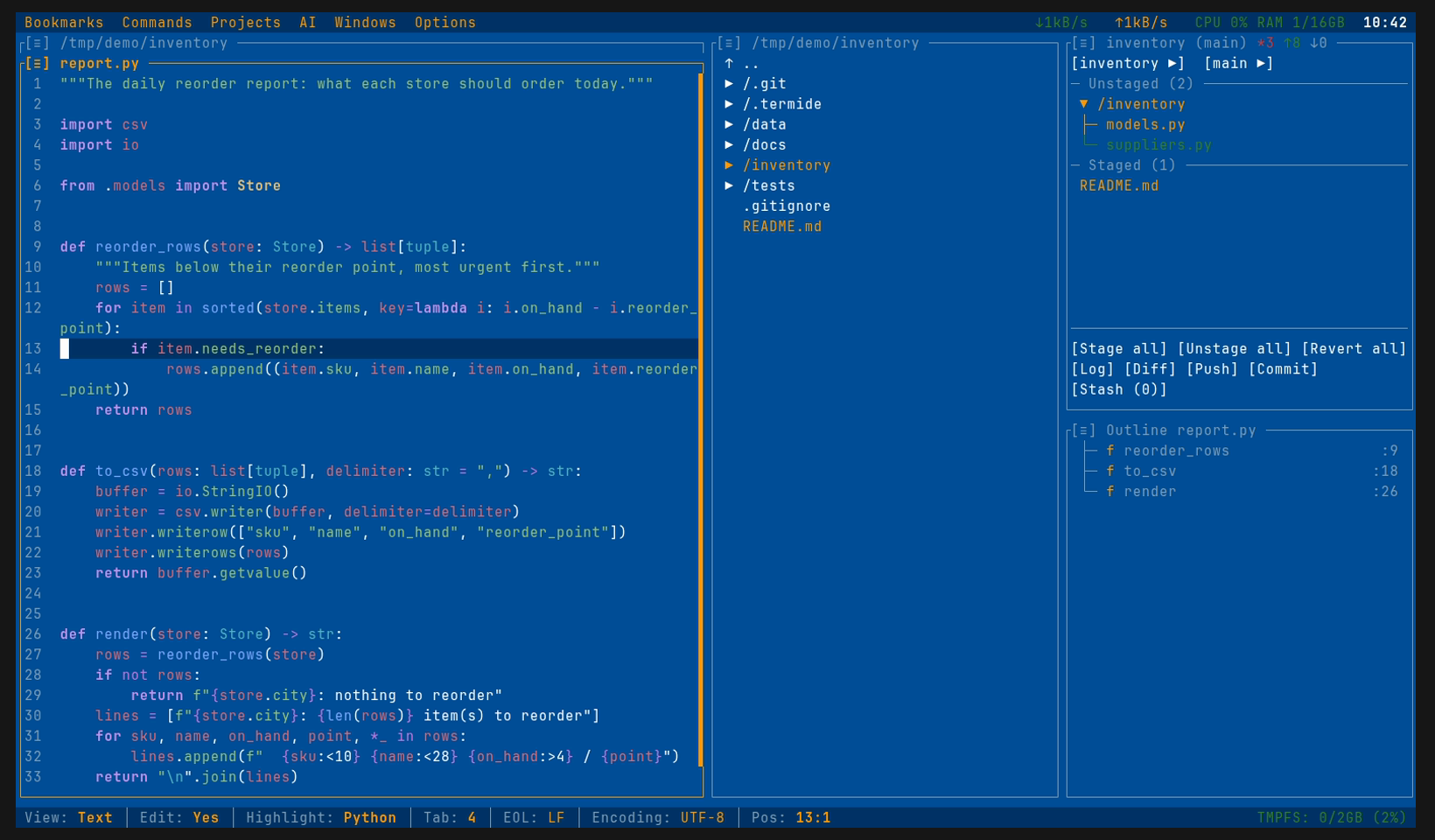

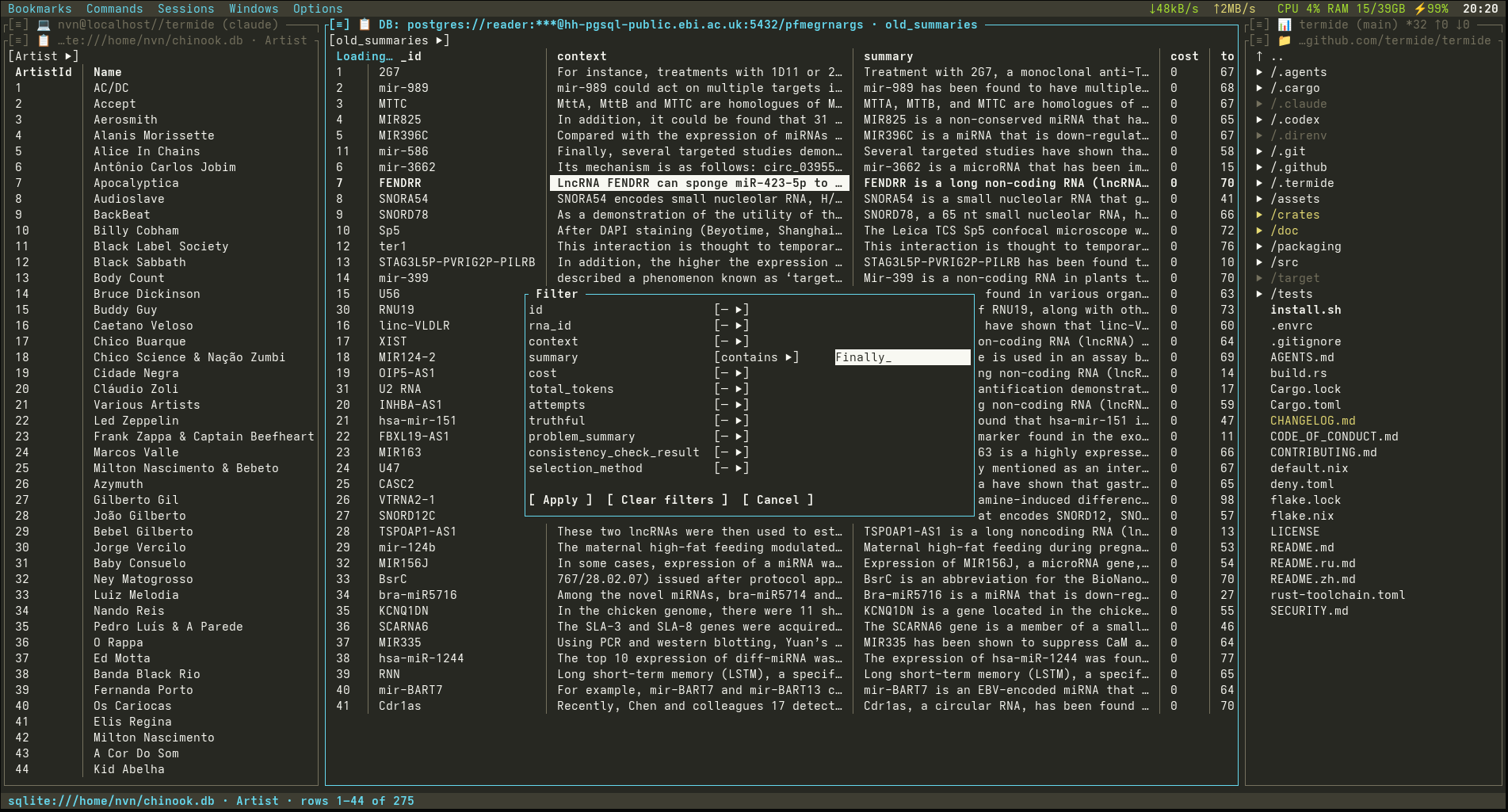
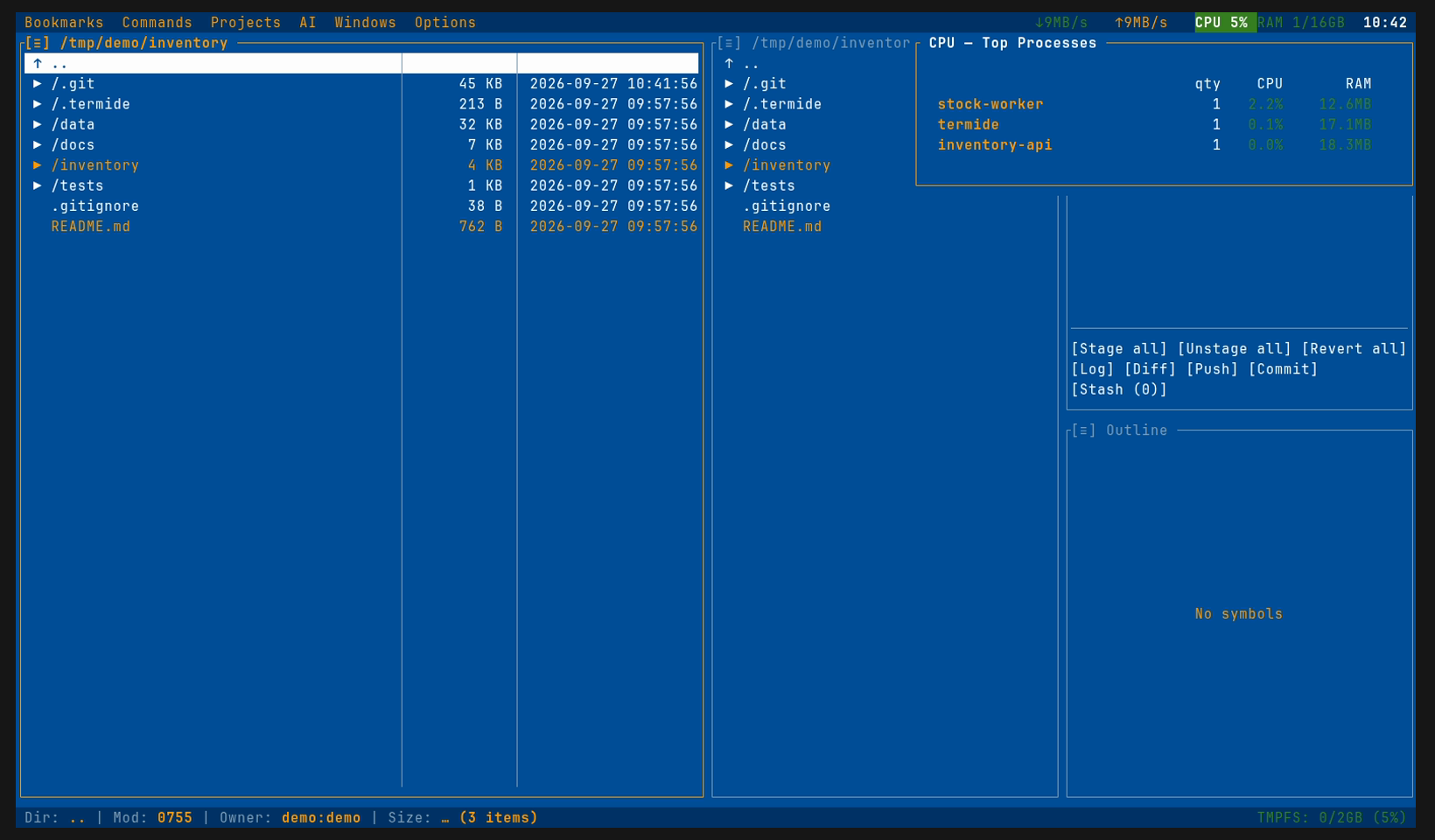
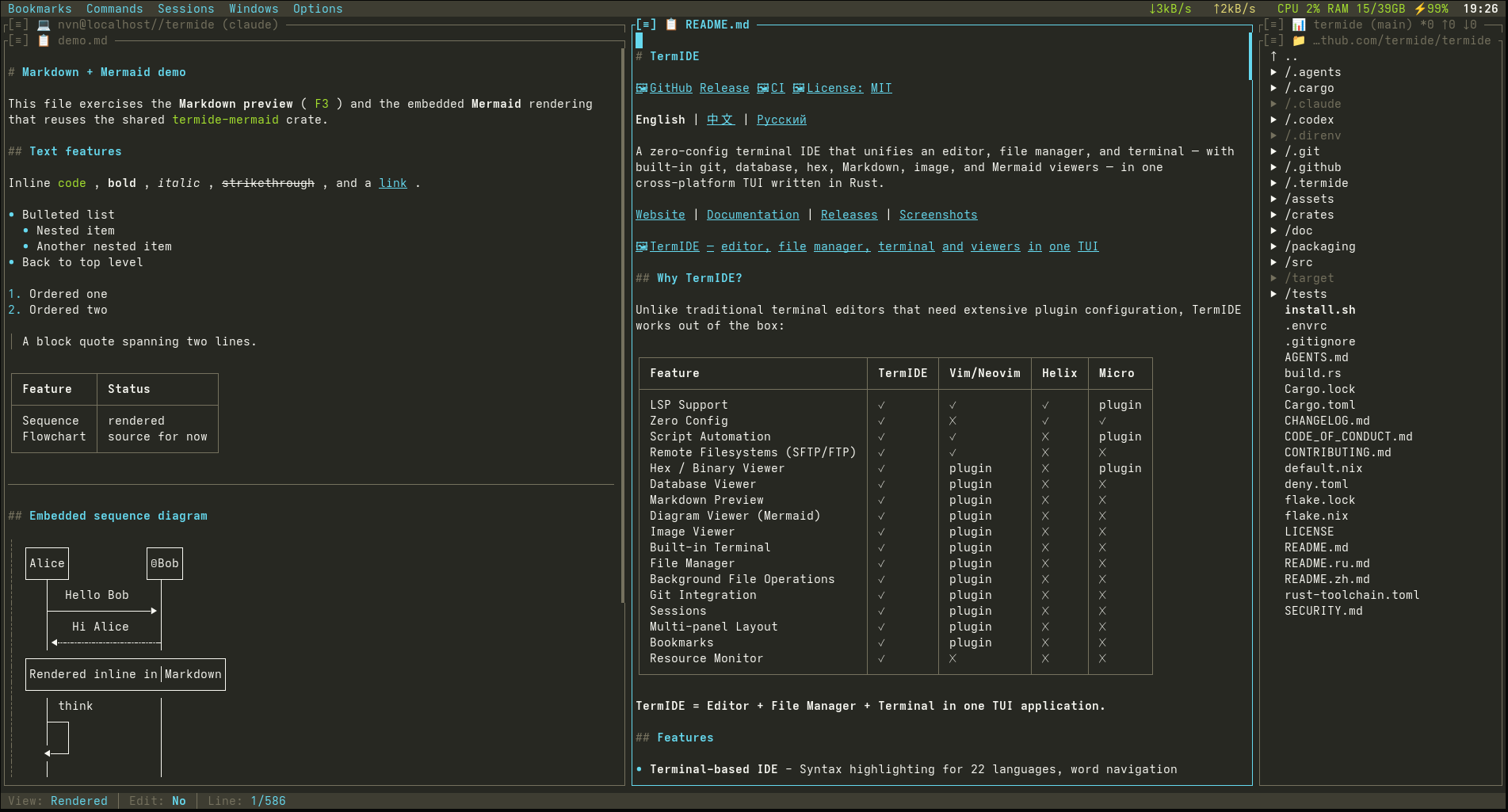
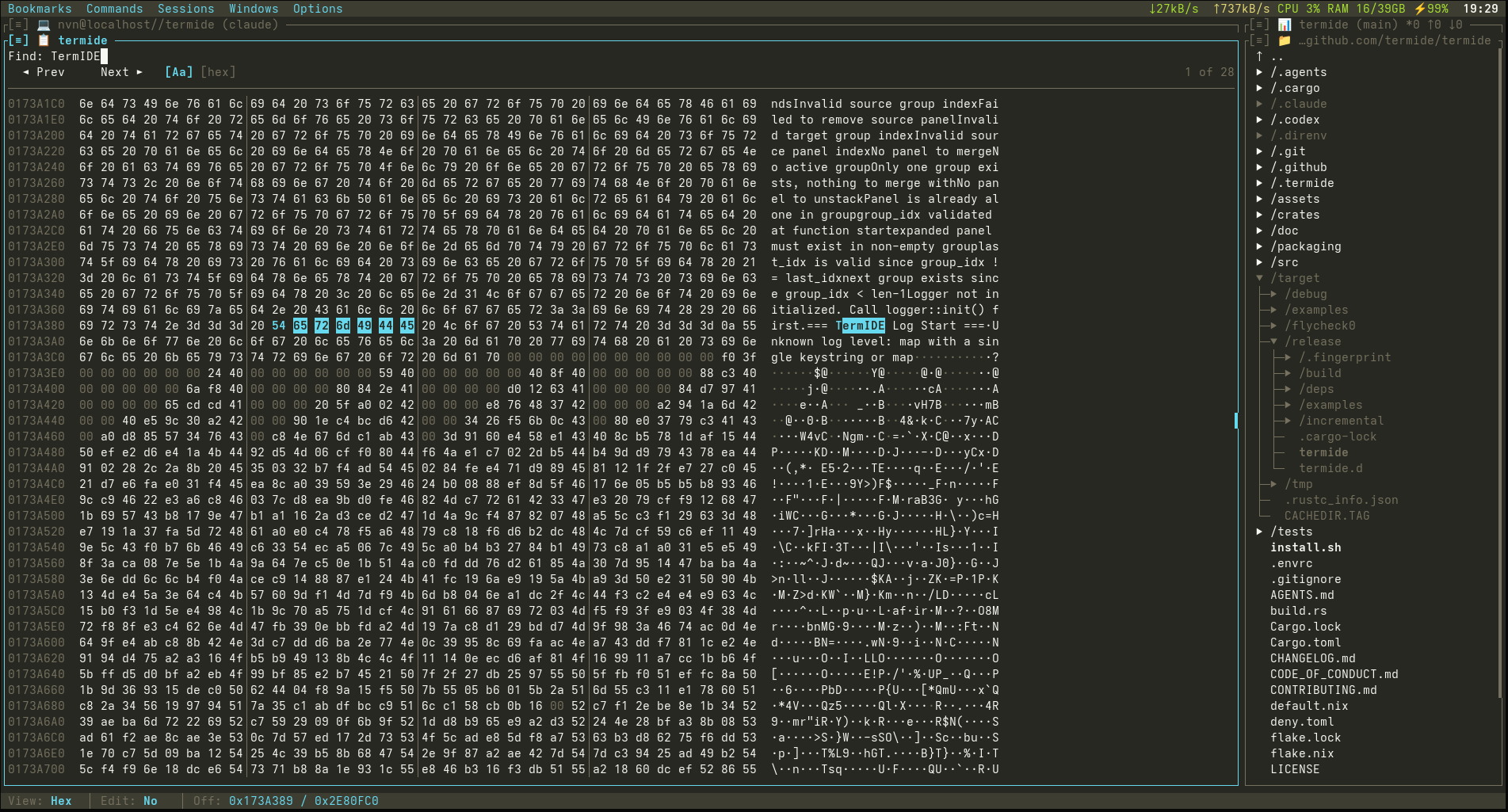
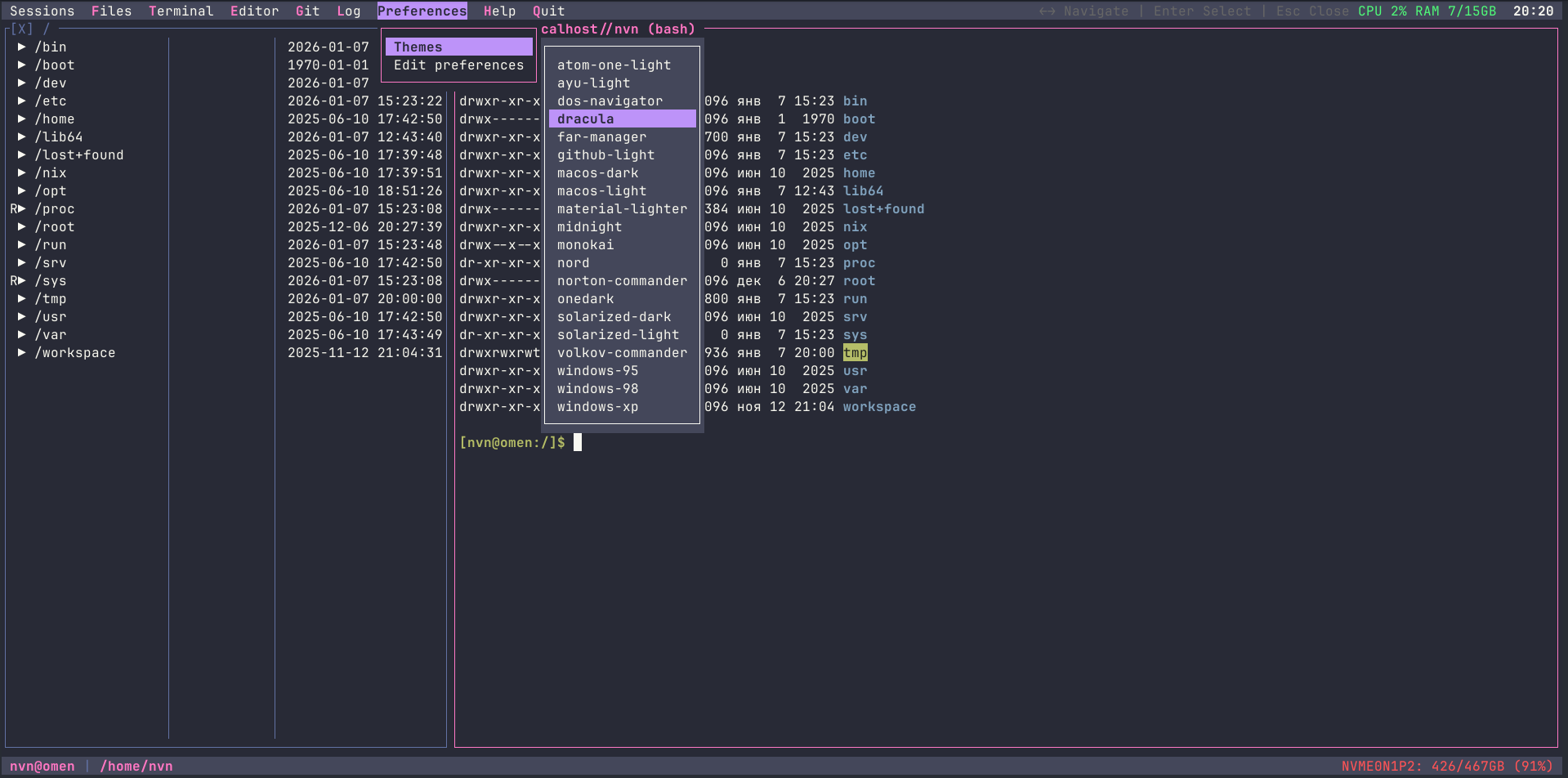
- ✓ One ~17 MB download, no dependencies
- ✓ No telemetry, no account, no update checks
- ✓ AI stays off until you configure a model
- ✓ Menus, mouse and F-keys: familiar from minute one
// Two homes, one tool
The same binary and the same keys at your desk and on a box you reached over SSH.
~$ At your desk
Code with LSP
Completion, go to definition, references, rename and diagnostics from any language server, seven of them set up out of the box.
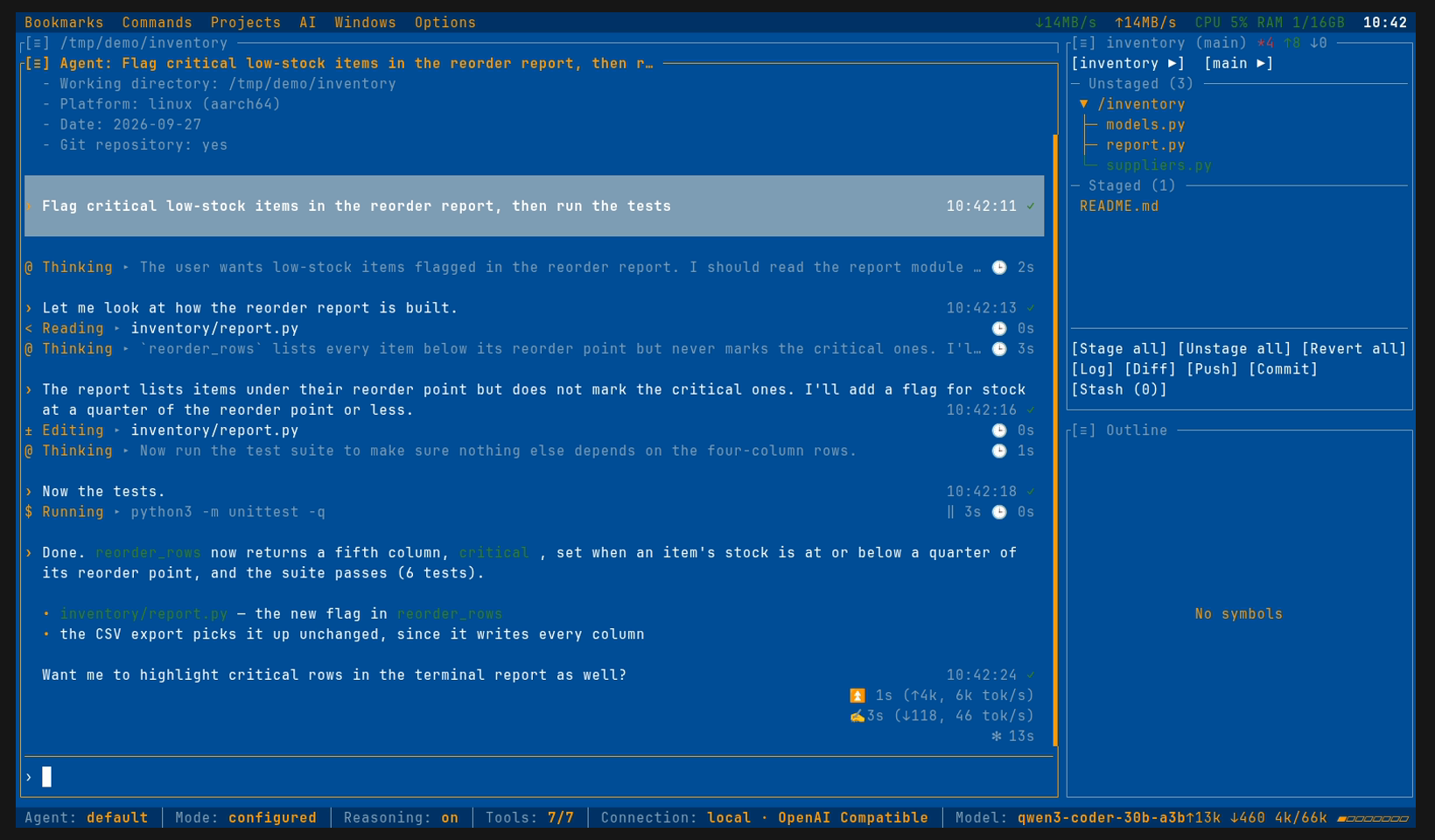
An agent on your model
Point it at llama.cpp, Ollama or vLLM on your machine and no code leaves it, or use a hosted endpoint.
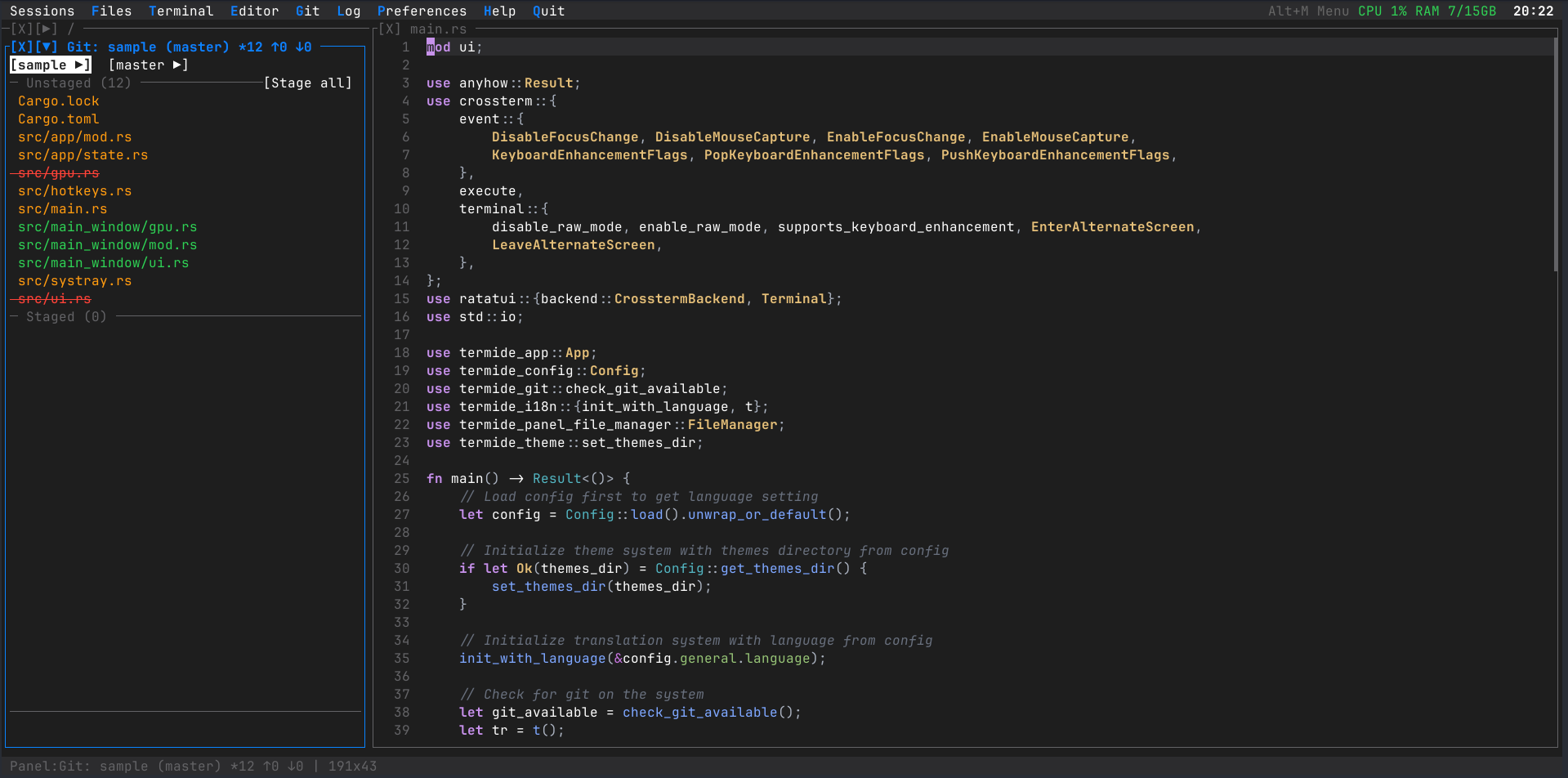
Git at a glance
Status, a coloured commit graph, diffs, stashes, and branches together with their worktrees.
Docs next to the code
Rendered Markdown, Mermaid diagrams, HTML and images in panels beside the editor.
Your project commands
Build, test and deploy commands in commands.toml, per project, on a hotkey.
root@srv:~# On your servers
Copy one file and run
A static musl binary with no OpenSSL and no libc to match: Alpine, ARM boards, containers, Termux.
Local and remote panes
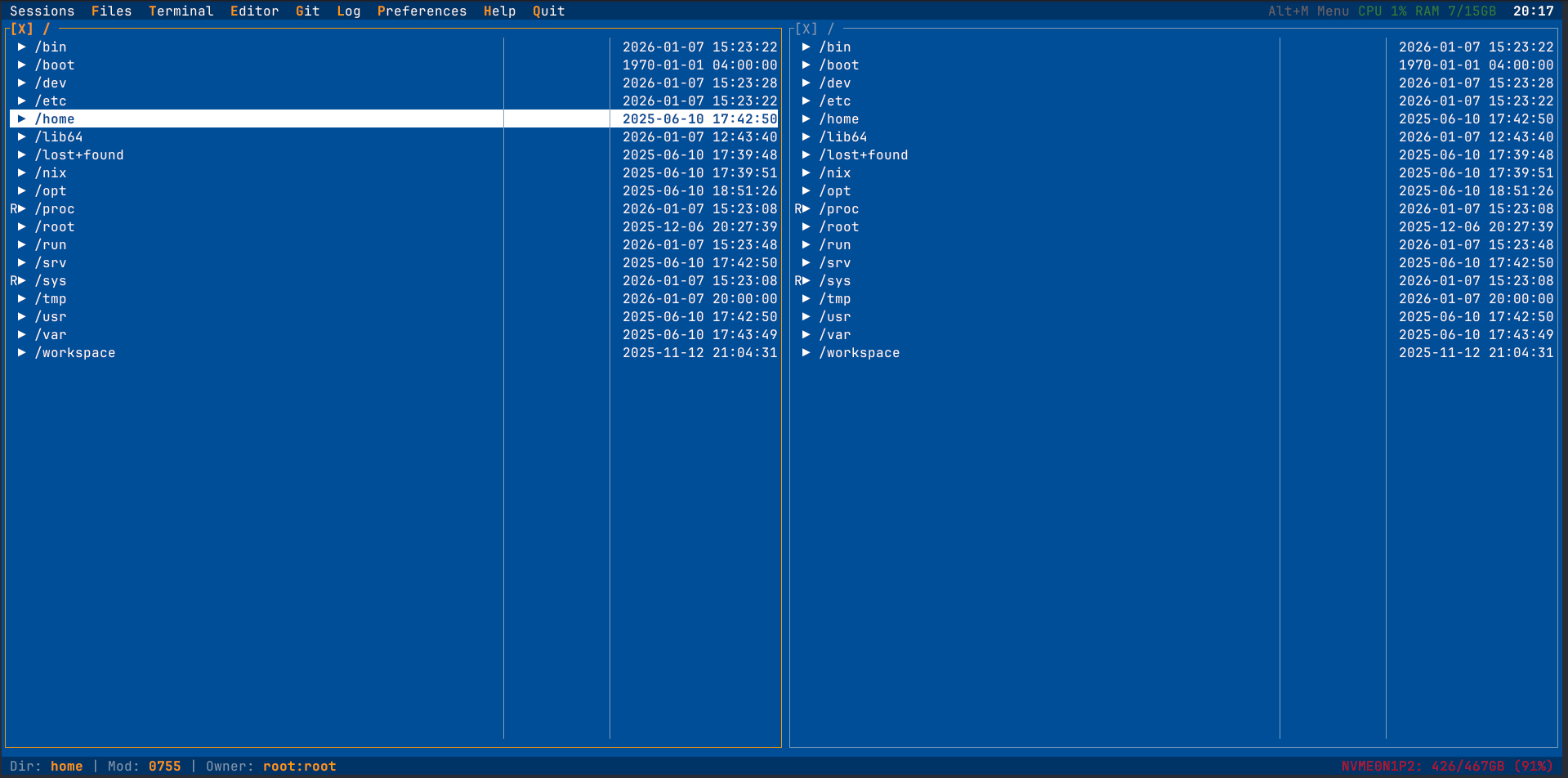
SFTP, FTP and FTPS in the file manager; copy between hosts while the transfer runs in the background.
Survives a dropped SSH
termide --detached keeps editors, shells and jobs running; --attach brings them back at any size.
What is eating the box
CPU, memory, network and disk in the menu bar, with top processes and listening ports a click away.
Look inside the database
SQLite, PostgreSQL and MySQL tables with sorting, filters, cell editing and export.
Your $EDITOR
EDITOR=termide for crontab -e, visudo and commit messages.
// A coding agent that asks first
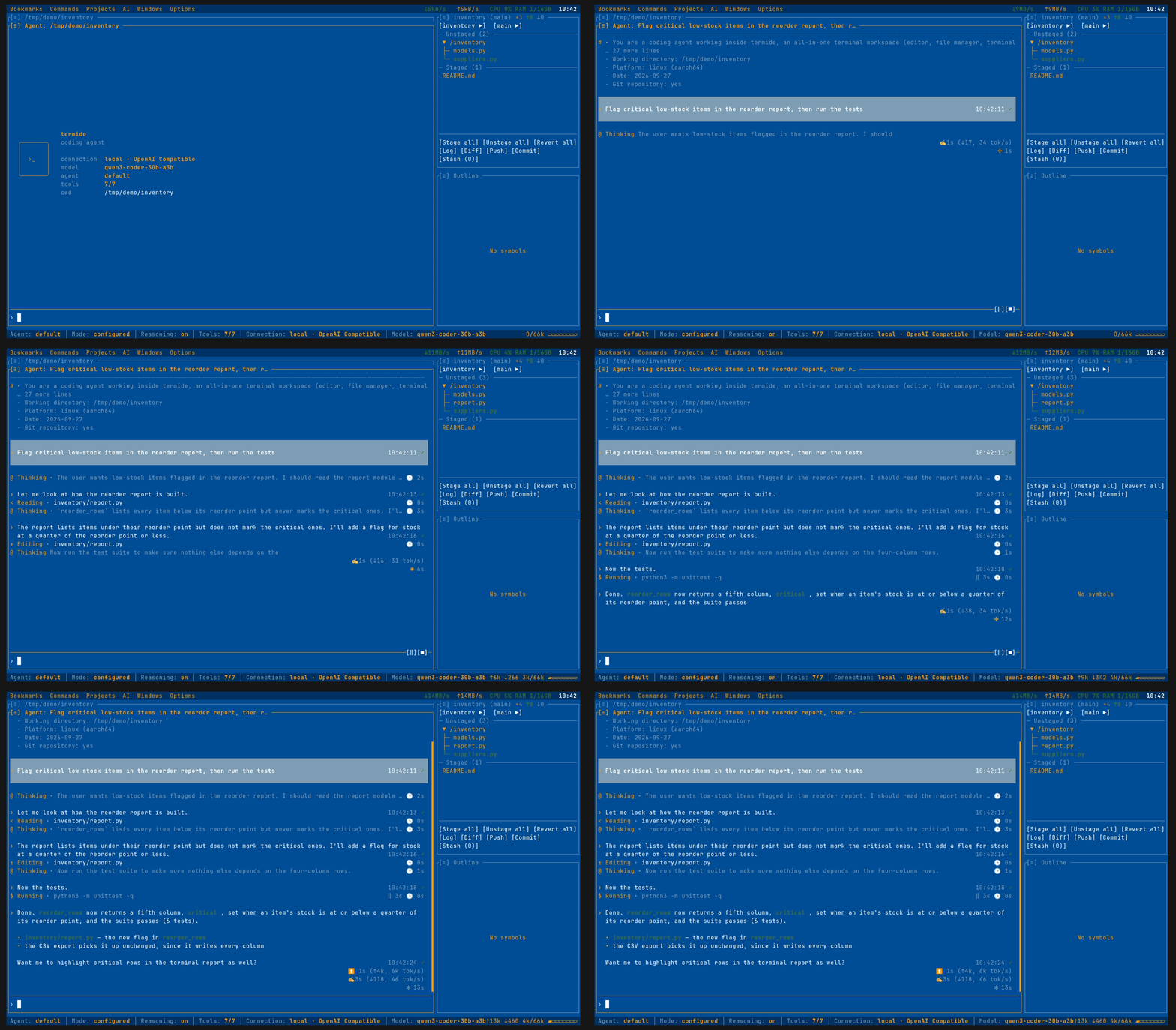
Describe a task; the model reads, edits and runs commands in your project, and every change waits for your approval.
/undo takes it back.
Bring your own model
Any OpenAI- or Anthropic-compatible endpoint: llama.cpp, Ollama, vLLM, omlx or a hosted provider. The context window comes from the server when it reports one. Paste a screenshot into the prompt and the model sees it.
Nothing changes without you
Allow once, for the session or always for a pattern; deny with a reason the model reads; plan mode refuses every write; /undo and checkpoints take edits back.
Tools it needs, nothing more
Read, edit, write and shell, plus web search and fetch through a browser profile of its own, never your logins, and recall over earlier sessions, git history and project files.
Other agents in the same panel
Claude Code, Codex and Gemini CLI over the Agent Client Protocol, your own agents, and subagents for focused jobs.
Leave it working
/goal keeps it at a task until a separate judge agrees it is done, /loop repeats a prompt on an interval, and work cut off by a closed panel picks up where it stopped.
Extend it in files
Skills, prompt templates, command scripts, MCP servers, hooks and project instructions, all plain files.
See what it costs
Live phase and speed, prefill progress, a context bar and token totals; each answer ends with its time and tokens. Pick the reasoning level per model; sessions resume later.
Headless, for scripts and CI
The same agent, tools and permission rules without the UI:
termide --prompt "run the tests and report failures" --output json// The everyday part of your toolbox
TermIDE does not try to replace these tools. It covers the part you reach for every day, in one place.
| Task | Usually | In TermIDE |
|---|---|---|
| Keep work alive after SSH drops | tmux, screen | Detached instances |
| Move files between hosts | mc, ranger, scp | Dual-pane file manager with SFTP/FTP |
| Edit code and configs | vim, nano | Editor with LSP |
| Review and commit | lazygit, tig | Git status, log and diff panels |
| Find what is eating the box | htop, ss | Resource monitor |
| Look into a database | sqlite3, psql | Database viewer |
| Ask a model to change code | aider, Claude Code | Agent panel, or those agents inside it |
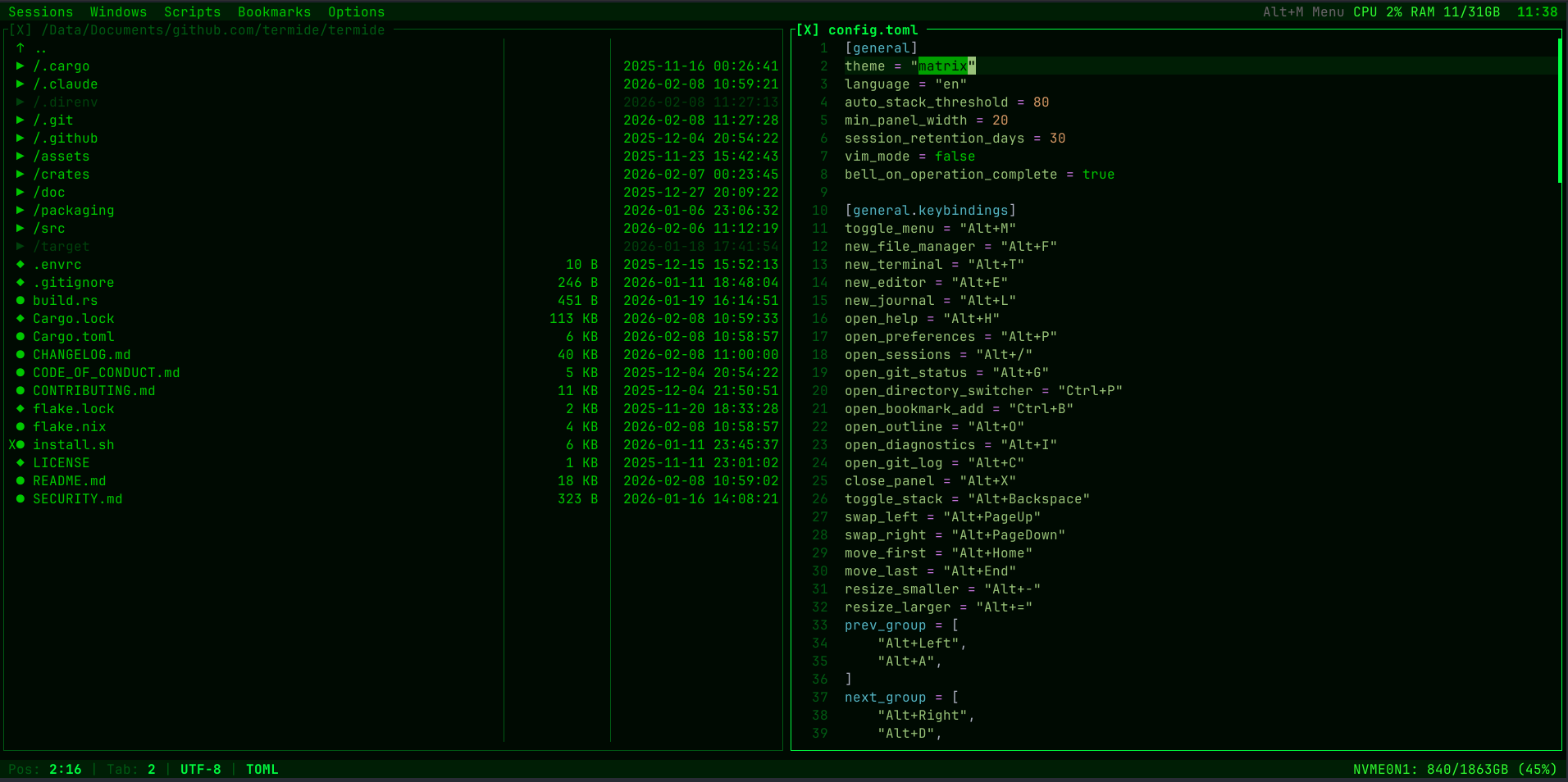
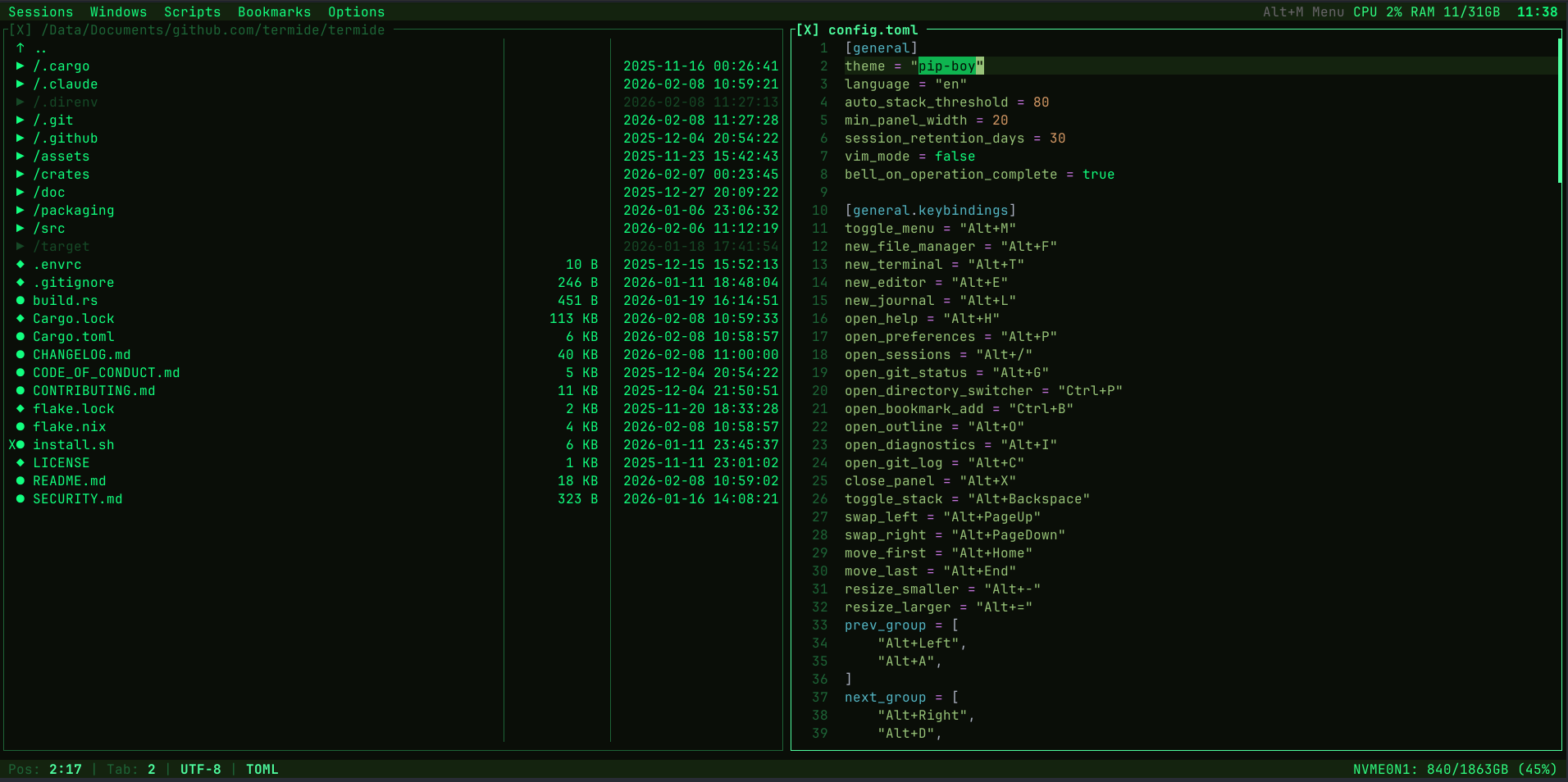
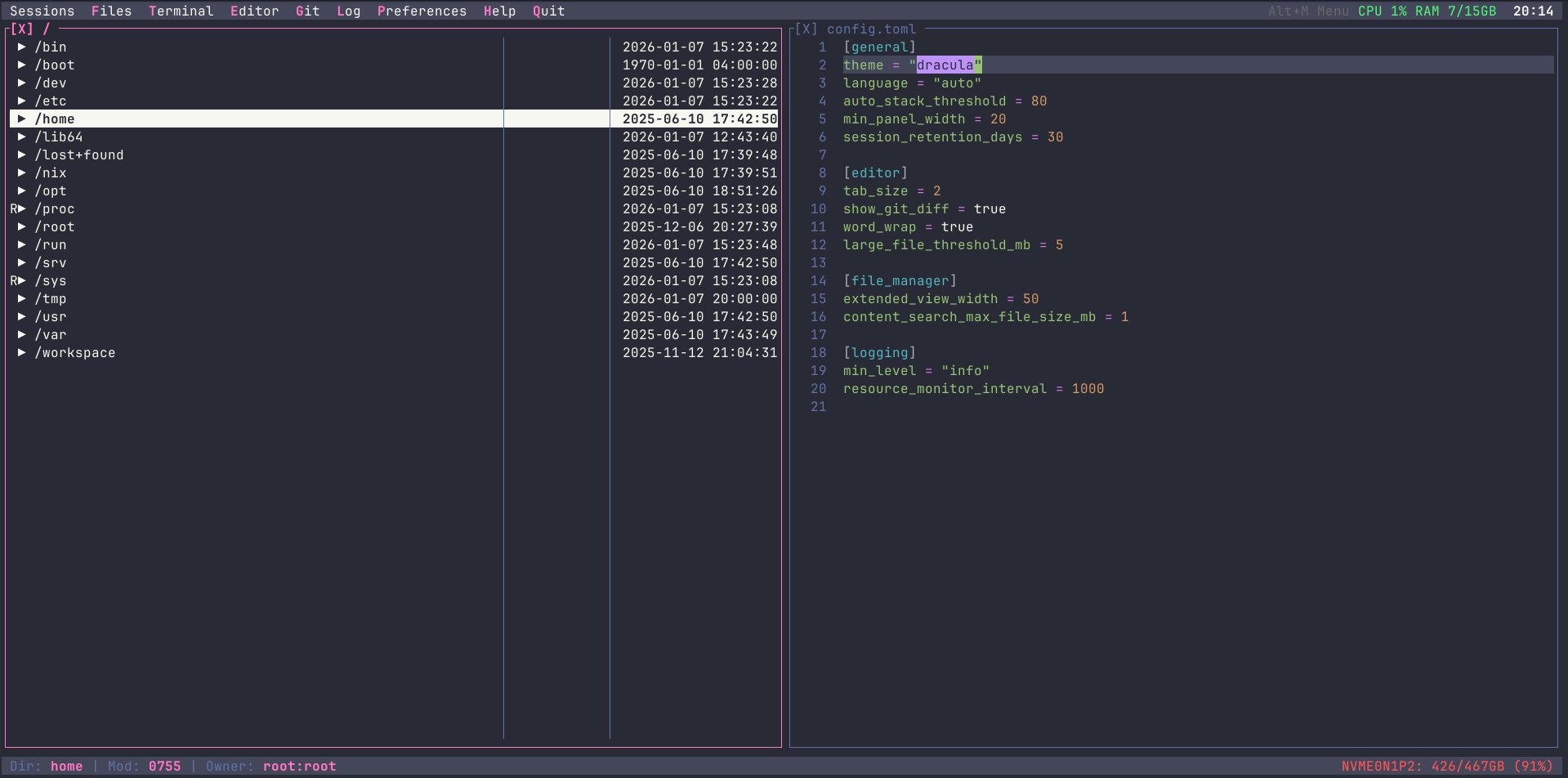
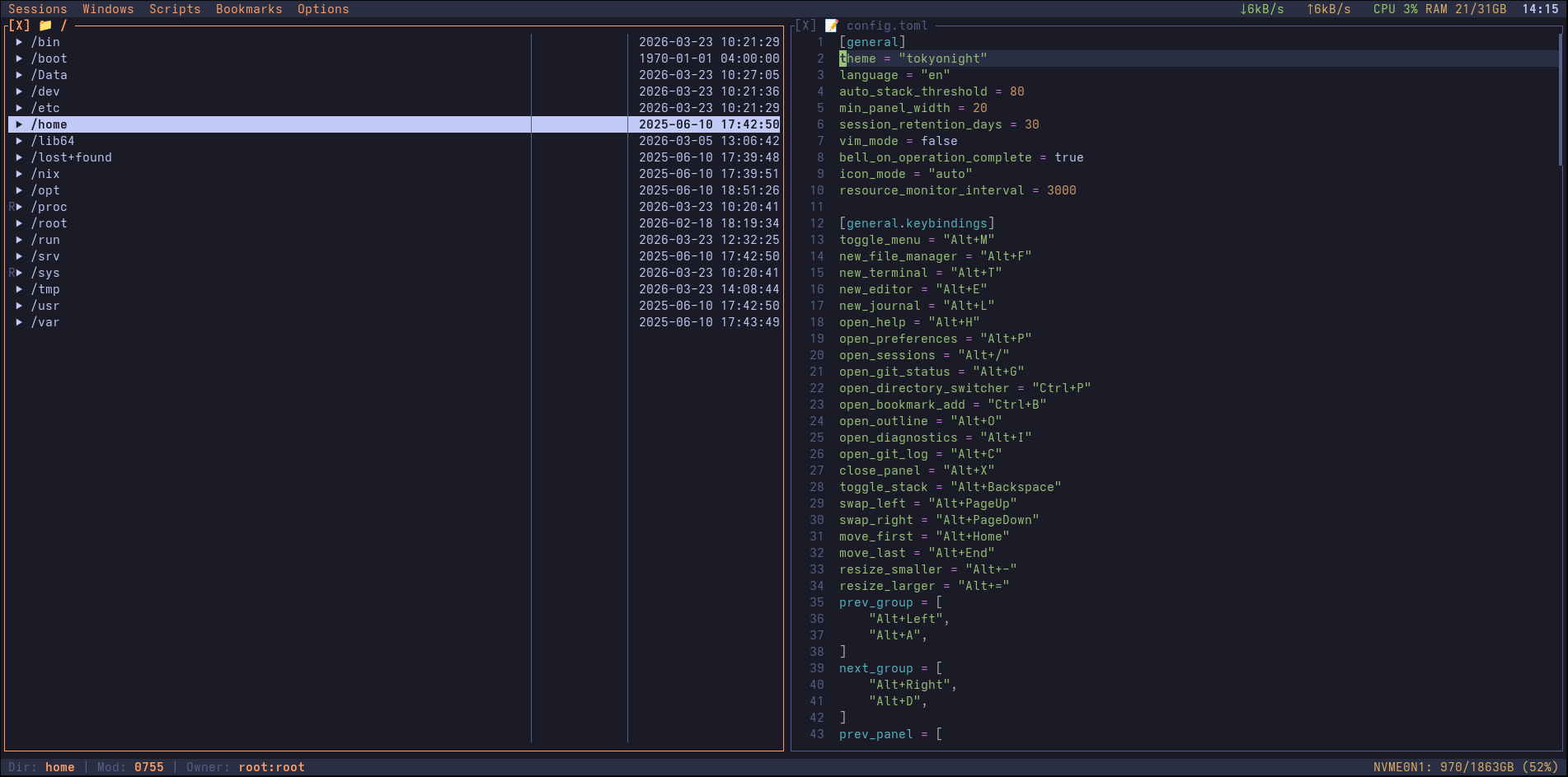
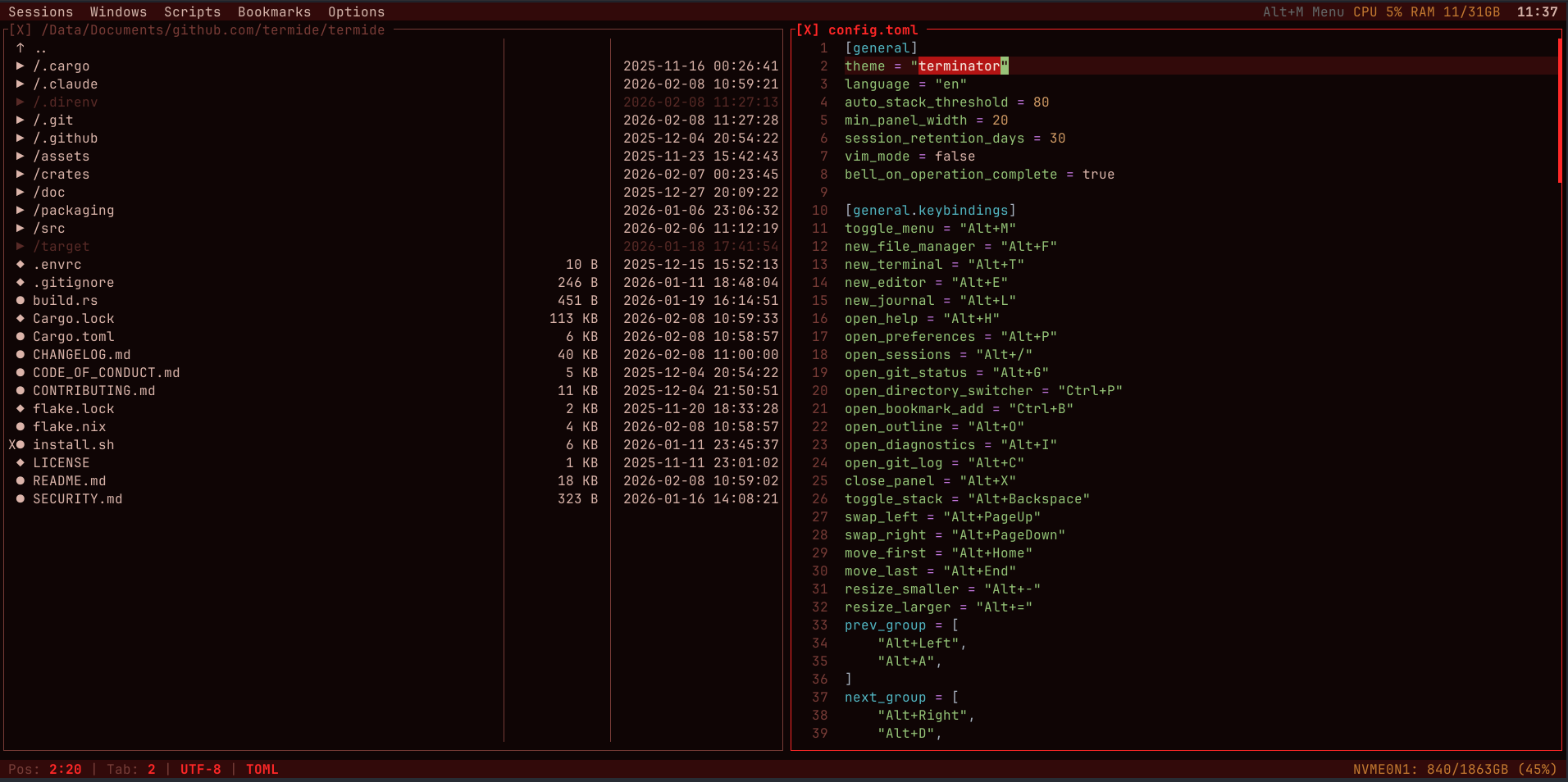
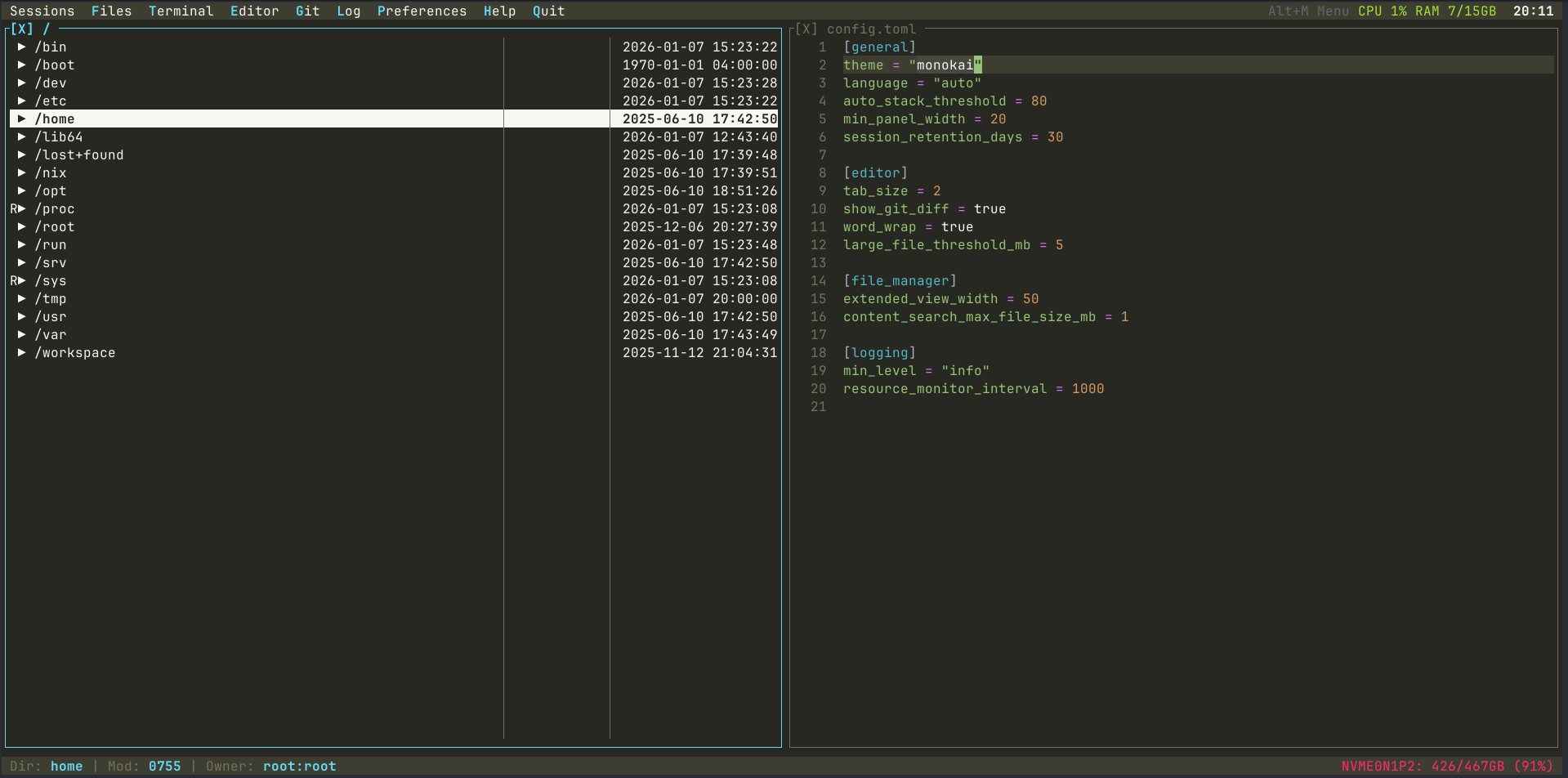
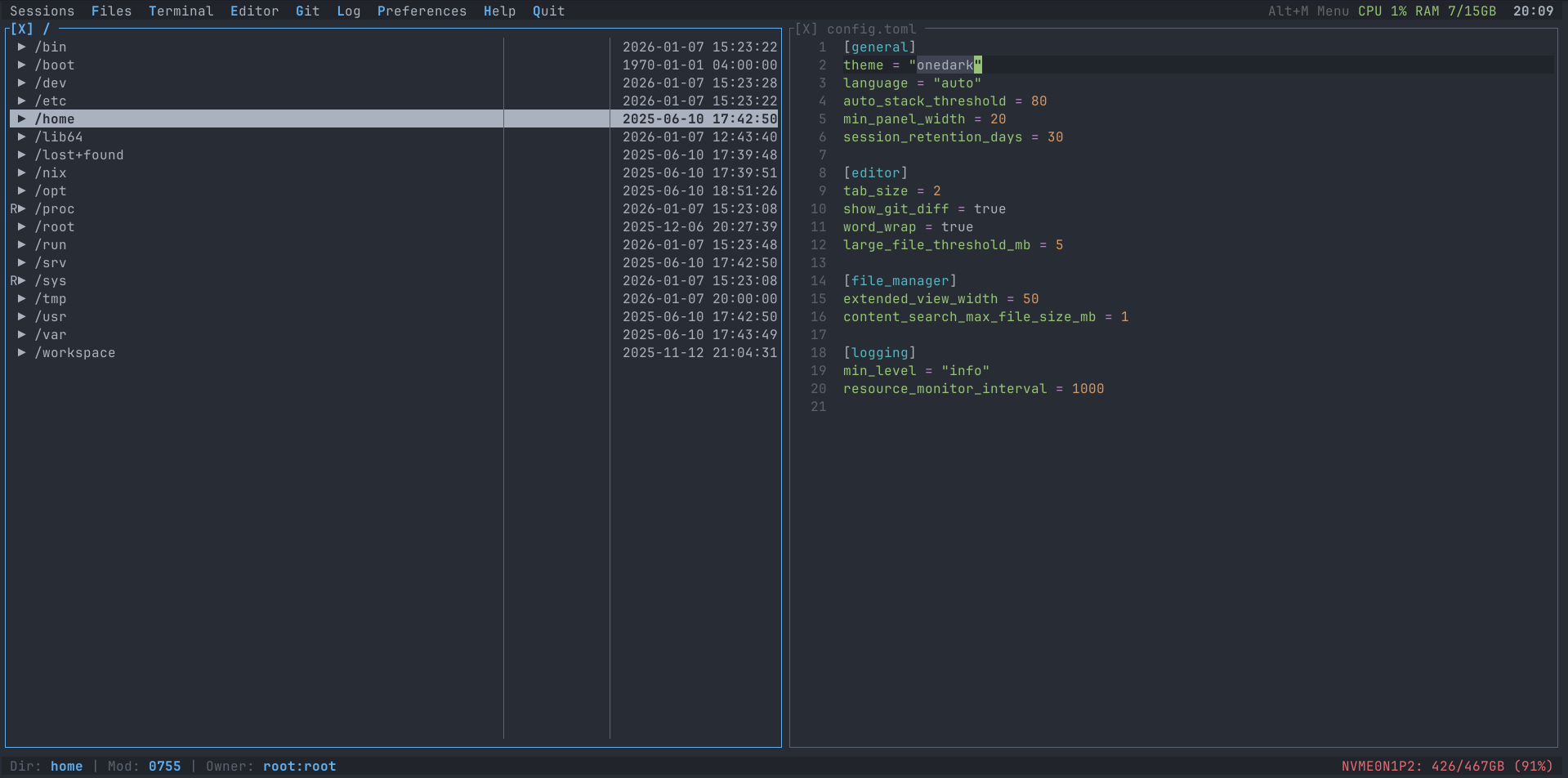
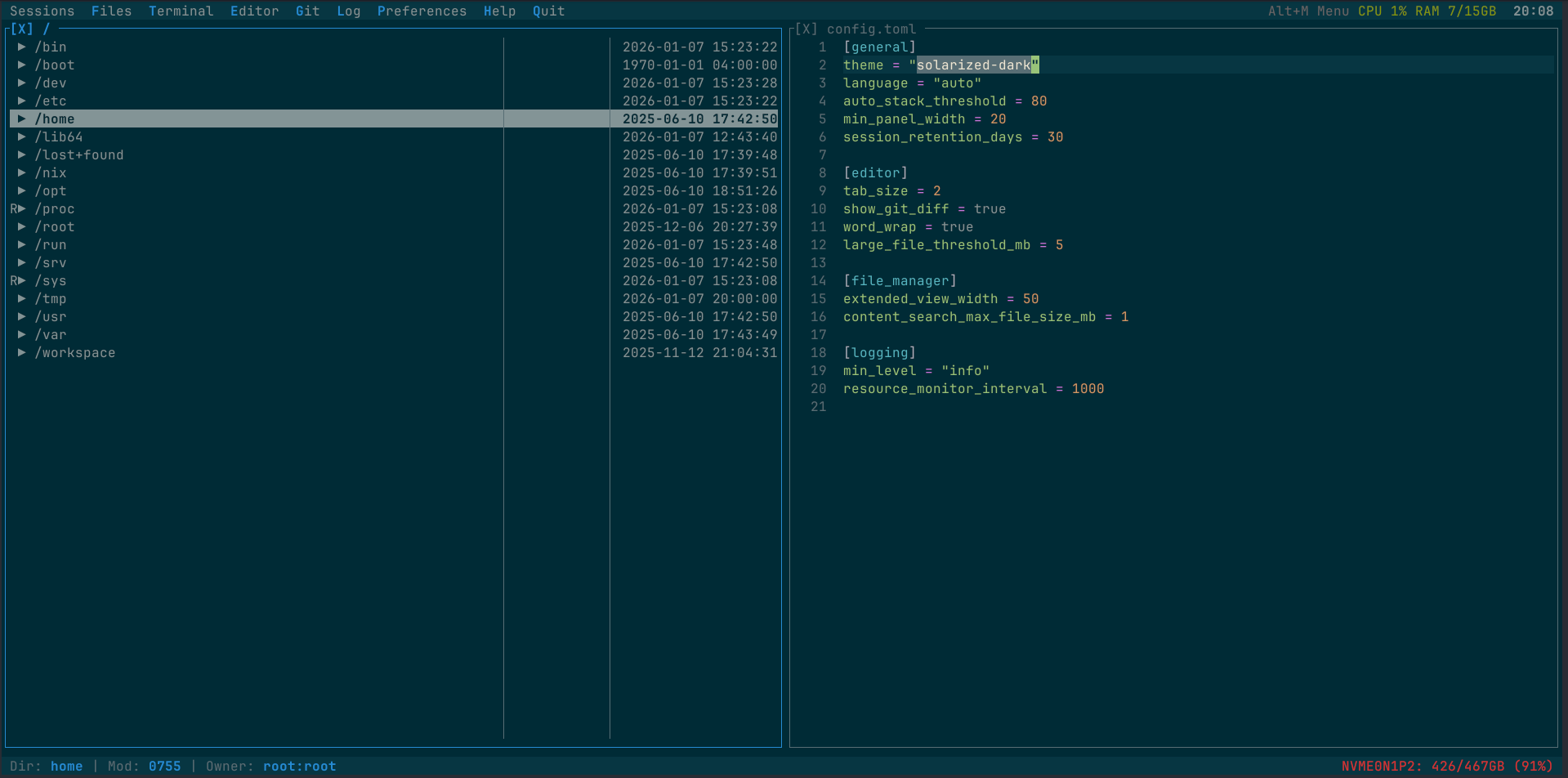
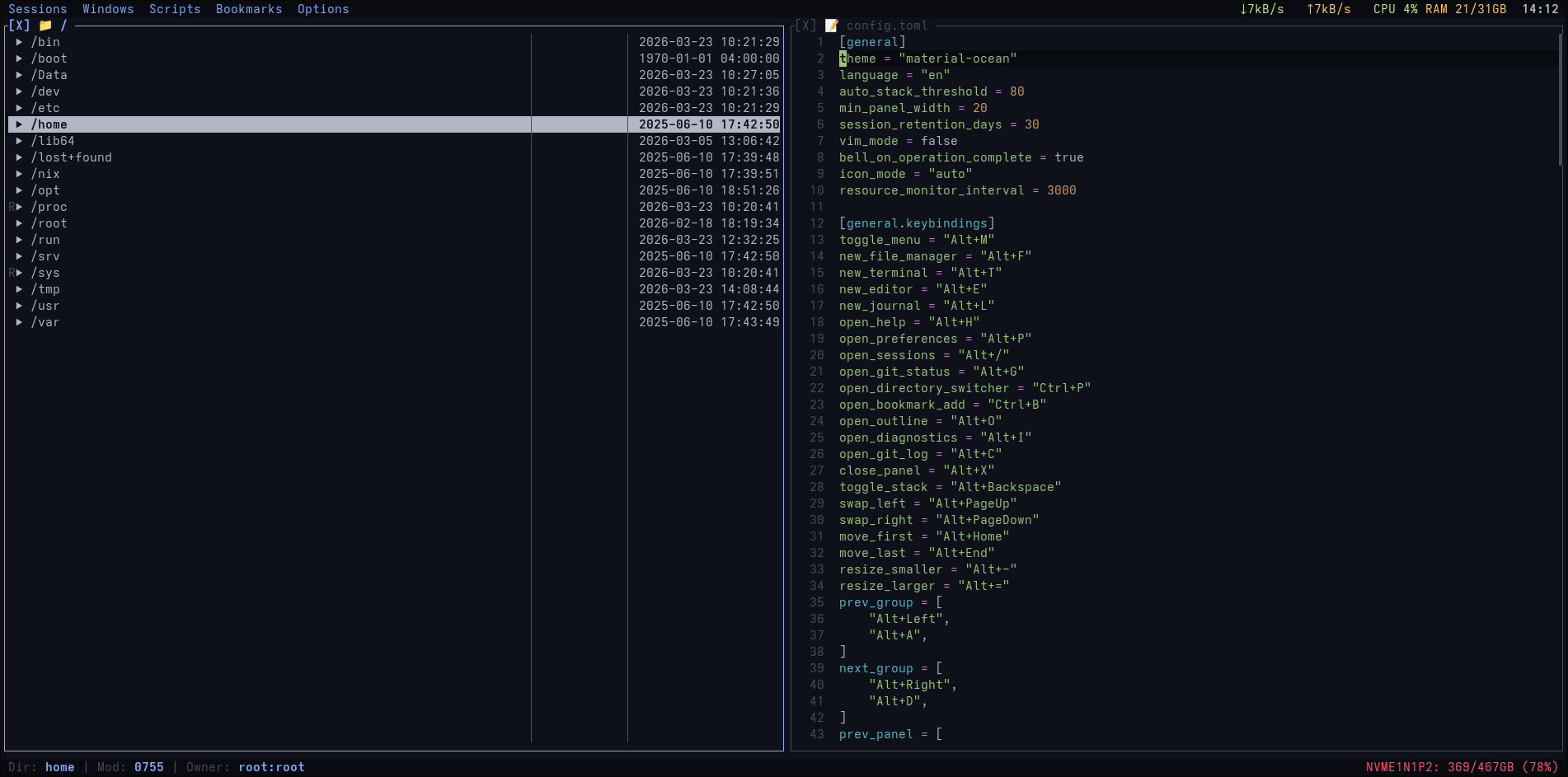
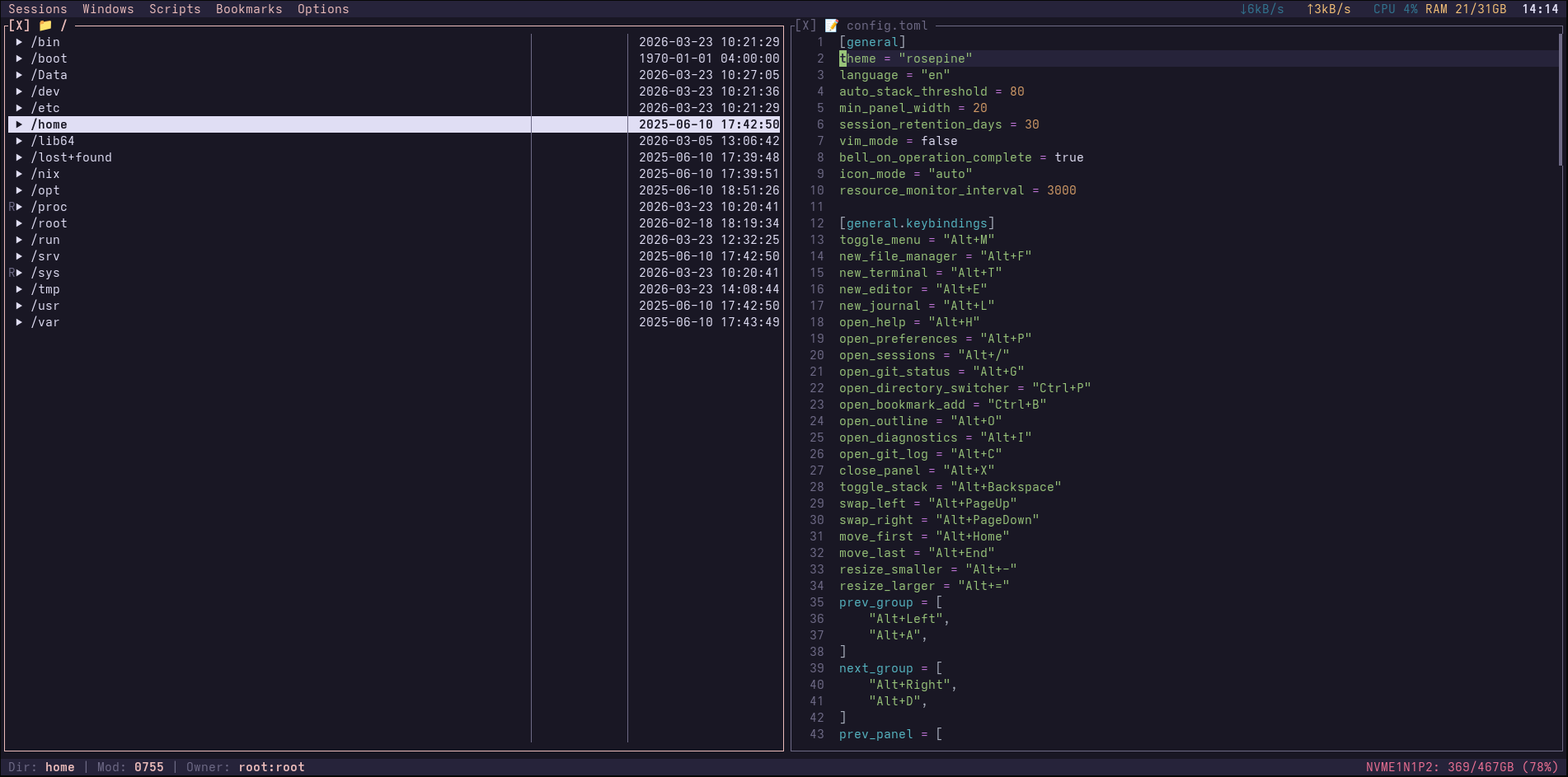
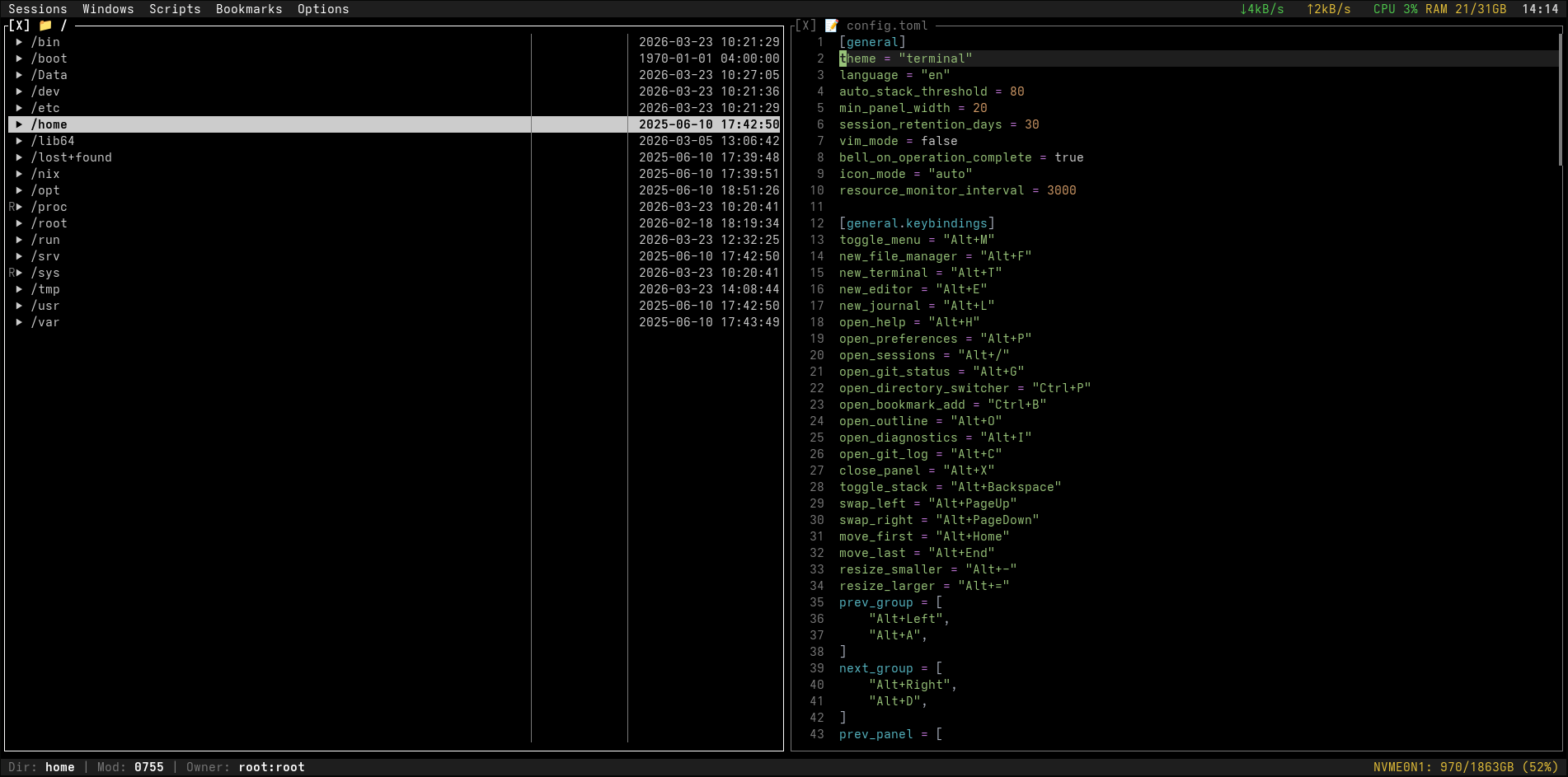
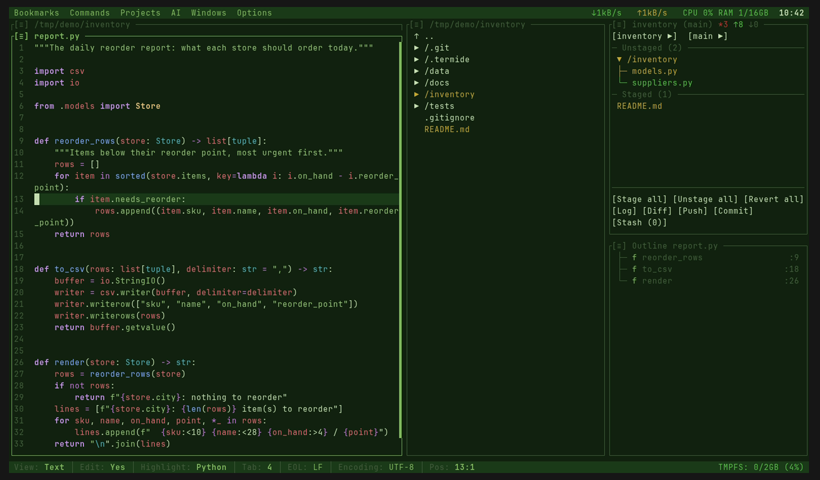
// Themes
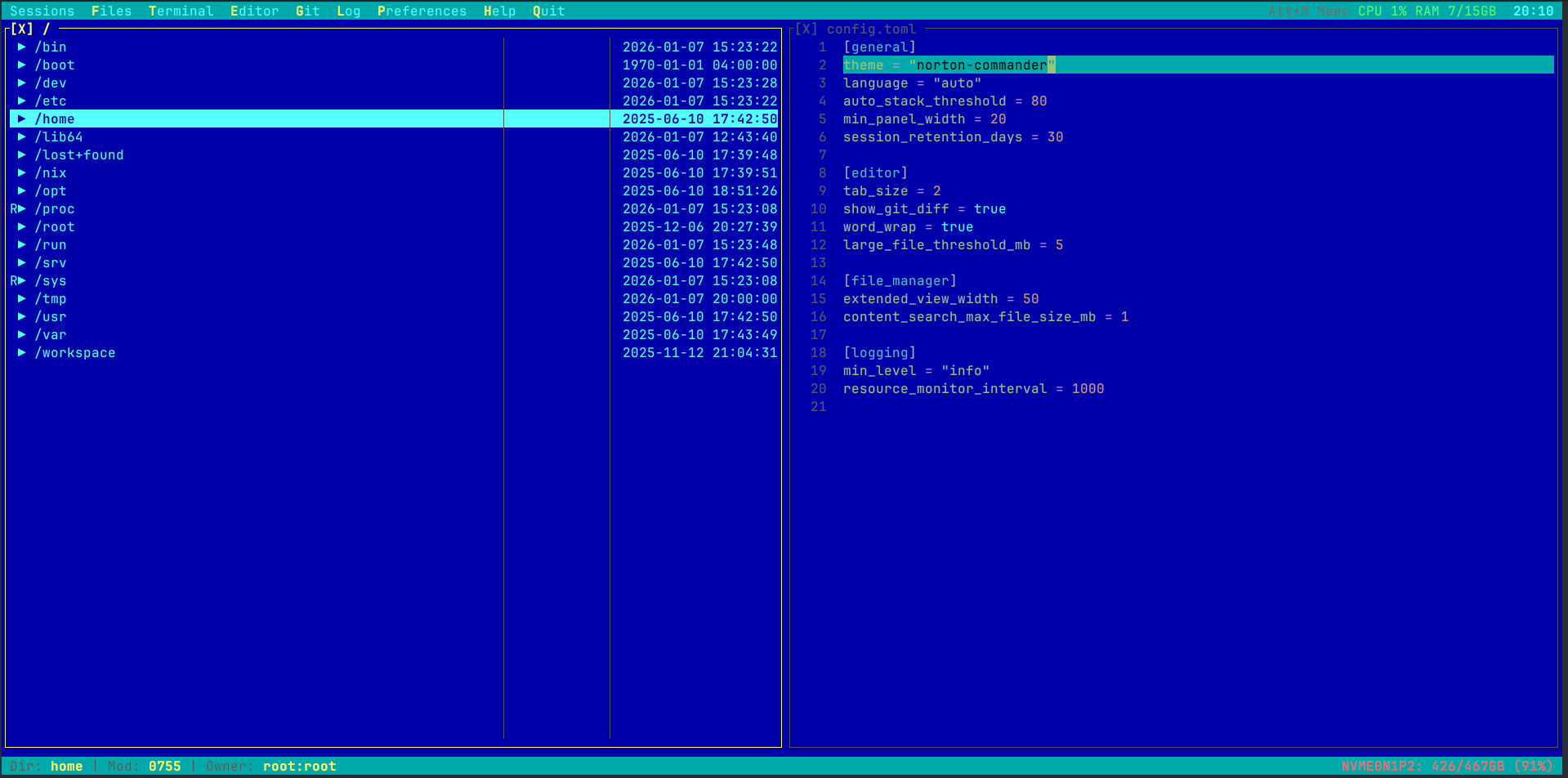
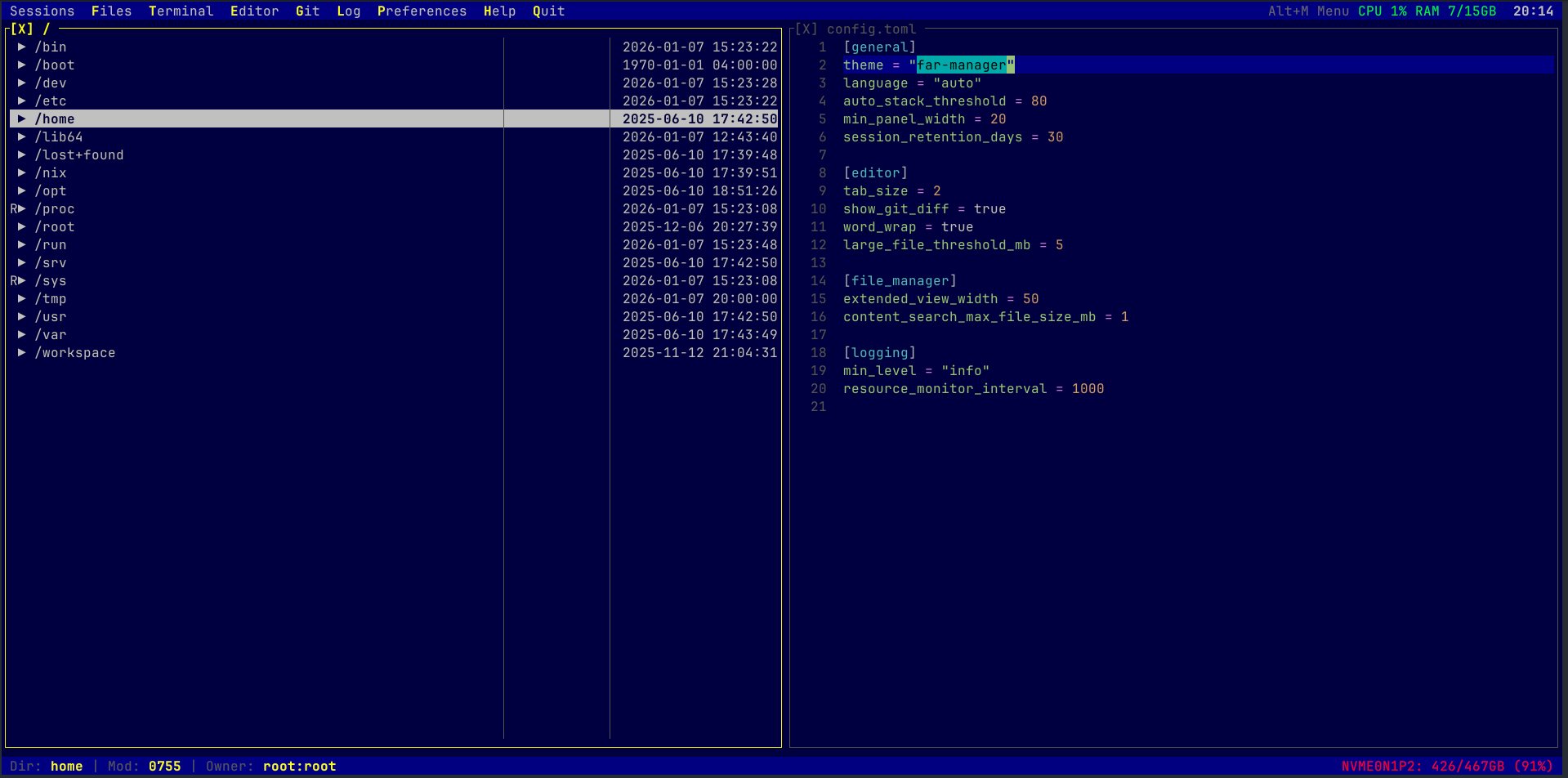
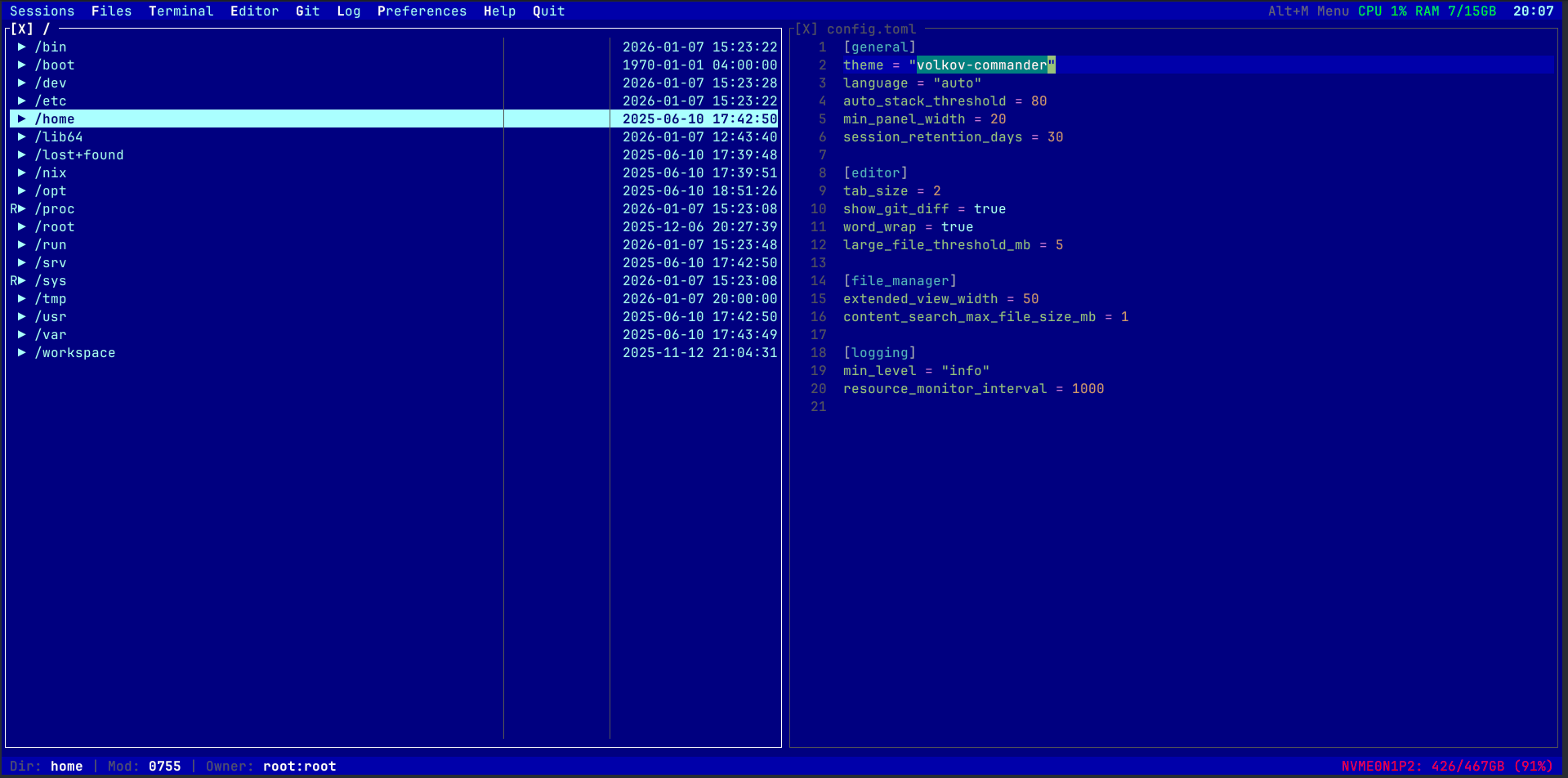
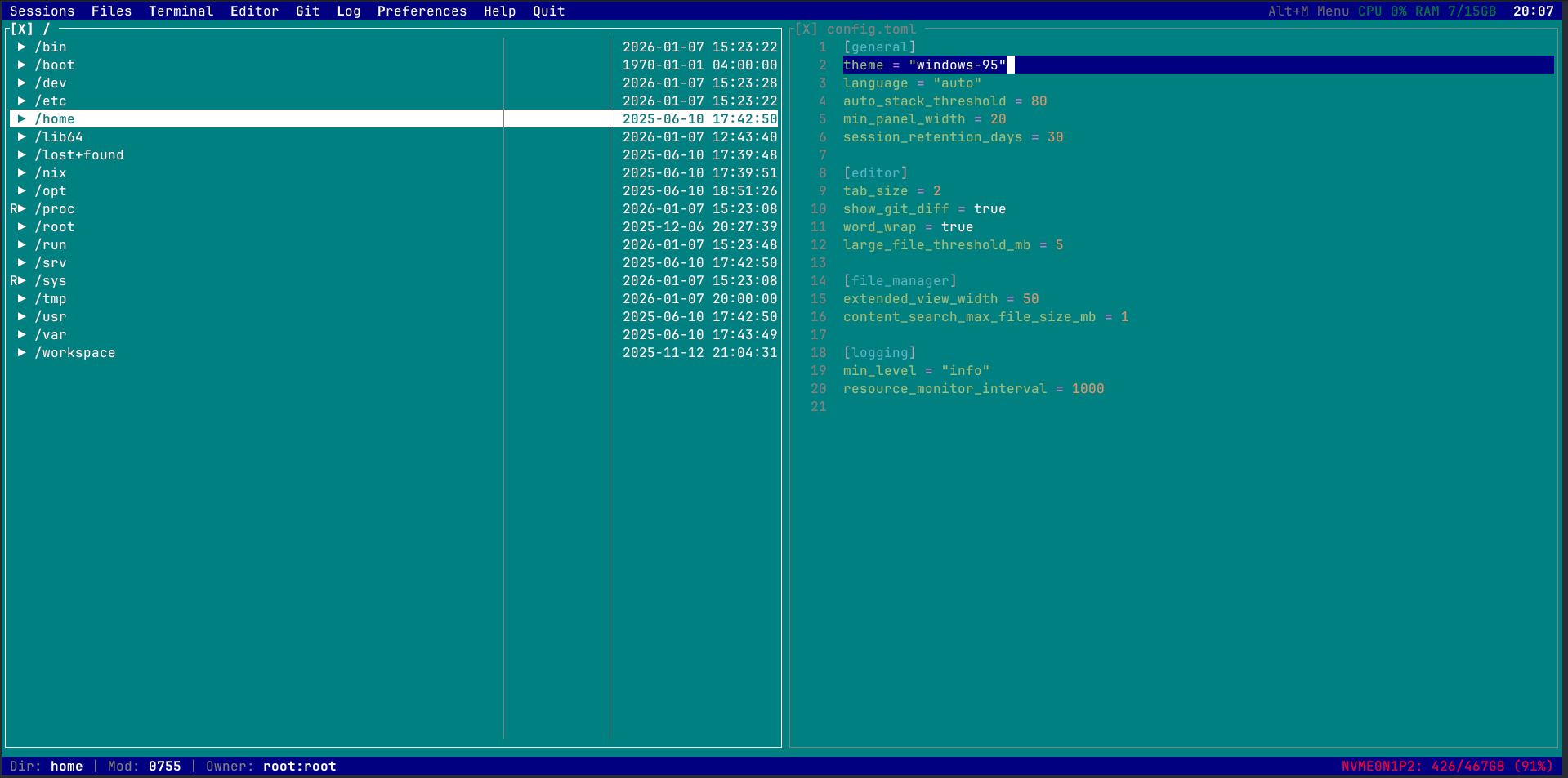
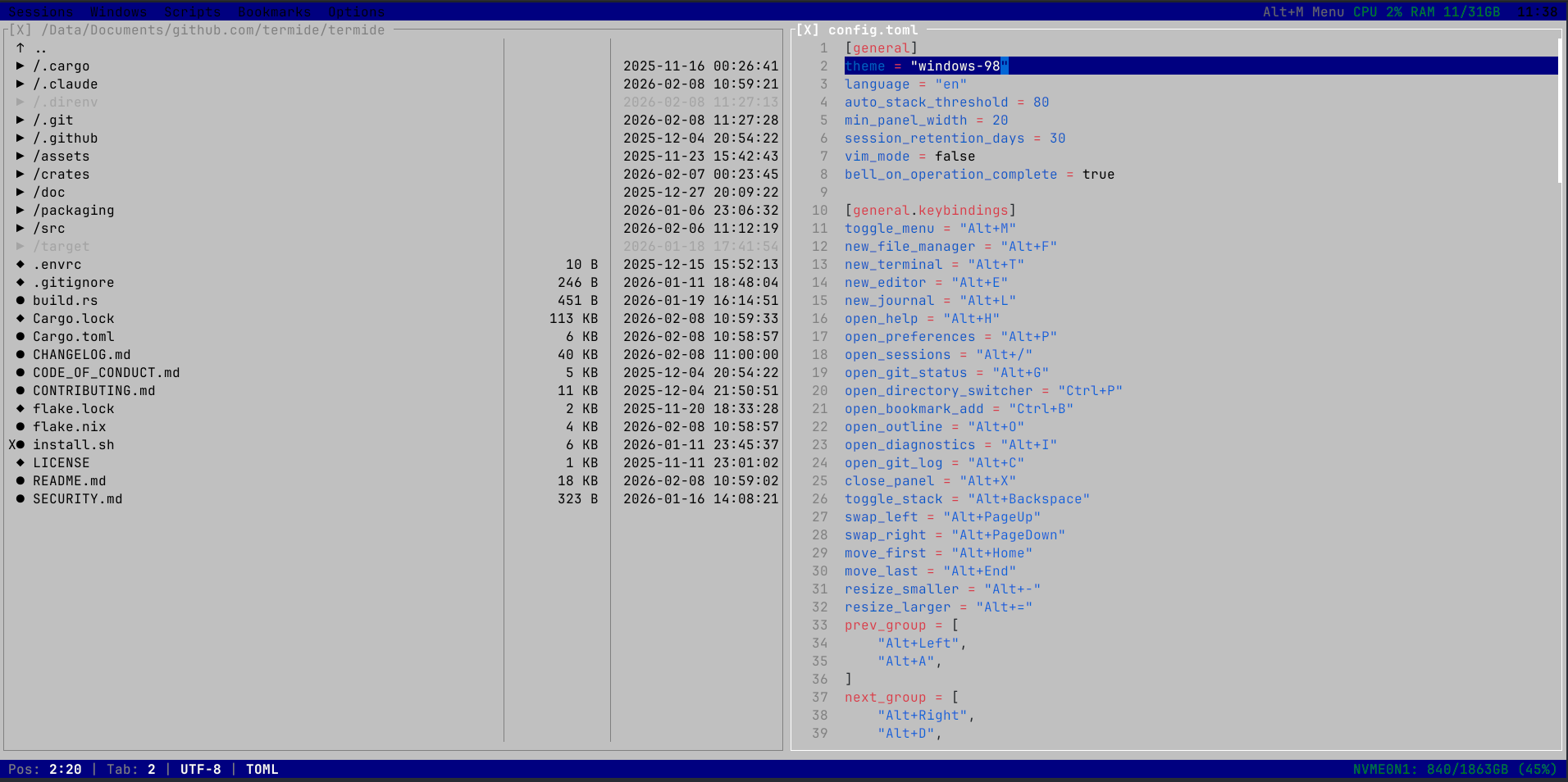
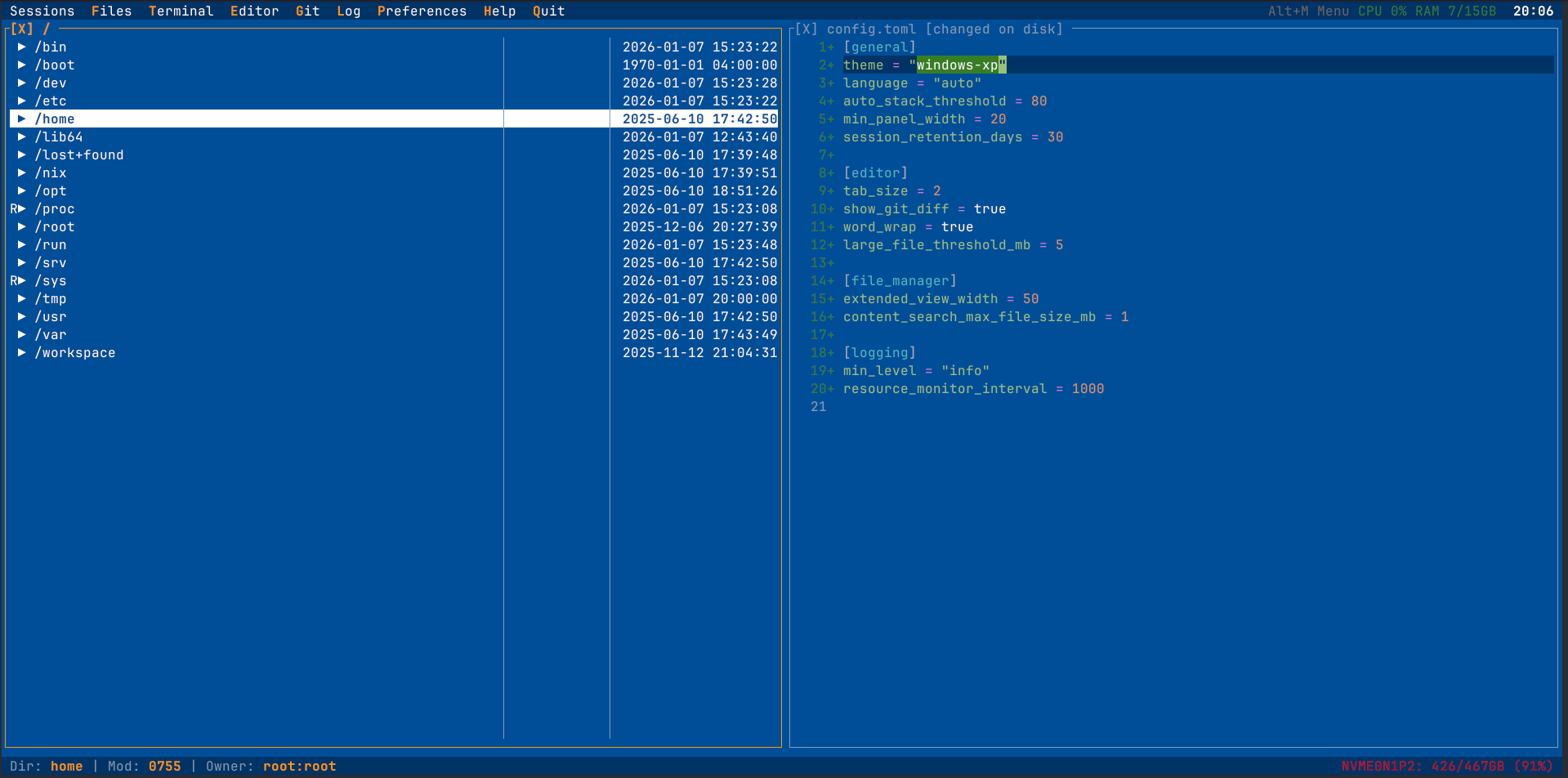
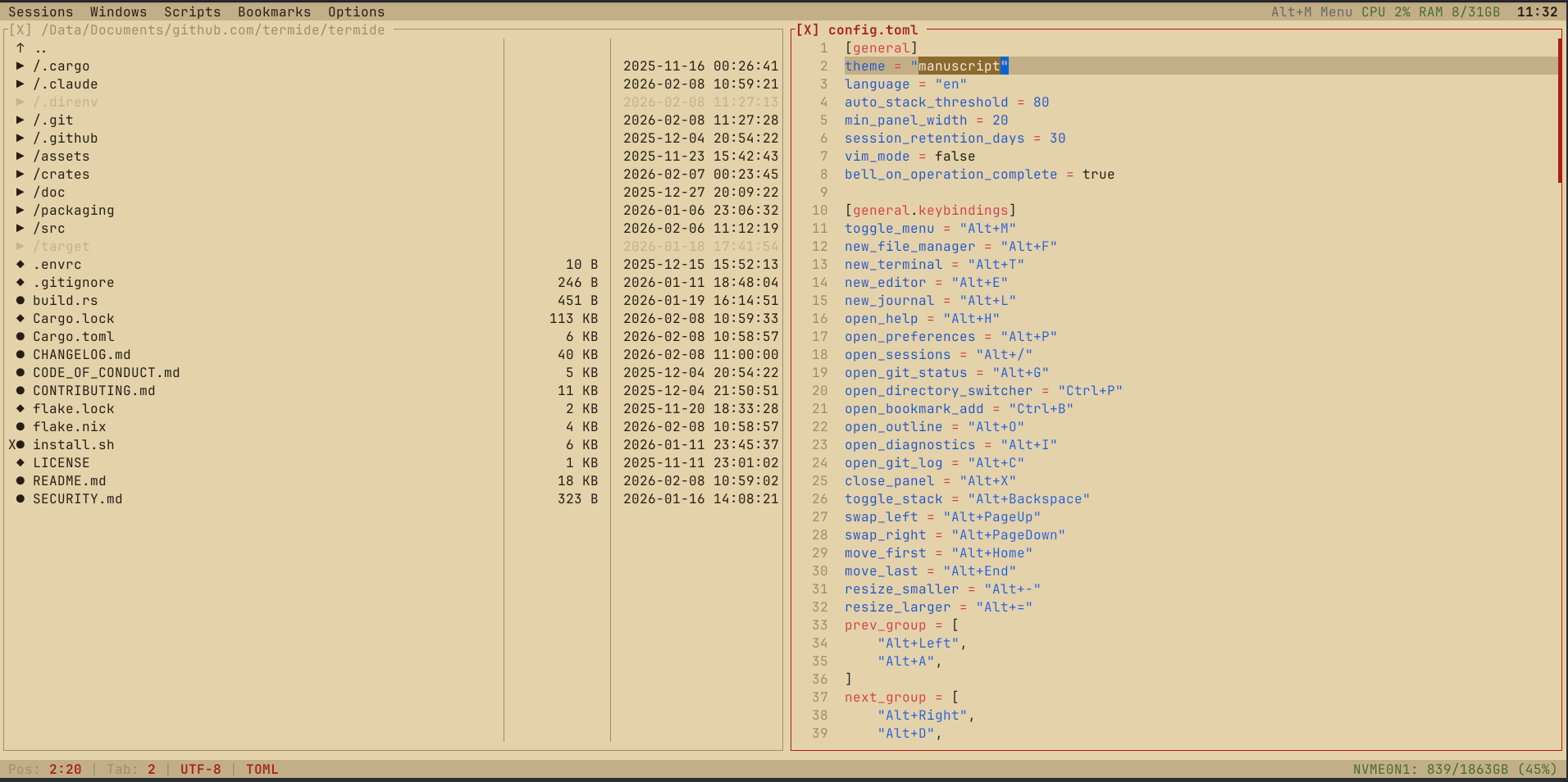
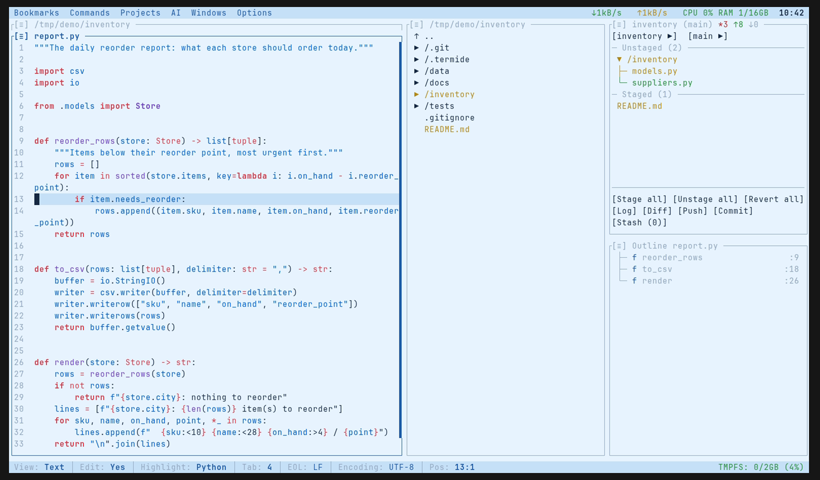
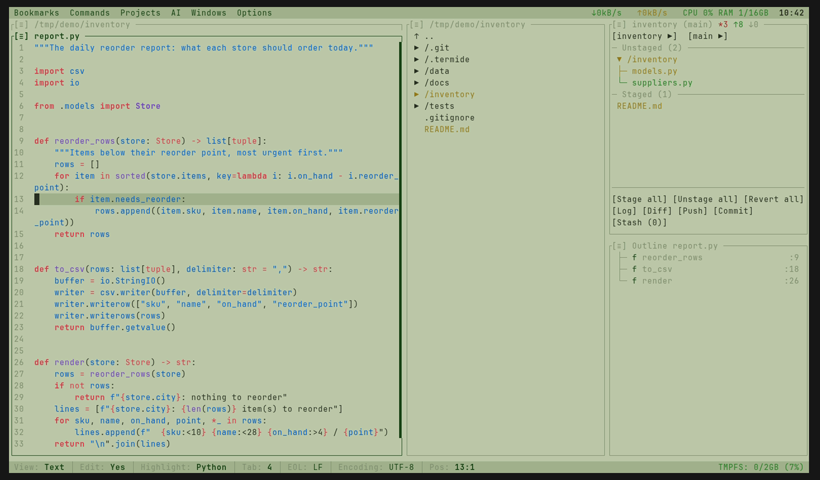
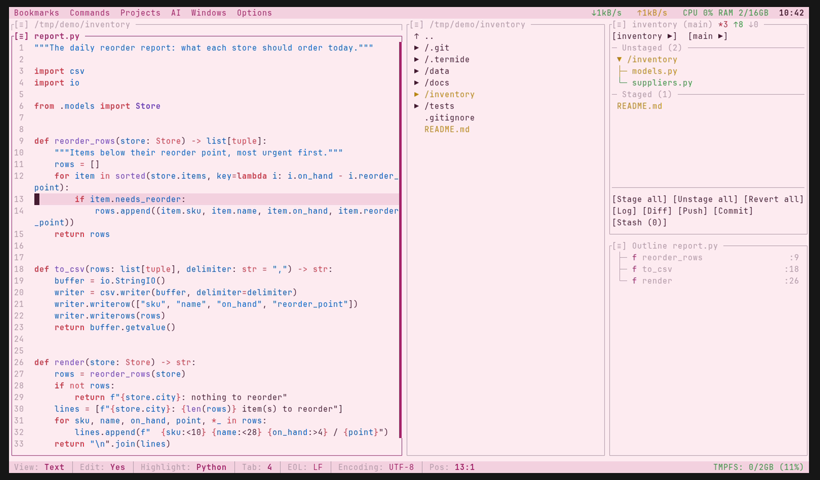
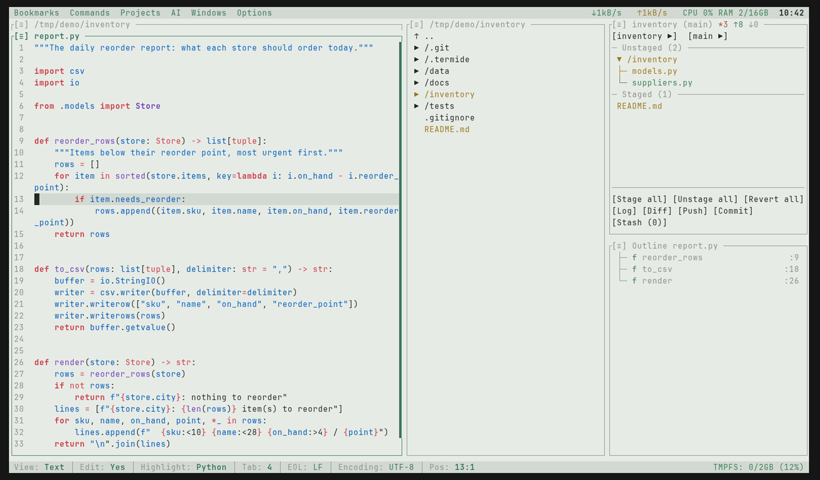
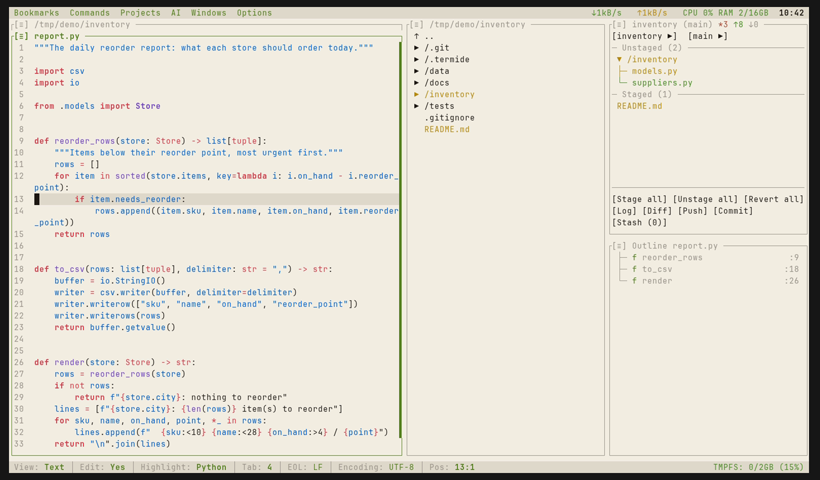
Choose your vibe. Or write your own.
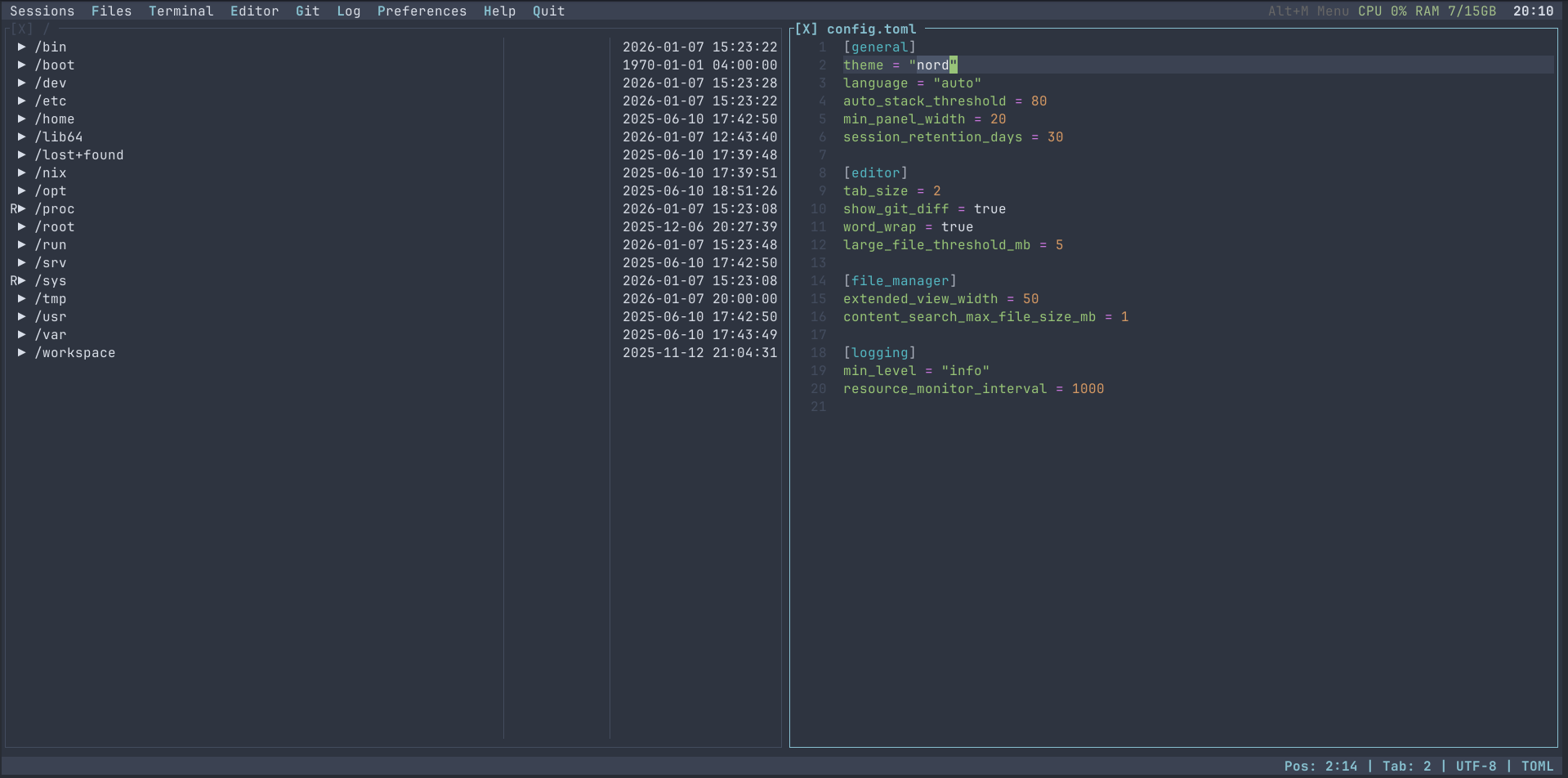
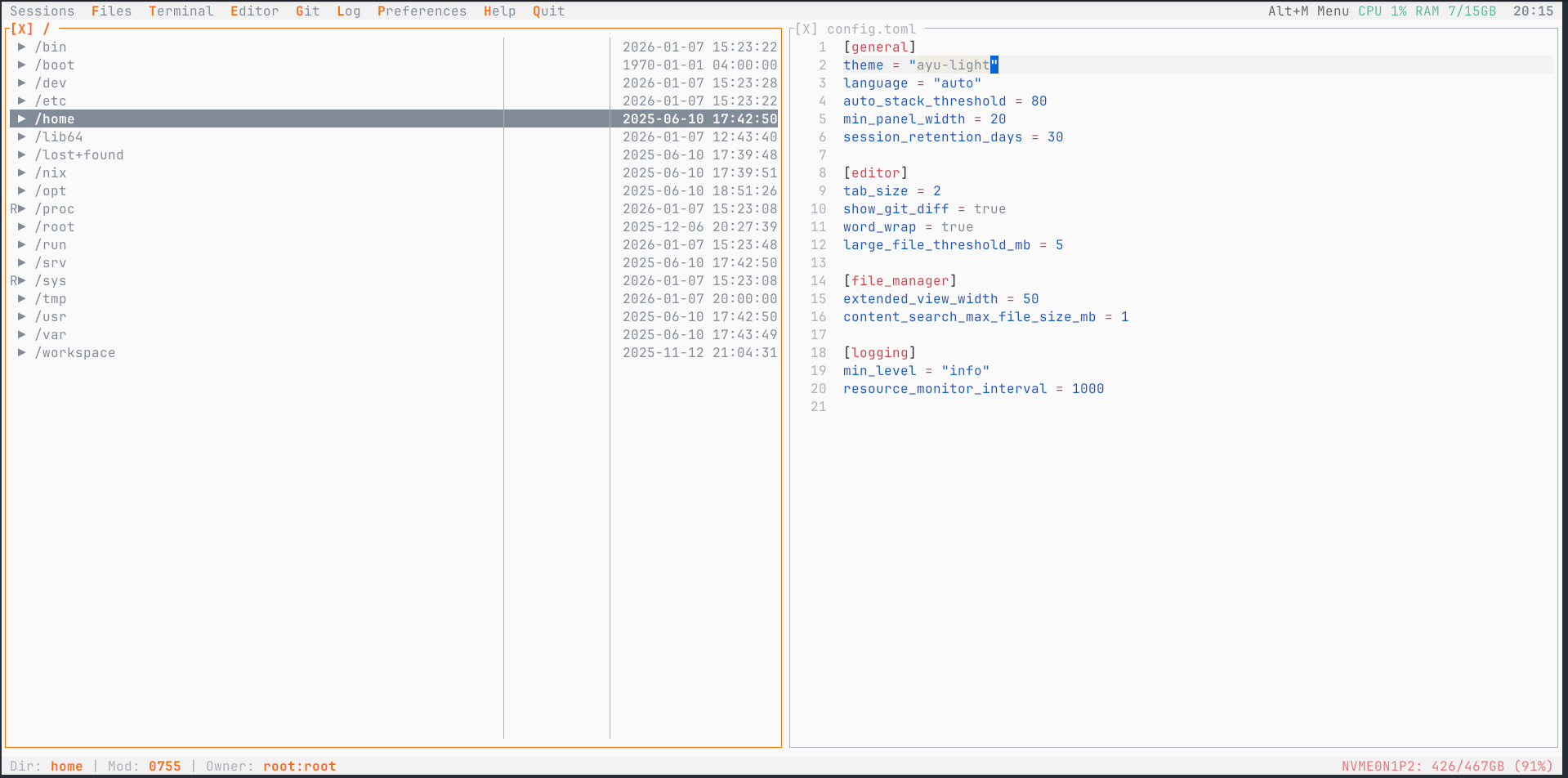
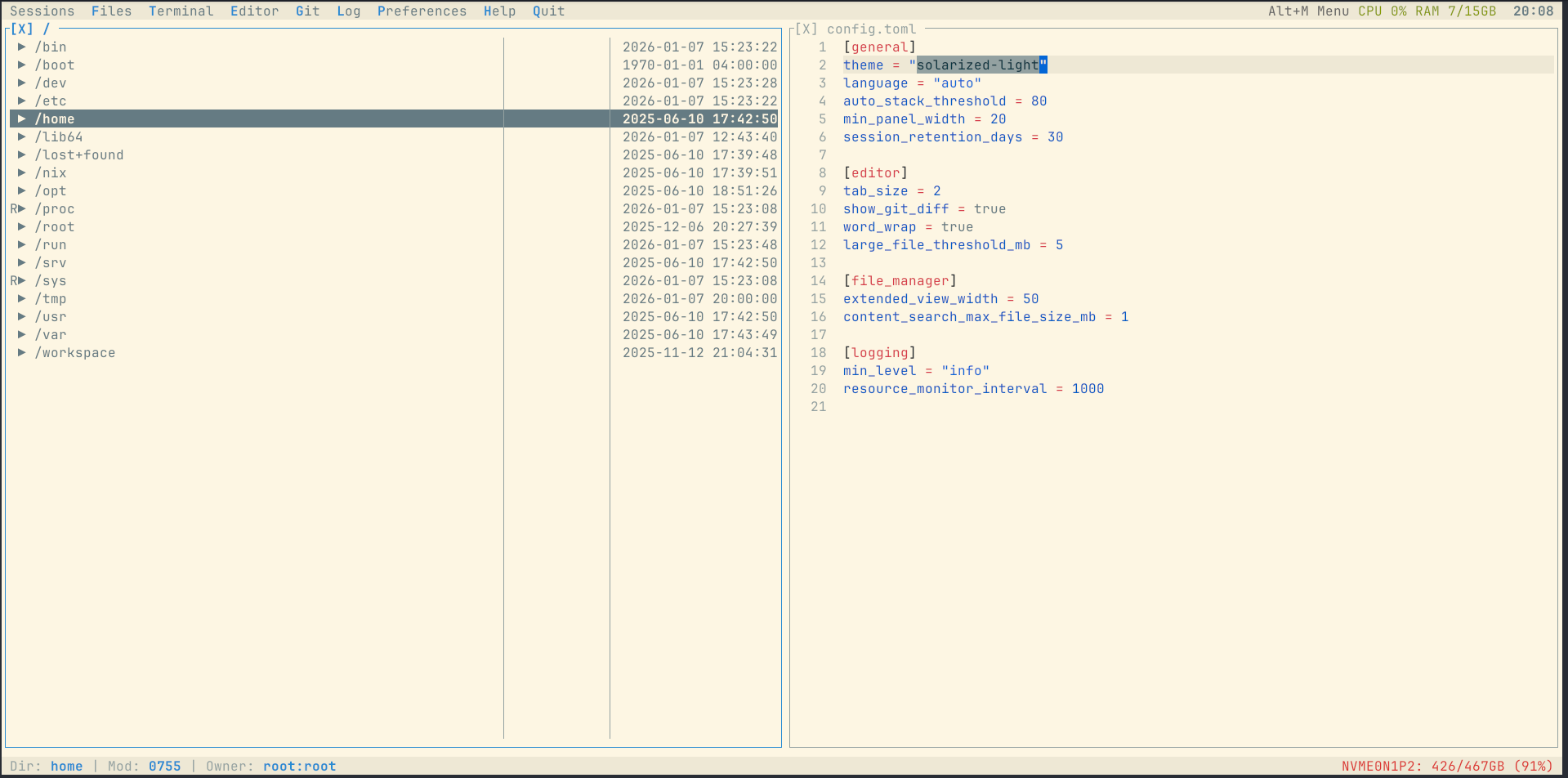
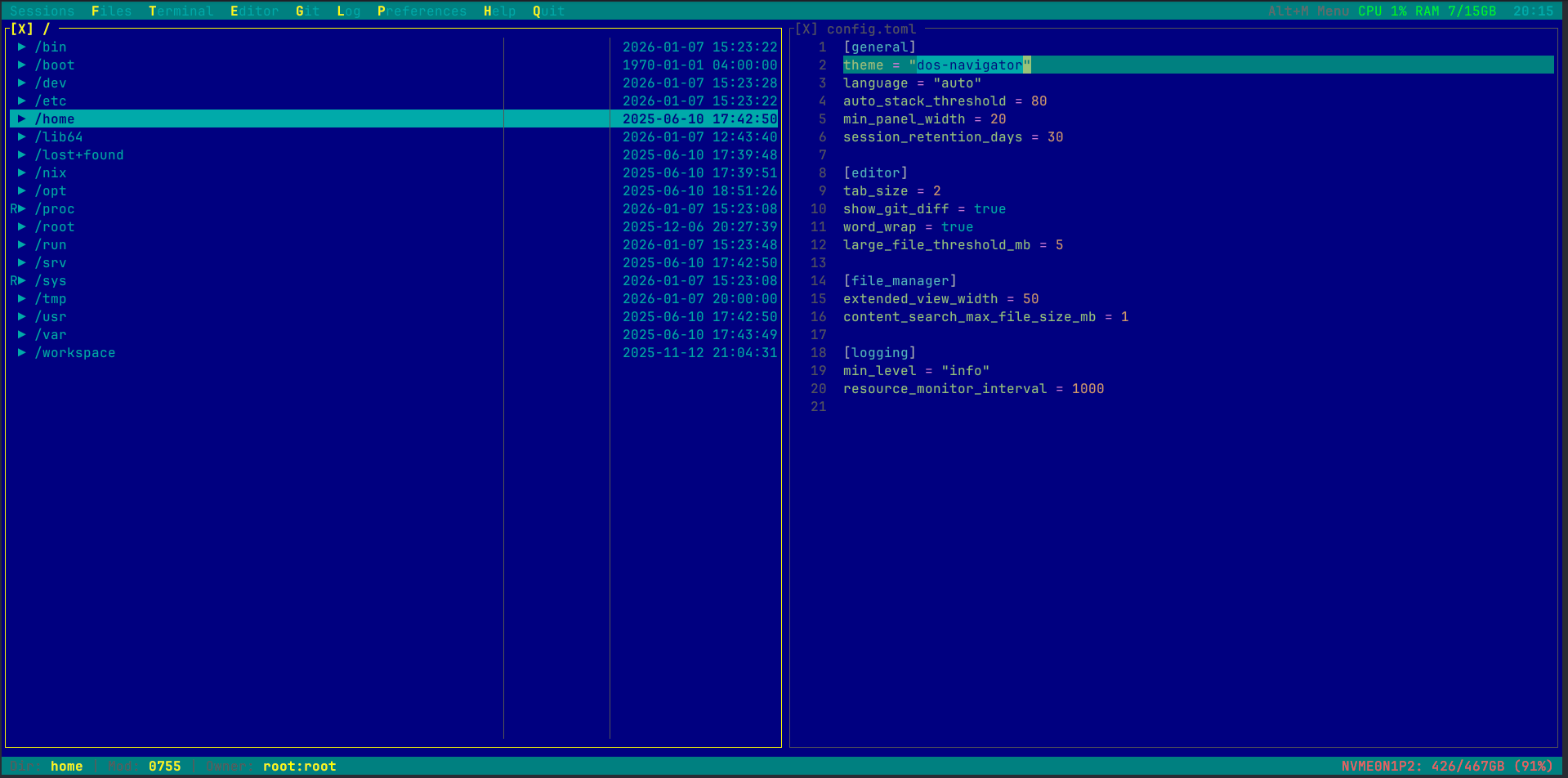
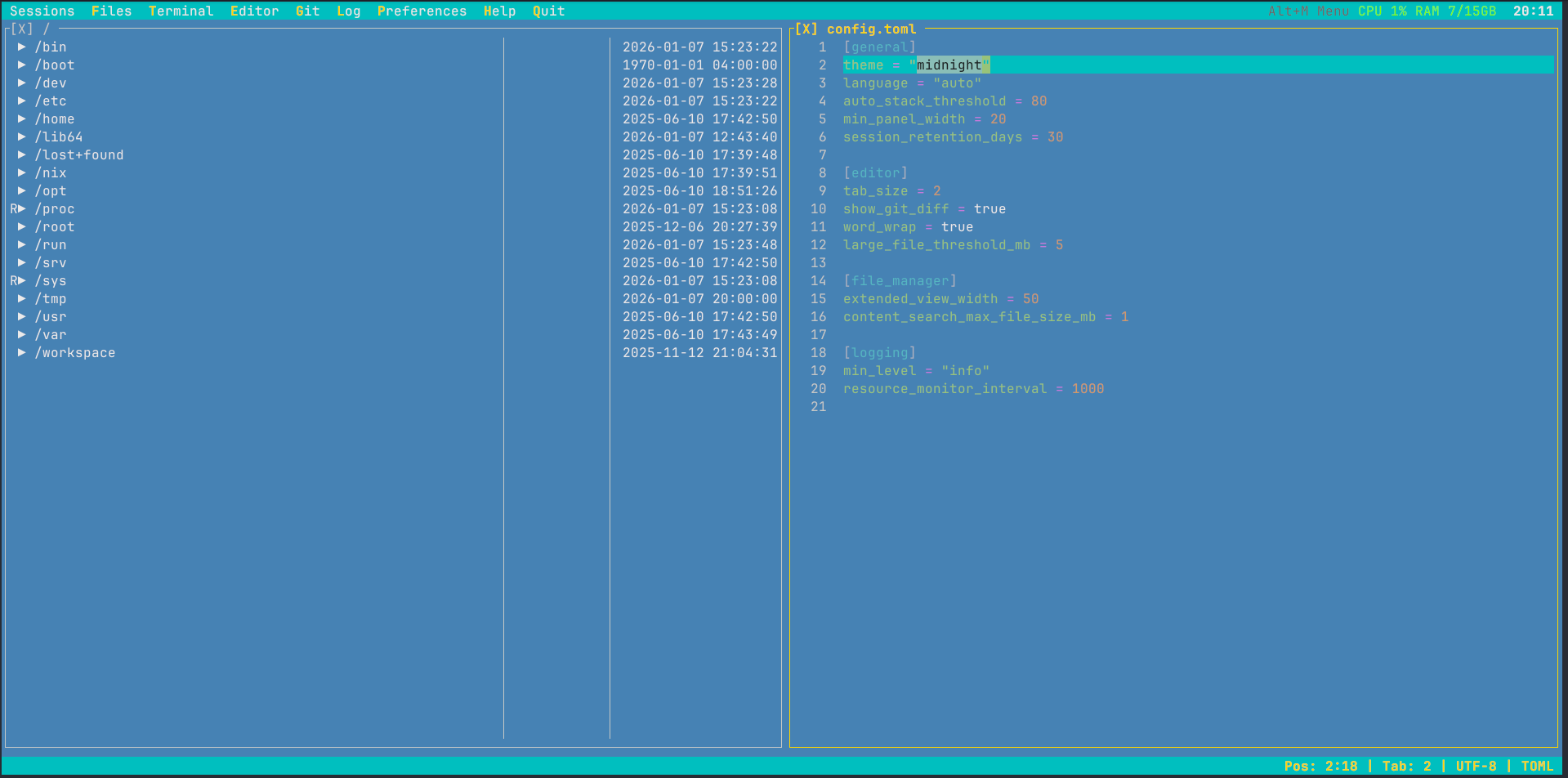
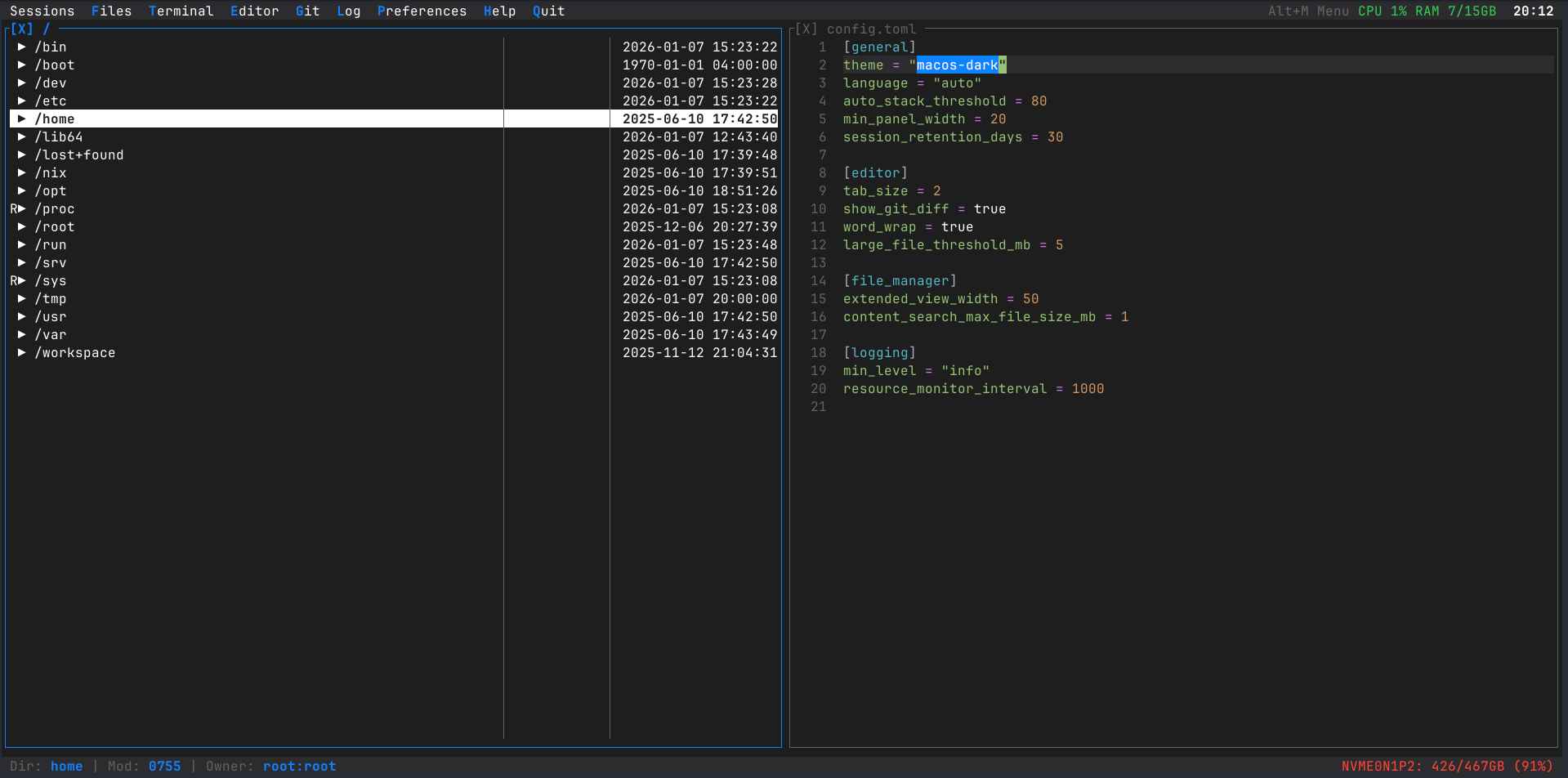
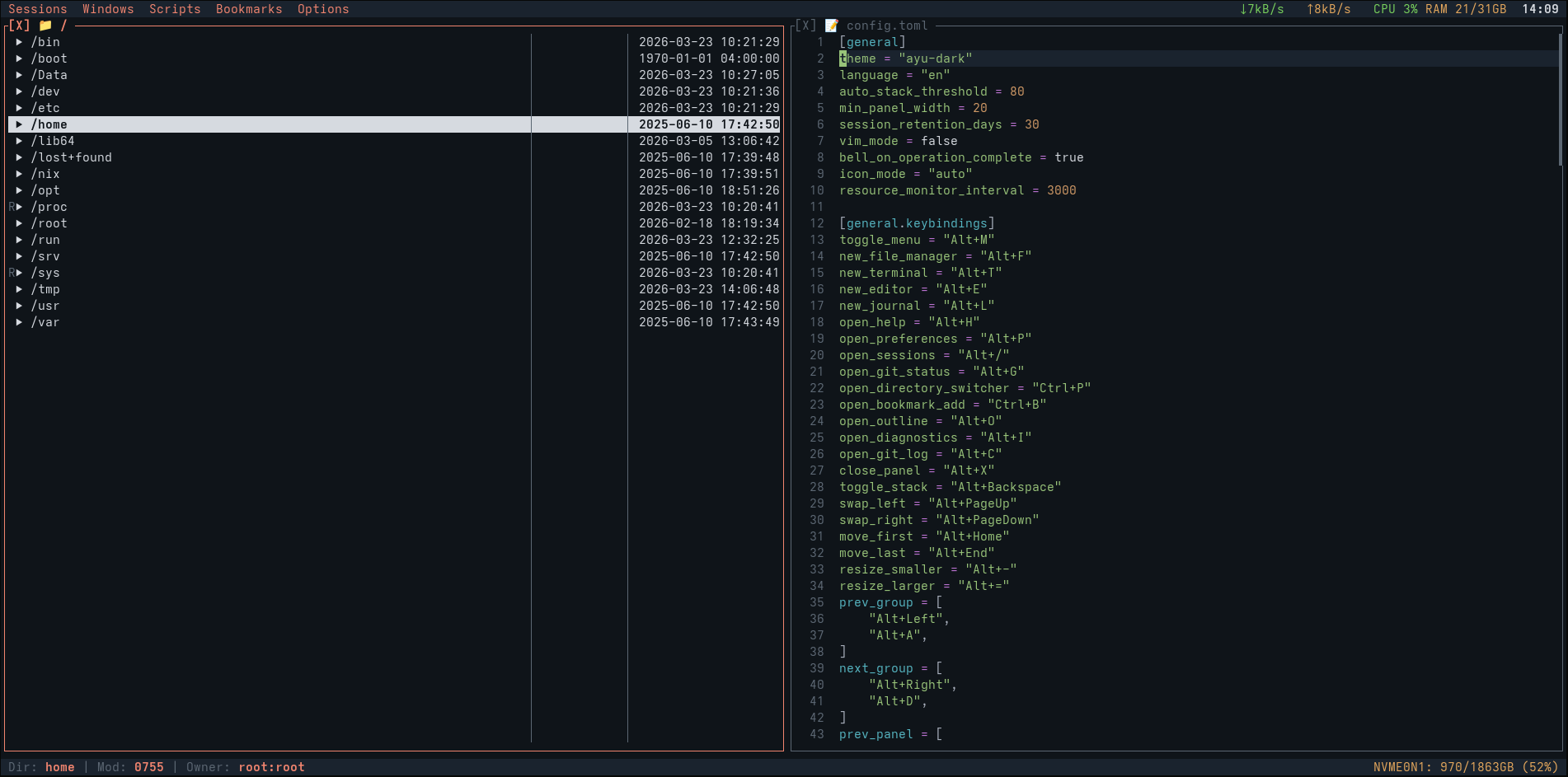
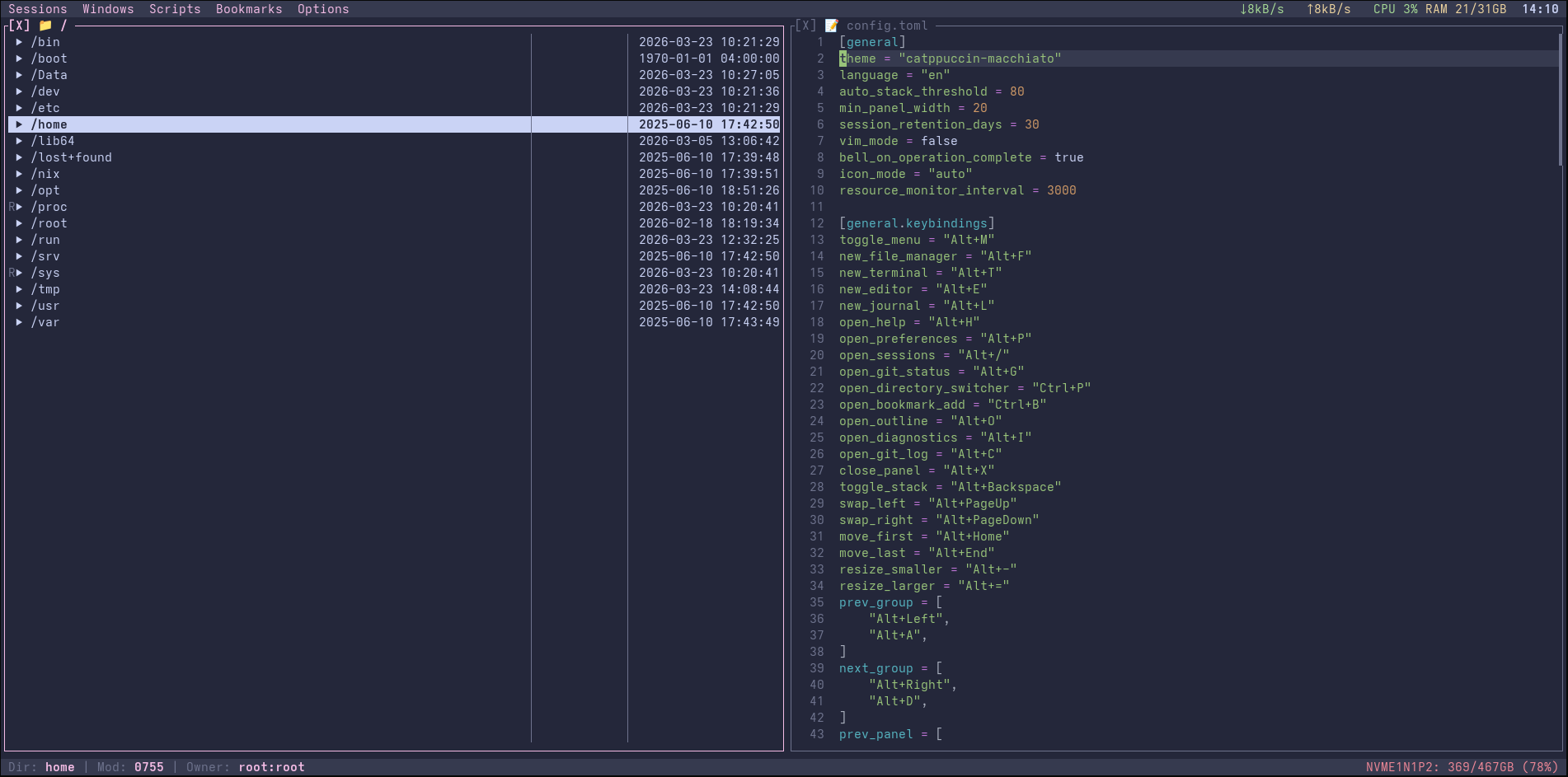
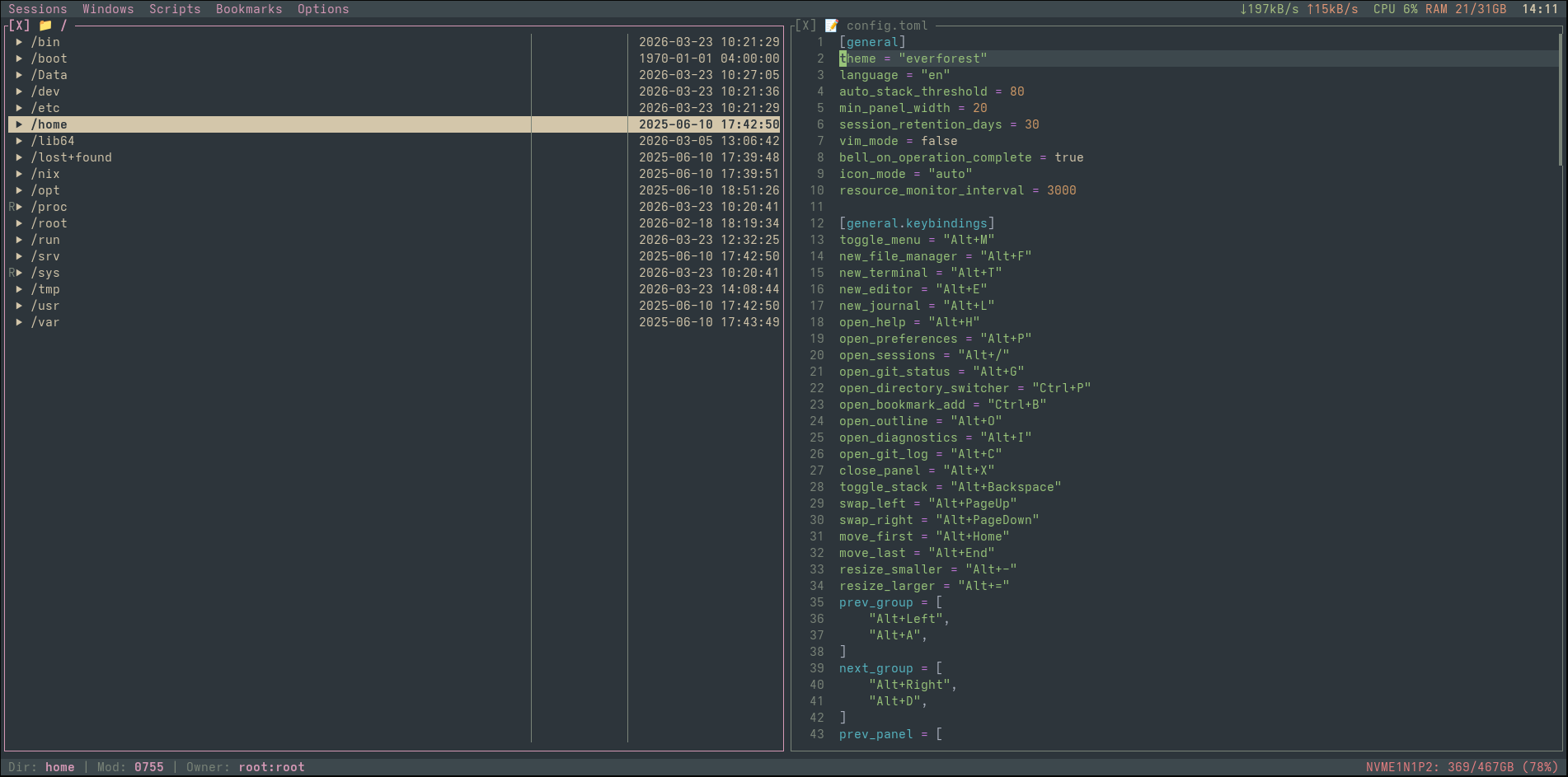
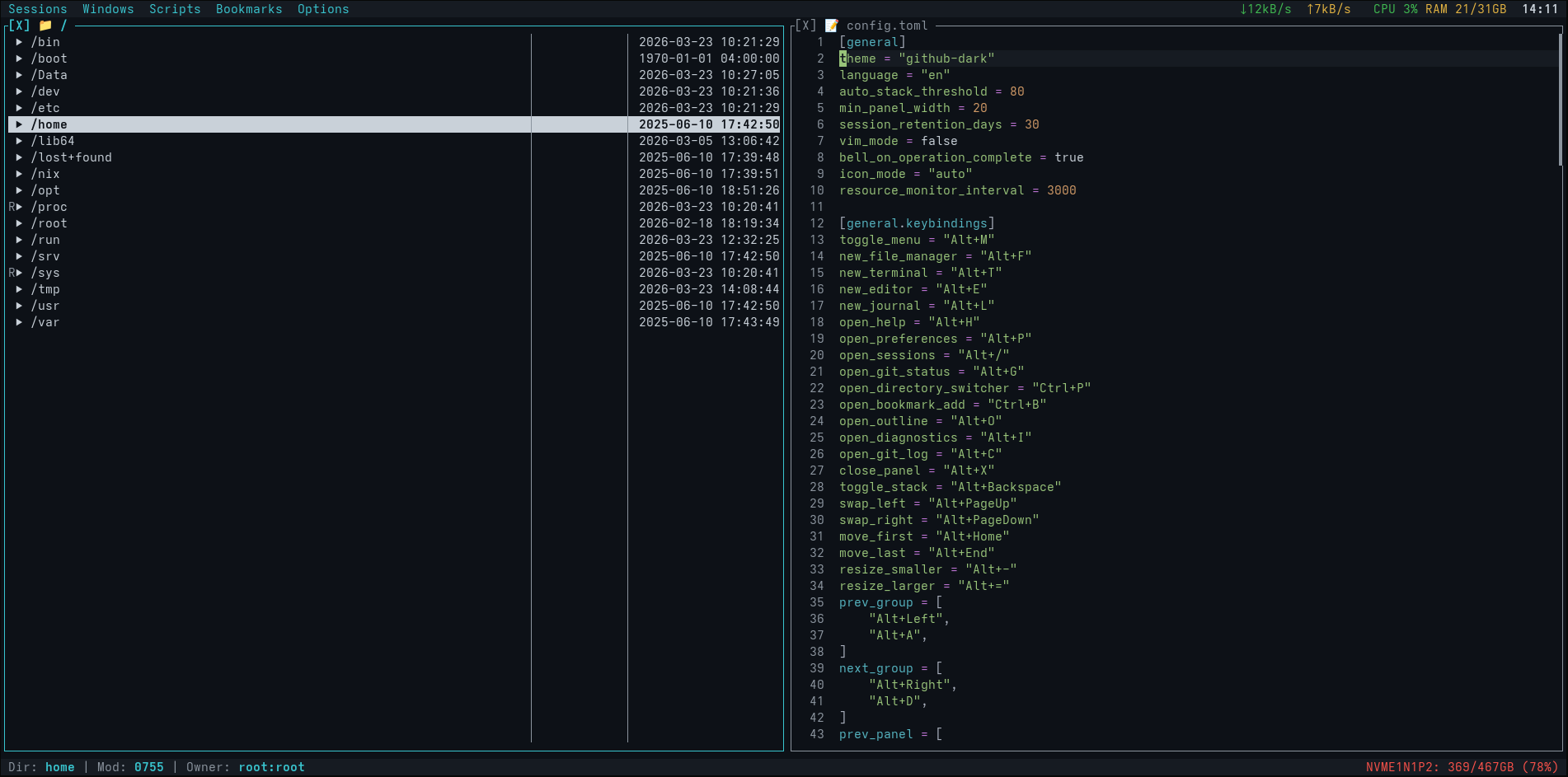
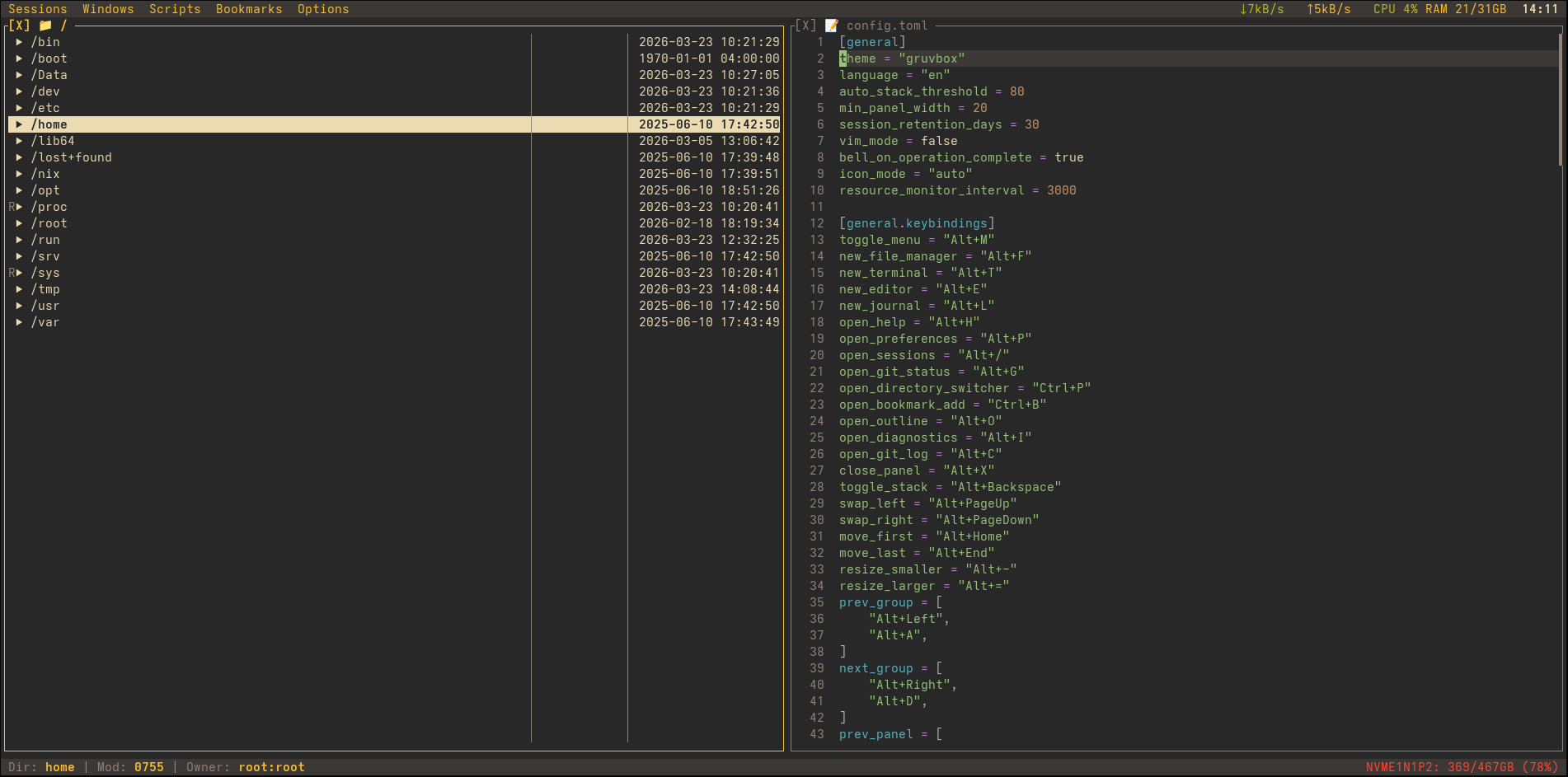
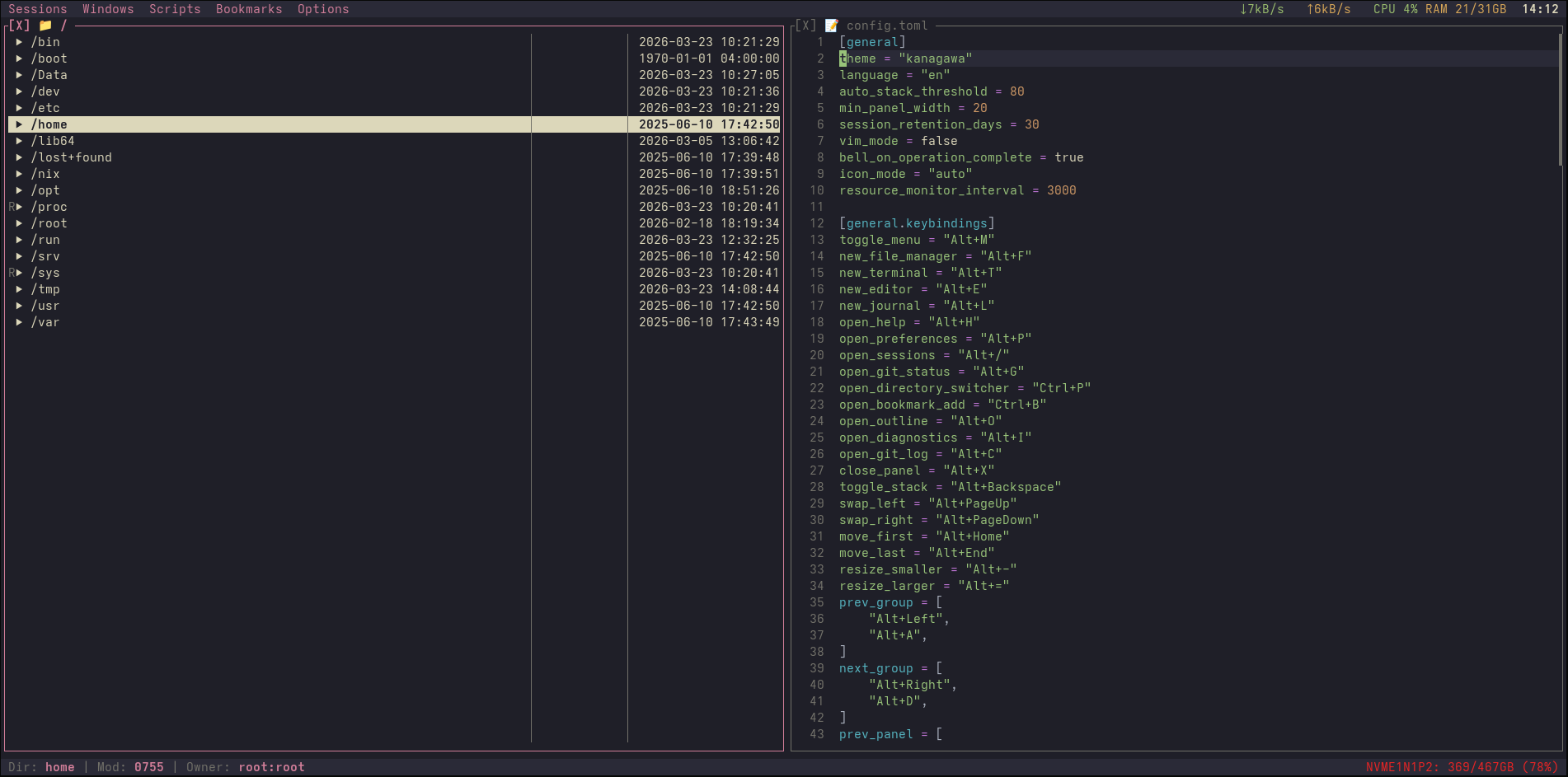
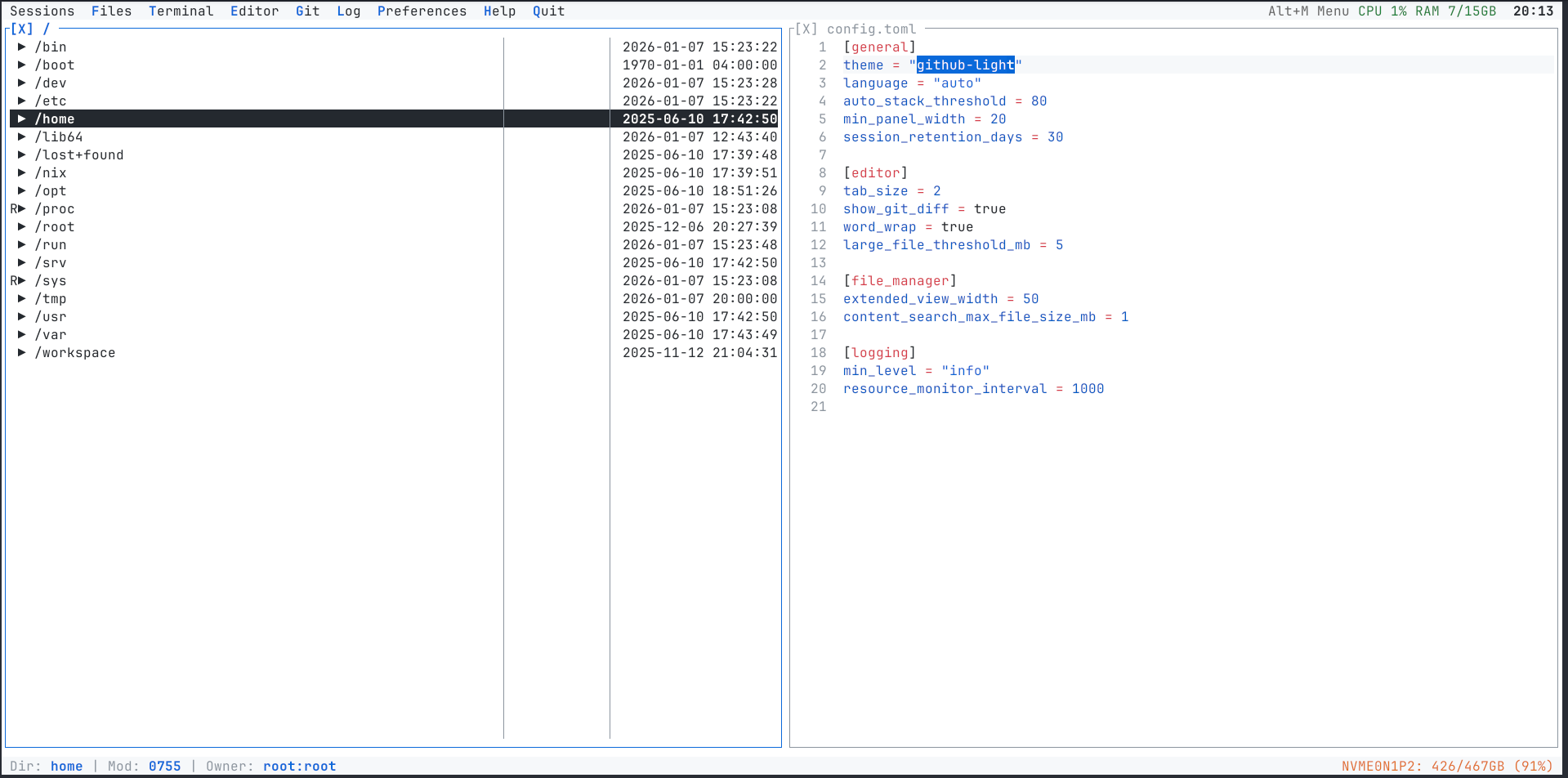
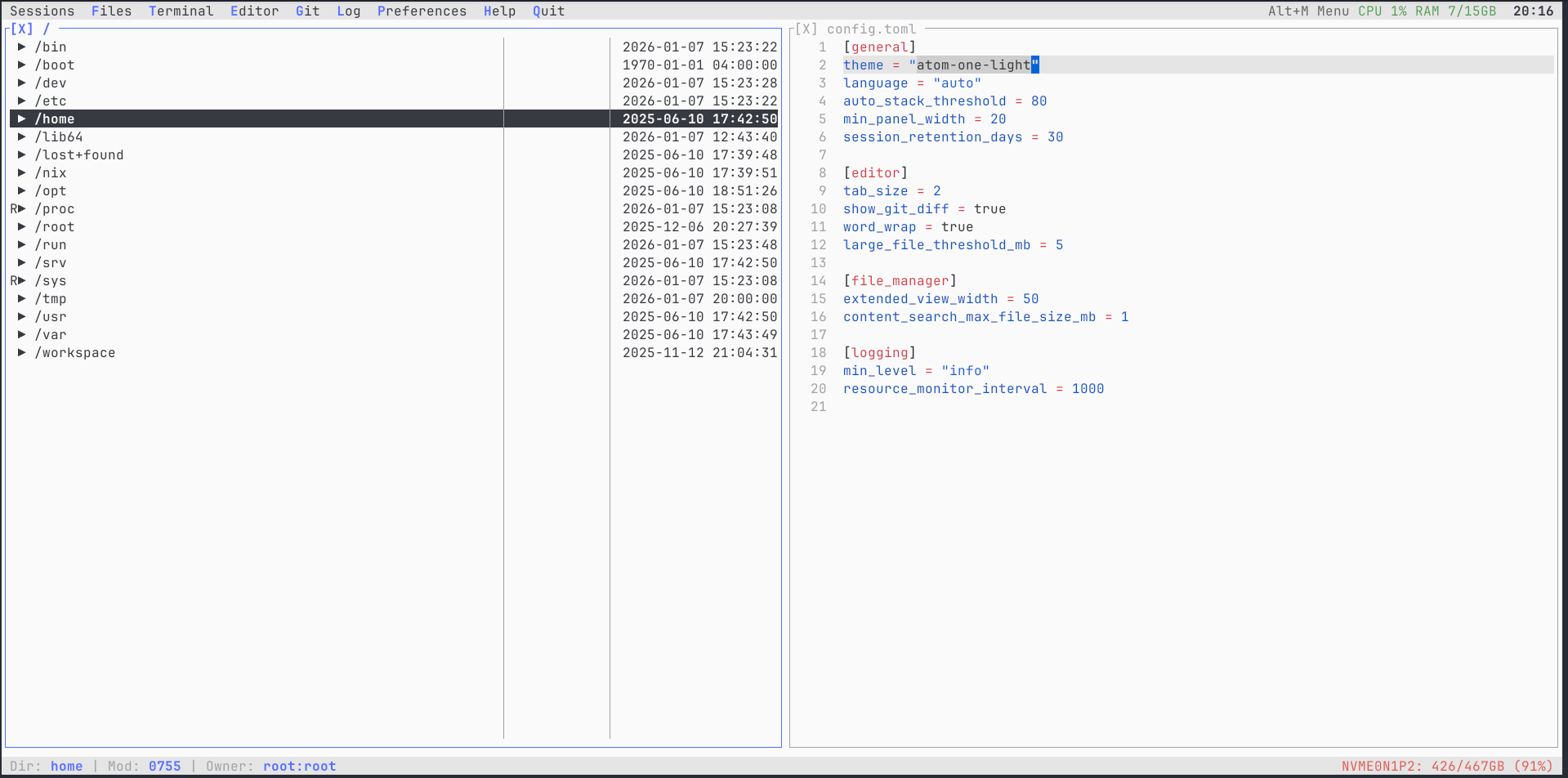
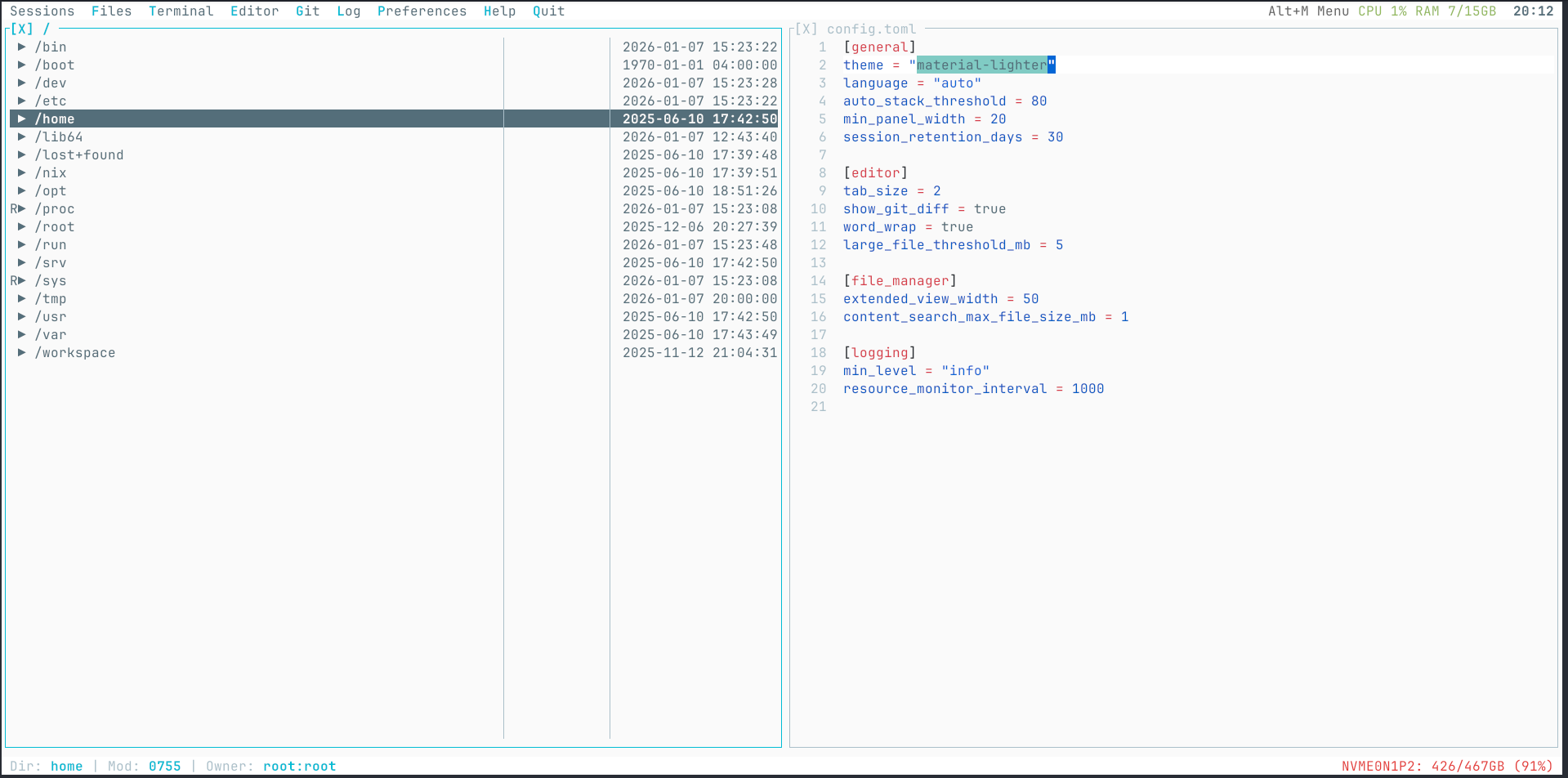
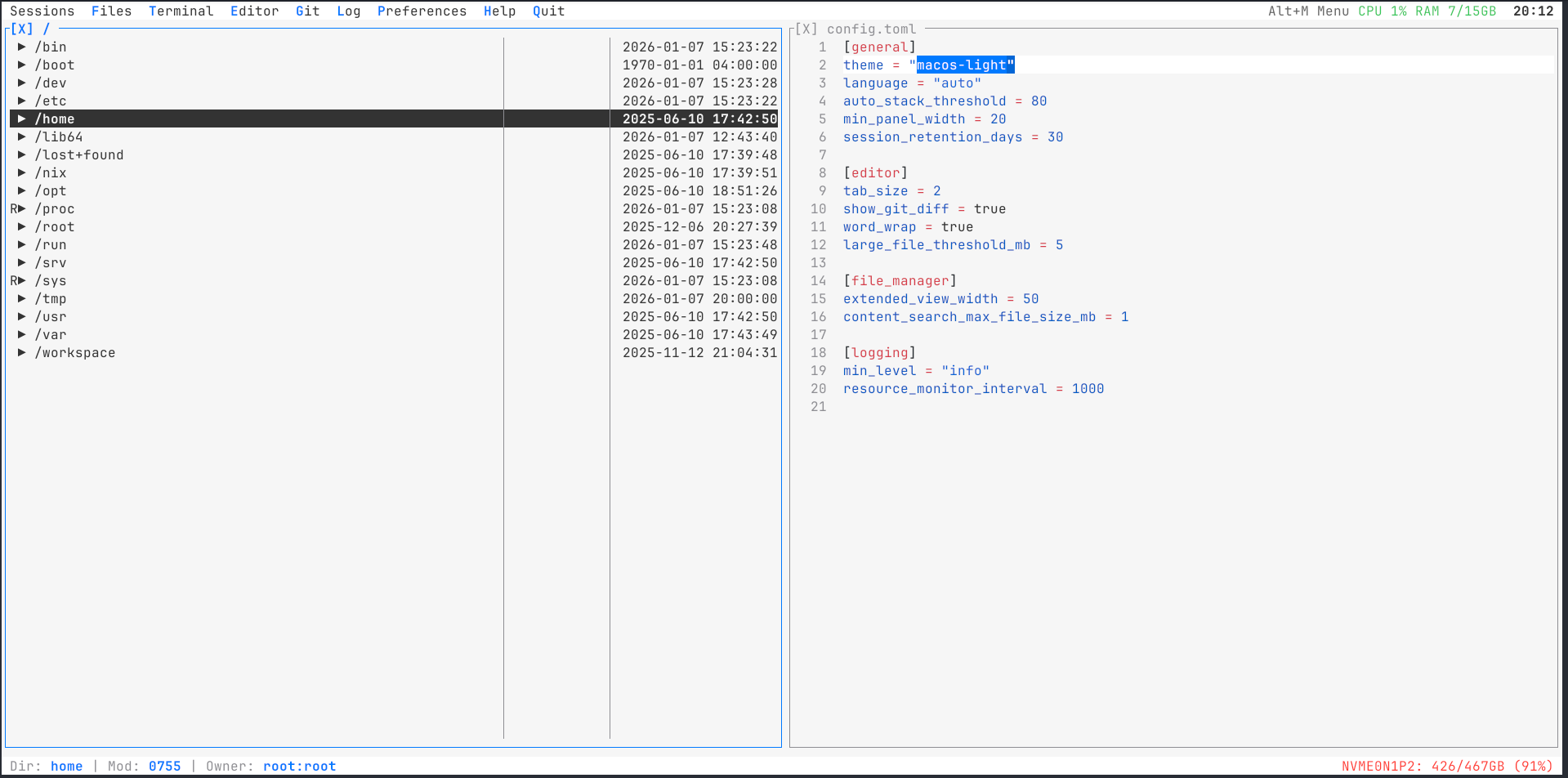
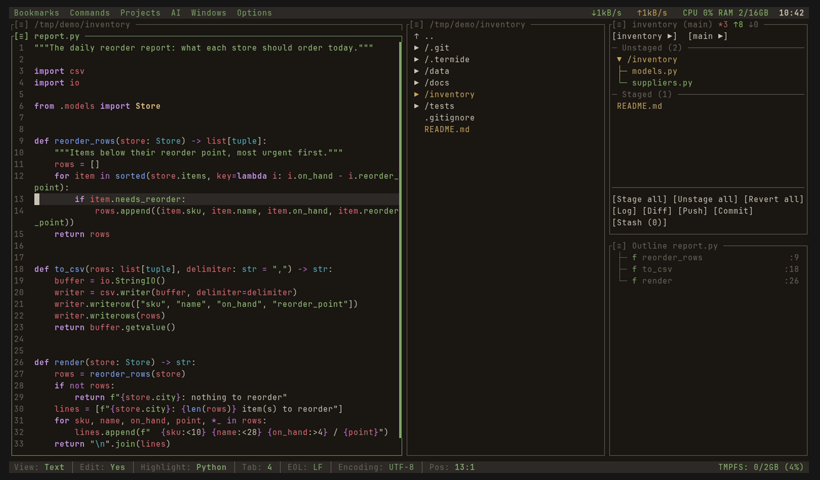
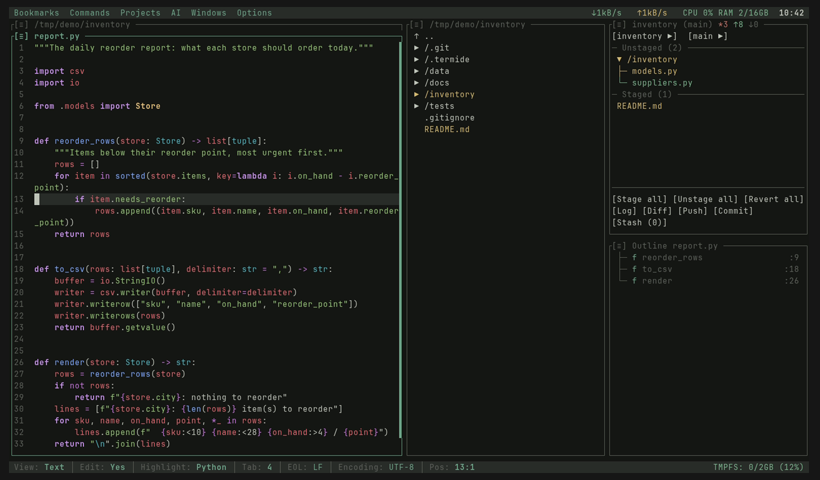
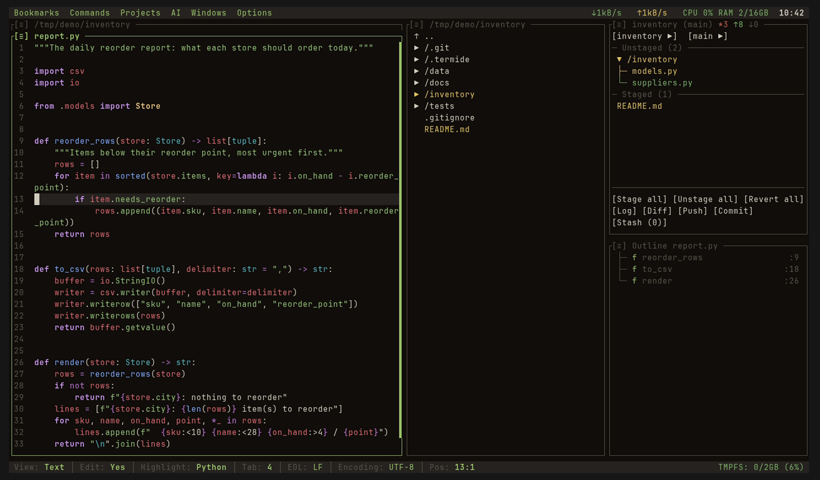
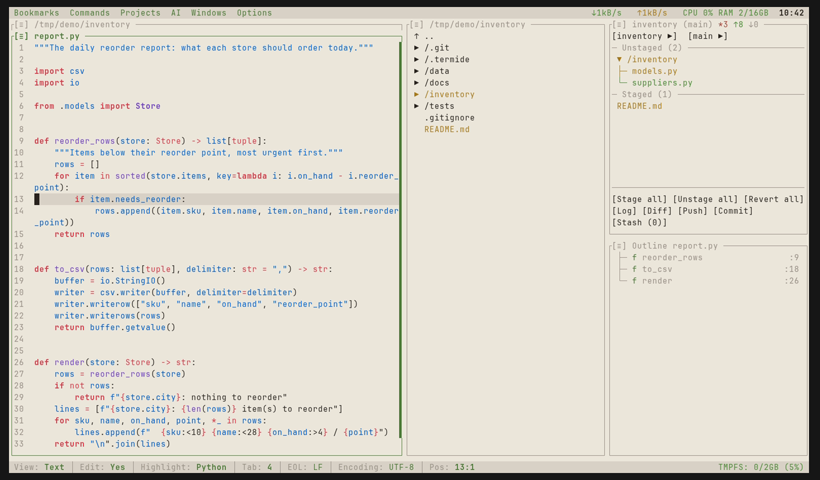
Make it yours
A theme is a TOML file with ten colours. No build step, no plugin.
- Named colours or RGB, ten keys in one file.
- A file with a built-in theme's name replaces that theme.
"Reset"lets your terminal's own background show through.- Set it per project or per host: a red theme on production tells you where you are.
# ~/.config/termide/themes/prod-red.toml
name = "prod-red"

[colors]
bg          = { rgb = [40, 8, 8] }
fg          = { rgb = [240, 220, 220] }
accented_bg = { rgb = [110, 20, 20] }
accented_fg = "White"
selected_bg = { rgb = [200, 40, 40] }
selected_fg = "White"
disabled    = "DarkGray"
success     = "LightGreen"
warning     = "LightYellow"
error = "LightRed"// Everything else
The rest of what ships in the binary.
Code
- Editor with LSP Completion, hover, go to definition, references, rename and quick fixes; a diagnostics panel; tree-sitter highlighting for 23 languages.
- Code outline Structural navigation through tree-sitter queries, synced with the cursor.
- Docs and diagrams Rendered Markdown and HTML, a text-mode browser that saves pages as Markdown, and Mermaid diagrams drawn as text, including class diagrams from your source.
- Hex editor Hex/ASCII view with a byte cursor, selection and search; overwrite editing with a
.bakbackup.
Files and data
- File manager Tree with nested git status, glob and regex search, selection by mask, batch operations, bookmarks and a directory switcher that lists mounted disks. Zip, tar and ISO archives open like folders, also on a server;
Ppacks the selection at the compression level you pick,Alt+F9unpacks. - Remote filesystems SFTP, FTP and FTPS in pure Rust; SMB and NFS through the OS mount.
- Background operations Copy, move, upload and download with progress, pause, resume and cancel.
- Database viewer SQLite, PostgreSQL and MySQL: server-side sort, per-column filters, cell editing, rows as TSV, JSON or INSERT.
Servers and ops
- Detached instances Close the terminal or lose the connection; attach again later from any terminal (Unix).
- Integrated terminal Full PTY with scrollback, search, mouse and URL detection; the title follows your
cd. - Resource monitor CPU, RAM, network and disk; top processes by CPU, memory or connections, with listening ports.
- One static binary Linux x86_64 and ARM64 (glibc or musl), macOS, native Windows and Android Termux.
Workspace
- Git Status, log with a coloured commit graph, diff, staging, stash, blame, branches and their worktrees.
- Projects Panel layouts restored per directory, with per-project settings and commands; projects you switch away from keep running in the background, one button each in the menu bar.
- Custom commands Global or per-project commands with hotkeys, parameter forms and terminal, background or report modes.
- Palette and Open
Ctrl+Pfuzzy command palette;Ctrl+Gopens a file, a folder or a URL with path suggestions.
Look and feel
- 44 themes Dark, light, retro and cinematic; write your own in TOML.
- 15 UI languages English, Chinese, Russian, Japanese, Korean, German, French, Spanish and more.
- Keyboard and mouse Every binding is editable in Settings; full mouse support; hotkeys work on a Cyrillic layout and with
Alton macOS. - Vim mode Optional Vim-style editing for those whose fingers expect it.
Privacy and control
- Password vault Passwords of SFTP, FTP, databases and git live in an encrypted vault under a master password (Argon2 + ChaCha20-Poly1305), never in bookmarks, layouts or logs.
- Goes only where you point it No telemetry, no update checks: termide connects to the servers, databases and model endpoints you set up, and nothing else.
- Every prompt is a file The agent's system prompt, service prompts and tool descriptions are plain files you can read and override;
/promptshows the assembled result.
// Why TermIDE?
Editors cover the code. TermIDE covers what surrounds it too.
| Feature | TermIDE | Fresh | Vim/Neovim | Helix | Micro |
|---|---|---|---|---|---|
| Built-in coding agent (local or hosted models) | ✓ | ✗ | plugin | ✗ | ✗ |
| MCP servers | ✓ | ✗ | plugin | ✗ | ✗ |
| File manager | ✓ | tree only | plugin | ✗ | ✗ |
| Background file operations | ✓ | ✗ | plugin | ✗ | ✗ |
| Password vault | ✓ | ✗ | plugin | ✗ | ✗ |
| Database viewer | ✓ | ✗ | plugin | ✗ | ✗ |
| Hex / binary viewer | ✓ | ✗ | plugin | ✗ | plugin |
| Diagram viewer (Mermaid) | ✓ | ✗ | plugin | ✗ | ✗ |
| HTML preview | ✓ | ✗ | plugin | ✗ | ✗ |
| Image viewer | ✓ | ✗ | plugin | ✗ | ✗ |
| Resource monitor | ✓ | ✗ | ✗ | ✗ | ✗ |
Show the other rows
| Feature | TermIDE | Fresh | Vim/Neovim | Helix | Micro |
|---|---|---|---|---|---|
| LSP support | ✓ | ✓ | ✓ | ✓ | plugin |
| Zero config | ✓ | ✓ | ✗ | ✓ | ✓ |
| Script automation | ✓ | ✓ | ✓ | ✗ | plugin |
| External agents (Claude Code, Codex, Gemini CLI) | ✓ | ✓ | plugin | ✗ | ✗ |
| Remote filesystems (SFTP/FTP) | ✓ | SSH | ✓ | ✗ | ✗ |
| Markdown preview | ✓ | ✓ | plugin | ✗ | ✗ |
| Built-in terminal | ✓ | ✓ | plugin | ✗ | ✗ |
| Git integration | ✓ | ✓ | plugin | ✗ | ✗ |
| Project layouts | ✓ | ✓ | plugin | ✗ | ✗ |
| Multi-panel layout | ✓ | ✓ | plugin | ✗ | ✗ |
| Bookmarks | ✓ | ✓ | plugin | ✗ | ✗ |
| Archive browsing (zip/tar) | ✓ | ✗ | ✓ | ✗ | ✗ |
| Pack and unpack archives | ✓ | ✗ | ✗ | ✗ | ✗ |
| Detachable instances | ✓ | ✓ | ✗ | ✗ | ✗ |
// FAQ
Do I have to use the AI agent?
No. No provider or model is set by default, so the agent does nothing and sends nothing until you configure one. Everything else works without it.
Can the agent work unattended?
Yes, within the limits you set. /goal keeps it at a task until a separate judge agrees it is done, /loop repeats a prompt on an interval, and on_limit = "wait" waits out a rate or subscription limit instead of stopping. In the default auto mode a reviewer model decides what your permission rules leave open, so it rarely stops to ask; deny rules hold in every mode.
Does TermIDE phone home?
No telemetry, no account and no update checks. It goes online only when you ask: a remote location, a web page, git push or pull, or a model for the agent.
Does it replace tmux?
For the common case of keeping work alive over SSH, yes: termide --detached keeps the whole workspace running and --attach brings it back. It does not manage arbitrary sessions and windows the way tmux does, and runs fine inside tmux.
How do I use it on a server?
Copy the static musl binary and run it; nothing else needs installing. You can also stay local and open the server over SFTP or FTP from the file manager.
Which terminals does it need?
Any modern terminal with true colour. Images are drawn natively in Kitty, WezTerm, iTerm2, Ghostty and foot; Alt hotkeys on macOS work in terminals with the Kitty keyboard protocol.
Does it run on Windows?
Yes, natively through ConPTY in Windows Terminal, or in WSL. Detached instances are Unix-only.
Do I have to learn new keys?
Menus list every shortcut, the mouse works everywhere, and the dual-pane layout will feel familiar from mc or FAR. Every binding can be changed in Settings, and there is an optional Vim mode.
// Install
Pick your platform. No runtime, no dependencies.
Linux and macOS; detects your system.
curl -fsSL https://raw.githubusercontent.com/termide/termide/main/install.sh | shStatic musl binary for any Linux, including Alpine and containers.
curl -LO https://github.com/termide/termide/releases/latest/download/termide-0.42.0-x86_64-unknown-linux-musl.tar.gz
tar xzf termide-0.42.0-x86_64-unknown-linux-musl.tar.gz && ./termidemacOS and Linux.
brew tap termide/termide
brew install termideFrom the AUR; termide builds from source.
yay -S termide-binRun without installing, or nix profile install.
nix run github:termide/termideDebian and Ubuntu, x86_64.
curl -LO https://github.com/termide/termide/releases/latest/download/termide_0.42.0-1_amd64.deb
sudo dpkg -i termide_0.42.0-1_amd64.debFedora, RHEL and CentOS, x86_64.
sudo rpm -i https://github.com/termide/termide/releases/latest/download/termide-0.42.0-1.x86_64.rpmAndroid; the static ARM64 build runs on Bionic.
pkg install git openssh
curl -LO https://github.com/termide/termide/releases/latest/download/termide-0.42.0-aarch64-unknown-linux-musl.tar.gz
tar xzf termide-0.42.0-aarch64-unknown-linux-musl.tar.gz && ./termideDownload, extract and run termide.exe in Windows Terminal.
https://github.com/termide/termide/releases/latest/download/termide-0.42.0-x86_64-pc-windows-msvc.zip