SMB and NFS shares open in the file manager.smb://[user@]host/share/path opens a Windows, Samba or NAS share over SMB 2 or 3, and smb://host/ lists the server’s shares; a refused login asks for the password and can keep it in the vault, and DOMAIN;user gives a domain. nfs://host/export/path opens an NFSv3 export, and nfs://host/ lists the exports. Both are built in, with no system library or mount: files open, copy and move between panels, and a file or a whole directory uploads and downloads with progress, pause and cancel. An NFS export that takes only privileged ports or needs Kerberos is refused with a message saying what to change on the server or to mount it with the system. See Remote filesystems.
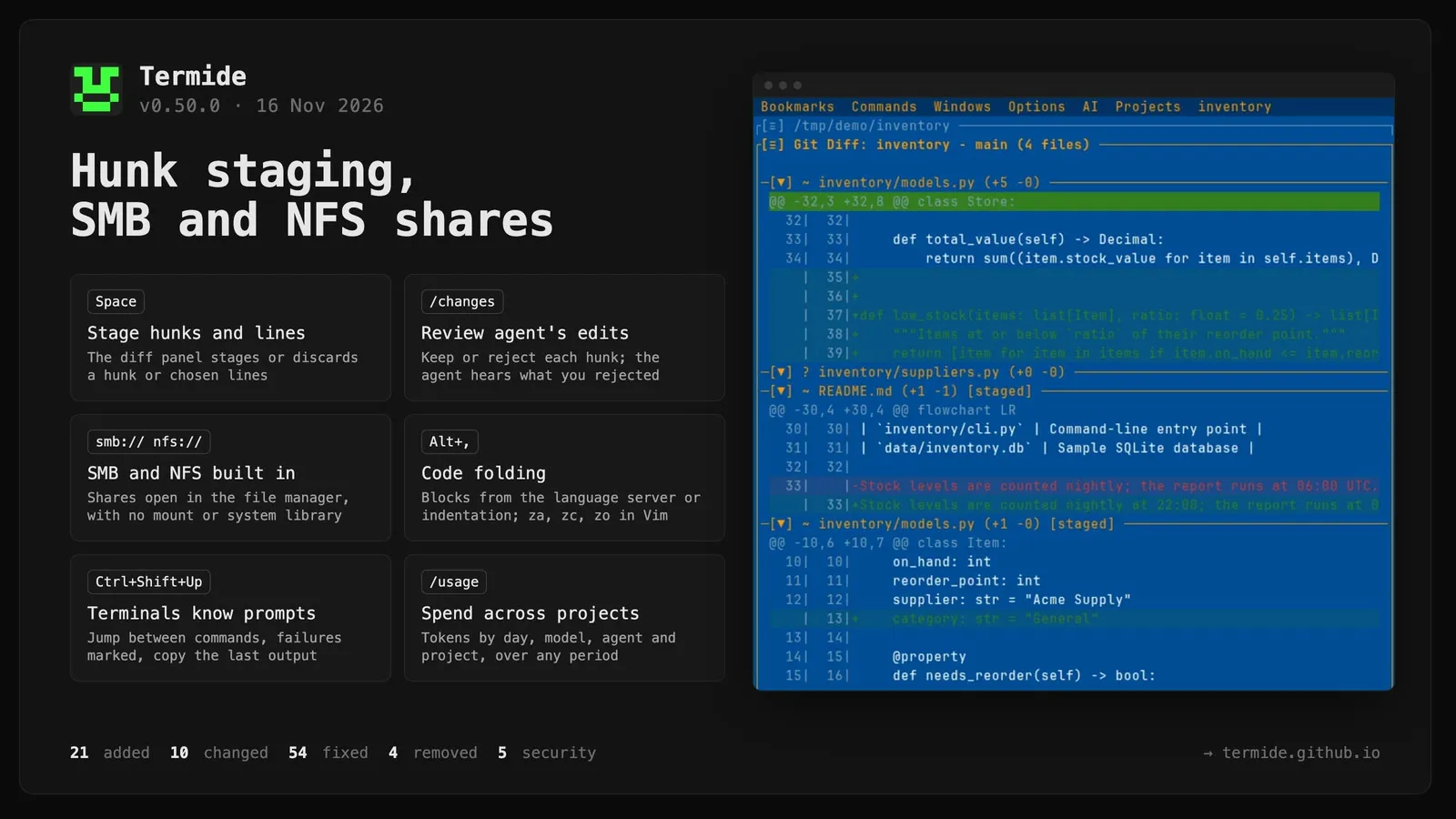
The git diff panel stages, unstages and discards a hunk or lines. A cursor walks the diff’s rows: Space stages the file, hunk or line under it, or the lines selected with V or Shift+↑↓, and unstages them on the staged side; D discards them from the working tree after asking, and U brings the last discard back while the panel is open; [ and ] jump between hunks. Untracked, renamed and binary files go whole. Space no longer folds a file there (Enter does), except in a commit’s or a stash’s diff. See UI.
Review the agent’s changes in the diff panel./changes (or Review changes in the agent panel’s menu) opens the git diff panel on what the agent changed since you last accepted, your own edits between requests left out. Space keeps a hunk or lines, D rejects them — they are undone in the working tree and the agent is told in its next request — U takes the last rejection back, A and X keep or reject everything; staging or committing a change keeps it too. Each request snapshots the working tree into git trees no log shows, so shell commands and external agents (Claude Code, Codex, Gemini CLI) are covered as well. A file you edited too is marked and never rejected unasked. See UI and Agent.
Stage, unstage and revert a change from the editor.F7 and Shift+F7 step through the changes the gutter marks; on a changed line, or on selected lines, the panel’s [≡] menu stages the change as the editor holds it (saved or not), unstages a staged one, or reverts the lines to the index’s version as an ordinary edit Ctrl+Z takes back. A staged change’s line number is drawn hollow — its colour on the digits, no background — so staged and unstaged changes are told apart. The actions are stage_change, unstage_change and revert_change under [editor.keybindings], with no default key. See Editor.
The editor folds code blocks.Alt+, folds the innermost block around the cursor, and again the block around it; Alt+. or a click on the ▸ in the gutter opens it, and a folded line ends in ⋯ N lines. Fold all and Unfold all are in the panel’s [≡] menu (fold_all, unfold_all under [editor.keybindings], no default key), and Vim mode has za, zc, zo, zM and zR. The blocks come from the language server’s folding ranges, or from the indentation when there is none or it is too slow to answer (its late answer serves the next fold); the cursor steps over a fold and opens it when a search or a jump lands inside. See Editor.
Terminals know the shell’s commands. bash, zsh and fish in a terminal panel mark each prompt and command (OSC 133), still reading your own startup files. Ctrl+Shift+Up / Ctrl+Shift+Down jump from prompt to prompt, a failed command is marked on the panel’s left border, the panel menu’s Copy command output copies the last command’s output, and Send to agent and @term hand over the last command with its output and exit code rather than the last lines of the screen. shell_integration = false under [terminal] turns it off. See Terminal.
The agent forks part of the work into a panel of its own. The new fork tool copies the agent’s session into a new agent panel, where the copy takes the part of the work the agent wrote for it as its first request. With a focus, the copy is first compacted on it, so it starts with what bears on its part rather than the whole history. The copy is named after its own part — the title the agent gives it, or the first line of its request — and that name is its panel’s title, so several forks of one session are told apart. The fork is yours from the start, unlike a subagent: a session like any other, on the panel’s usual rules, with no report back and no limit on its model calls, staying until you close its panel. It asks in ask mode, is refused in plan mode, and its first request counts among the messages agents pass one another without you. See Forking part of the work.
The agent offers a goal or a loop on a card. Instead of writing out a /goal or /loop line for you to paste, the agent puts it on a card with the new suggest_goal and suggest_loop tools: the goal, or the loop’s prompt, how often it runs and the condition that ends it, why it is offered, and the goal or loop under way it would replace. Start starts it as the typed line would, Edit first puts the line in the prompt, Don’t start or Esc declines; nothing starts without the card. Codex and Gemini CLI are served both tools beside suggest_command. See Tools.
A loop ends on its condition, or when the agent stops it./loop [interval] <prompt> until: <condition> has the /goal judge check the condition after each run: met, the loop ends with the reason; out of reach, it ends with a warning; otherwise the next run goes as scheduled. The agent’s jobs tool lists the panel’s loop under loop and stops it once it is no longer needed, with a notice saying so — rather than letting it run on to its 100-run cap.
See what the agents spent across sessions and projects. The session info (F3, /usage) becomes the usage window: beside This session, Project and All projects add up every session over today, 7 days, 30 days or all time — tokens, cache hits, by source, model, agent and project, the ten sessions that spent the most, each opening from the list in its own project, and a bar for every day of the period, or every month over all time. AI → Usage… opens it without an agent panel. The logs are counted once and kept in a cache, so later only the changed ones are read again. Token counts of a billion and more show as B. See Coding Agent.
The agent sees the language server’s errors after its edits. After edit or write, the file’s language server is told of the change and the errors it reports are added to the tool’s result — only the new ones when the file’s errors before the change are known, 20 at most, warnings left out. A file no editor has open is opened in its server for the check, the server started if need be; the result waits for it at most 5 seconds. Claude Code on termide’s tools gets the same. See Coding Agent.
Hand the agent your editor selection or terminal output.@selection and @term lead the agent’s @ list: the selection of the editor you last used, and the terminal’s selection or else its last 200 lines. Each goes into the prompt as a [#2 selection src/main.rs:10-24] placeholder holding the text as it was, spliced in with a line saying where it is from when you send. The editor’s [≡] menu (while text is selected) and the terminal’s offer Send to agent, which puts it in the last agent panel used, or a new one, and focuses it; send_to_agent can be bound to a key. See Coding Agent.
Move or copy a project with everything Termide keeps of it.F6 on a project in the Projects menu or in its menu-bar button’s menu moves the project’s directory, and F5 copies it. Its saved layout, unsaved buffers, agent sessions with their checkpoints and breakpoints go along, and a move also takes the permissions granted to it. The files go through a background operation. An open project closes for the move and opens again at the new path. A copy opens in the background beside the original, with its own session ids and no permissions granted. On a project marked ✗, whose directory was moved outside Termide, F6 or Enter asks where it is now and carries the same state there, no file moved.
Vim mode shows the keys that may follow a prefix. After g, z, Ctrl+W or an operator such as d (with or without a count), a box at the bottom right of the editor lists the keys that complete the command and what they do; the next key takes it away. See Editor.
/fork <focus> forks with a focus. The copy opens compacted on the focus, as /compact <focus> would, while the panel forked from stays as it is; /fork alone, F5 and the menu entry fork the whole conversation as before.
The /goal judge, the /handoff brief and subagents each take a model of their own. Side work is chosen one way throughout: [ai.goal_judge], [ai.handoff] and [ai.subagents] join [ai.auto_reviewer], each a connection and a model of it, empty for the session’s — also on the settings window’s AI tab. A connection’s reviewer and subagents take the same table, or a connection’s name as before, and come first. Judge and brief apply to termide’s own loop; a CLI agent answers both itself. See Configuring a model.
The limit of messages agents pass one another without you is a setting, and asks before it refuses.max_agent_messages under [ai], also on the settings window’s AI page under Permissions, sets how many — 10 by default as before, 0 for no limit; open panels take a change at once. Past it, the agent asks you on a card whether to allow as many more, which starts the count again as a message of yours would; stopping or dismissing the card refuses the message as before. See Agent.
A connection can cap the reasoning of one model call.reasoning_budget on a connection, also Reasoning budget, tokens on its page in the settings window, bounds how many tokens one call may spend reasoning: a model that reasons past it is cut there and asked again at once without reasoning (at its least, for a model that cannot stop; a second cut stops the run), rather than reasoning on for minutes until the output limit stops it with nothing to show. On a Claude model that takes a thinking budget, the request asks for no more either. 0, the default, sets no limit; termide’s own loop only. See Agent.
The terminal’s scrollback length is a setting.scrollback_lines under [terminal], also on the settings window’s Terminal page, sets how many lines a terminal keeps above its screen — 10,000 by default as before, 0 for none; terminals opened after the change take it. See Terminal.
Four more settings on the settings window. General gets Option as Alt (general.report_all_keys, macOS, after a restart) in Input and Box-drawing graph in the git log (git_log.unicode_graph) in Appearance; an open git log is read again in the style chosen. The AI page gets Terminal sessions per agent (ai.max_terminal_sessions) under Permissions and Bell when an agent waits for you (ai.bell_on_attention) under Notifications.
--output stream-json shows where a run spent its time. Every line carries elapsed_ms, the time since the run began; a tool_result carries the first 2000 characters of the tool’s output; the final result adds usage_total, the whole run’s tokens, beside the last answer’s usage. The reasoning comes as thinking lines while the model writes it, a call’s arguments past 4000 characters as tool_input lines, a call cut for looping as a loop line and a reply that hit the output limit with nothing in it as a cut_off line, so a run killed by a timeout still shows what its last call was doing. See Headless mode.
Changed
A plan is carried out in the mode you worked in before planning. The plan card’s first two rows went to edit, which sets the configured allow rules aside, so every command of the plan asked, even one allowed for good. They now go back to the mode you last sent a message in outside plan mode (auto, say), named on the row; the modes Shift+Tab passes through on the way to plan do not count. From ask, or in a session that started in plan mode, they go to configured. Accepting edits stays on offer as the third row, and the separate “configured rules” row is gone.
A project’s button opens the project’s menu. A project’s button in the menu bar opens the project’s menu, as a menu item opens its dropdown — by a click on the current project’s button, or by walking onto any button with ←/→: Switch to project, Move, Copy and Close. The button is shown even when only one project is open.
A written page opens from a row under its path. The row a write of an HTML, Markdown or Mermaid file adds under its headline now reads Open in HTML ↗, dim and underlined like a link, and stands under the file’s path instead of repeating its name in the accent color.
Delete in the file manager moves files to the trash.Delete / F8 move the selection to the system trash (macOS Trash, the freedesktop.org trash, the Windows Recycle Bin) after a prompt that starts on Yes; the new delete_permanently action, Shift+Delete / Shift+F8, deletes for good after a prompt that starts on No. Remote locations have no trash: Delete deletes there for good and its prompt says so. See File Manager.
Each project keeps its state in one folder. Everything Termide stores for a project now lives in one flat folder, projects/<name>-<hash>/, in its data directory. That covers the layout and root in project.toml, the granted permissions and approvals in trust.toml, the instance lock, the run logs in logs/ and the unsaved buffers in buffers/. Agent sessions stay under ai/sessions/. The old sessions/, trust/ and locks/ trees and the path-mirroring projects/ tree are folded in on the first start. An older Termide running beside a newer one does not see its locks, so the two can open the same project twice. Delete/F8 on a project that is not open deletes all of this, not just the layout. When the project has agent sessions, it asks whether they go too. A project whose directory no longer exists is marked ✗ in the Projects menu and the switcher.
F1 opens help in a window, on the keys of the panel in focus. Help (F1 / Alt+H, Options → Help) is now a large window over the panels instead of a panel squeezed into the layout. It opens on the section of the panel it was called from, typing filters the keys and descriptions, Tab / Shift+Tab step between sections, and F1 or Esc closes it. The help panel is gone: closing the last panel now leaves a file manager at the project root in its place. See Help Window.
Menus open with no item chosen. A menu bar dropdown, a project button’s menu, a panel’s [≡] menu (Alt+K), an operation’s menu and the stash menu open with nothing selected, so ←/→ walk the menu bar without stepping into a submenu such as AI → Agents or Options → Themes on the way. ↓ chooses the first item and ↑ the last; Enter does nothing until an item is chosen, so Alt+K Enter and F9 Enter now take a ↓ first. A submenu opened from an item with ▶ still starts on its first item.
Projects is the last menu item. The menu bar now reads Bookmarks, Commands, Windows, Options, AI, Projects, so the Projects menu sits right before the open projects’ buttons and → steps from it straight onto them.
AI → Sessions lists where sessions are, in every project and outside them. The section showed only the current project’s own sessions, so those of a directory inside it, outside any project or of a directory since moved were out of reach. It now lists each directory agents worked in, newest first, with the time of its newest session and how many it has dimmed before the path, and ✗ on one that is gone. Enter opens an agent panel there, whose banner lists the sessions to resume, rename or delete; on a gone directory it asks where it is now and carries the sessions there, with those of its subdirectories, the agent panels of saved layouts following them. Delete deletes all of a directory’s sessions but those open in a panel.
The agent banner counts its sessions. The heading over a fresh agent panel’s session list shows how many sessions it offers, Sessions (42), and during a Ctrl+F search how many match out of all, Sessions (3/42).
Removed
Change root path is gone from the Projects menu. It pointed the current project at another directory, taking only its layout along. F6 (Move project…) moves the directory with everything Termide keeps of it, and on a project marked ✗, whose directory was moved outside Termide, F6 points it at the new place with all of that, no file moved.
Saved layouts are no longer deleted by age. The project_retention_days setting and its field on the settings window are gone. A project’s stored state stays until you delete it from the Projects menu or the switcher (Delete/F8). A project_retention_days line left in a config file is ignored.
The git log’s C “checkout” key is gone, with its checkout setting under [git_log.keybindings]. It only said checkout was not implemented; branches are checked out from the git status panel.
The shell tool’s old name, bash, is no longer read. 0.49.0 renamed the tool to shell and rewrote the old name out of the files termide keeps; a bash left in a project’s own [ai.permissions], hooks or an agent’s tools: applied through that release only. It now matches no tool and is reported as an unknown tool name — rename it to shell.
Fixed
A commit from the commit window reports its hash and leaves termide responsive. The “Committed” message showed the last word of the commit’s subject rather than its hash, and a subject ending in a word such as исправлено crashed termide right after the commit was made. git commit also ran on the interface’s thread, so a pre-commit hook froze every panel until it was done; the commit now runs in the background with Git commit... in the status bar, and a failure shows git’s own message.
A file with CRLF line breaks no longer shows every line as changed in the editor’s gutter. A file committed with CRLF marked every line once it was edited, and one checked out with CRLF from an LF commit (core.autocrlf) marked every line from the start; line breaks alone are no change now.
A message sent just as an external agent finishes starting is no longer lost. With Claude Code, Codex or Gemini CLI over ACP, a message that arrived as the agent’s session opened could end its turn at once without being sent: the panel showed the run over and the message went nowhere until you sent another. Claiming the turn and queueing its message now happen together, so the session’s opening finds the message in place, and the same holds for trying a failed turn again.
A forked panel’s counter stays in sight. The title of an agent panel is cut from its end to fit, which took the counter off a fork’s name — Refactor (2) and Refactor (3) both read Agent: Refactor…. The counter now sits next to the label, Agent (2): Refactor.
A gateway that refuses Claude’s reasoning fields is asked again without them. An Anthropic-compatible endpoint that rejected thinking or output_config failed every request, where one rejecting cache_control was already asked again without it. Any of the three it names is now left out from then on, as the OpenAI-compatible connection does with the fields it adds.
A headless run is not offered terminal sessions it cannot have.termide --prompt offered the model terminals and the session and background arguments of shell, though a run with no session to own them could use none of them: each such call failed. They are no longer offered there, and shell’s description no longer mentions them. The panel and its subagents keep them.
A language server starts at a large Go workspace. termide asks the toolchain where a package’s workspace begins; an answer longer than 64 KB, such as go work edit -json on a big go.work, filled the pipe, the tool hung until the 3-second limit and the server started at the package instead. The answer is now read as it comes.
A mistyped /command lists what / offers. The names it listed came from a list of their own, which had drifted: it left out /undo, named /compact, /mcp and /trust to an external agent that cannot run them, and missed /continue after a failed request. The built-ins now live in one table that the / list, this notice and the precedence over templates, scripts and skills all read.
A model that stutters is caught. The loop guard counted repeated sentences only, so a model repeating one short piece (“PR PR PR …”) ran on to the output limit; the last 2000 bytes repeating a piece of up to 64 bytes now count as a loop too.
A new session keeps the tools switched off, with every agent. A session started in an agent panel came up with every tool on, though it kept the permissions granted for the session; it now begins with the set the one left had switched off, kept out of its context and written to its log. Claude Code, Codex and Gemini CLI follow the tools list as the built-in agent does: before the first request, a tool or skill switched off leaves the agent’s context and one switched on comes back, the agent started again on the new set.
A number field left empty or mistyped in the settings keeps its value. It was saved as 0, which turned off the vault’s auto-lock (VFS → Lock password vault after), made every remote connection time out at once and sampled the resource indicators on every pass of the loop; a number past a field’s range wrapped around, so 65536 saved 0. A connection timeout is now at least a second wherever it is set, and the settings window keeps the resource interval at least 100 ms and the tab size at least 1. Left and Right on Logging → Min log level also reach trace, which the list offered but the arrows skipped.
A parked task’s row no longer looks like a paused session. Its row above the input carried ⏸, the mark the session lists give a session left with work to carry on; it now carries ↻, as the panel’s own wait for a limit does. The agent guide gains a table of everything that runs beside the conversation — who sets it going, its row, what stops it, what comes back and what bounds it.
termide --prompt takes a prompt that opens with a hyphen. A prompt starting as a list item (- keep the weights…) was read as an unknown option and the run never started.
A refused, filtered or overflowing answer says so. When a Claude model declined to answer or ran out of its context window, an OpenAI-compatible provider’s content filter cut the answer short, or an OpenAI model sent a refusal, the turn ended as if the model had simply finished, often with nothing to show. It now ends as an error that names the reason. An external agent’s refusal says so too, where it used to end the turn in silence when no text came before it.
A reopened session keeps the mode it worked in even when it never switched. Only a switch of the permission mode was written to the session log, so a session that ran in the configured mode all along reopened — after a restart above all — in whatever the configuration said by then: change the default to plan and every such panel came back planning. Each request now records the mode it is sent in.
A reply that hit the output limit with nothing in it no longer ends the run. A server that holds a tool call back until it closes sends nothing of a model stuck inside one, and the run ended on the empty reply as if the model had answered. The panel now warns, the model is told and asked for a smaller step, and a second such reply, or a loop, stops the run. When the model’s reasoning is what used the limit up, the next call is made without reasoning, as after a loop: asked again with it, the model reasoned to the limit once more.
A terminal panel’s title follows a program that quits. After less, vim or another program quit, the title could keep its name, (less), until something else redrew the screen. A change of title now redraws the panel by itself.
A terminal send waiting for text reports the text. When the awaited text and the shell’s return to its prompt arrived together, the call could answer that the command finished rather than that the text appeared; the text is now checked once more before the finish is reported.
A terminal that answers no queries no longer holds startup for seconds. termide asked the host terminal about the keyboard protocol and the emoji width one question at a time, each waiting up to two seconds for a reply, so a terminal or relay that stayed silent delayed the first frame by about four seconds — and so did every start of a detached instance, which asked the session daemon. The questions now go out together, the terminal’s reply to the last one ends the wait, a silent one is given up on after a second, and a detached instance asks nothing, taking the answers from the client as before.
A tool call the server cannot parse no longer ends the run. When oMLX could not read a tool call the model wrote (broken JSON, arguments cut off), it ended the reply with an error and the built-in agent stopped. The agent now runs none of that reply’s calls, tells the model its call was malformed and asks once more; a second such reply in the same step stops the run with the error, as before.
A tool call with malformed arguments says so. When a model sent a call’s arguments as broken JSON, an Anthropic connection ran the tool with none and an OpenAI-compatible one reported the first argument as missing; either way the model was told the wrong thing and tried again the same way. The call now does not run, and the model reads that its arguments were not a valid JSON object, with what it sent.
A tool that crashes fails only its own call. A tool that hit an internal error took down the agent’s run, or the call an external agent made through termide’s tools, which then stayed listed as running. The call now ends with an error result the model reads, and the run goes on.
A turn an external agent stops at its request limit says so. When an agent over ACP ended a turn because it reached its own limit of model requests (max_turn_requests), the turn read as a finished answer; it now ends as an error that names the limit.
Alt with a letter reaches the program in a terminal panel. Without the kitty keyboard protocol, the terminal panel sent Alt+D as a plain d, so readline’s kill-word, Alt+. (last argument), Alt+Backspace and Emacs’s Meta keys typed a character instead. Alt now sends Escape before the key, as other terminals do. Alt+D outside a detached instance no longer stops at “not a detached instance” and reaches the shell too.
An agent in a background project grants rules to its own project. Answering “always allow in this project” on an agent card saved the rule for whichever project was current at that moment. If the agent worked in a project open in the background, the rule went to the wrong one. It now goes to the project the agent panel belongs to. The same applies to approving a project command from the agent.
An answer cut off mid-stream says so. When the connection to an OpenAI-compatible server or the Anthropic API closed before the model said its answer was complete, whatever had arrived counted as the whole answer, a half-written tool call included. The turn now ends with “the stream ended before the answer finished”; a stream that closed before anything arrived is asked again, as other dropped connections are.
auto_reviewer = "name" reads as the connection it names. The string form, from before the reviewer could name a model, was set aside with a warning; it now reads as that connection.
Cancelling a batch copy deletes what you chose. After a cancelled copy of several files, “Delete copied” did nothing and “Keep copied” deleted the files already copied; the buttons now do what they say.
Claude Code no longer thinks it is still in plan mode while it carries a plan out. A Claude Code session started in plan mode kept the plan instructions in its system prompt for good. Only one note said the mode was off, and Claude Code’s compaction could drop it. The instructions now come as a note ahead of the turn, never in the system prompt, and the current mode is told again after a compaction and when a session is resumed. The plan card also offers “from a clean context” on Claude Code, Codex and Gemini CLI: it starts a new session of the agent with a recap of the decisions and the plan.
Claude Code started by an AGENT.mdcommand gets termide’s tools. An agent defined with command: npx -y @agentclientprotocol/claude-agent-acp, in a panel or as a subagent, was served an MCP server with no tools in place of its own, so it could not read a file or run a command; it is now served the same tools as a claude_code connection’s agent, and Codex and Gemini CLI agents defined that way get the companion tools and MCP servers’ tools a connection gives them.
Ctrl+F and Ctrl+P reach full-screen programs in a terminal. The terminal took Ctrl+F for its find bar and the command palette took Ctrl+P even while less, vim, fzf or emacs had the screen, where they page down, complete or move. With the alternate screen up both keys now go to the program, while at a shell prompt they still open the find bar and the palette. The terminal guide now lists the readline Alt keys that global actions take.
Endpoints signed by a certificate authority the system trusts connect. Model connections, MCP servers over HTTP and fetch trusted only the certificates bundled with termide, so behind a corporate TLS proxy, or with an endpoint on an internal certificate authority, every request failed with UnknownIssuer and only a rebuild helped. They now trust the system’s store as well, and SSL_CERT_FILE or SSL_CERT_DIR can name the authority instead; the bundled set still applies where the system store is missing. Verification still cannot be switched off.
Esc in a terminal goes to the shell. At an idle prompt Esc both reached the shell and asked to close the panel, so vi mode in bash or zsh raised the dialog on every press. A live terminal now gives Esc to its program and is closed with Alt+W; Esc still closes one whose program has ended.
Escape after a half-typed Vim command no longer offers to close the editor. With a count, an operator or a prefix such as g waiting, Escape drops it and the panel stays open.
Every keybinding is on the settings window and checked for clashes.open_agent (Alt+A) and the editor’s code_action (Alt+Enter) had no row under Keybindings, so only config.toml could rebind them, and an editor key bound to the viewer’s Ctrl+E or Ctrl+L, which the editor matches first, never fired and drew no warning. Both now have rows, and [viewer.keybindings] is checked with the rest.
FTP listings keep names with spaces and symlinks. A name with several spaces in a row lost all but one, and a symlink was listed as name -> target, so every operation on it went to a path that does not exist. Deleting a directory now removes a symlink inside it as a link, without going into what it points to.
Highlighting Haskell no longer writes into freed memory. The Haskell grammar’s scanner keeps writing to its lookahead buffer through a pointer from before the buffer grew, once its C code is compiled with strict aliasing, as optimised builds are. Reparsing a pragma ({-# … #-}) as you edit could corrupt memory or abort termide, which glibc does on Linux. The grammars’ C code is now built with -fno-strict-aliasing. The AUR source package keeps it under makepkg’s own CFLAGS and builds without makepkg’s LTO, which broke the link (undefined tree_sitter_* symbols).
Icons, logging and language servers change from the settings at once. The icon mode, the log’s minimum level and file, turning LSP on or off and editing a language server’s entry took effect only after a restart, though the settings window applies every change at once. Now the panel headers change their icons straight away, the log goes on at the new level and in the new file, and open editors attach to the language servers as configured: turning LSP off stops the servers and clears their diagnostics, and an edited entry restarts that language’s server alone.
Rebound keys show in messages, the help and the panel menu, and copy everywhere. A rebound global copy did nothing in the outline, diagnostics, Markdown and HTML viewers, Mermaid and plugin list panels, which copied on a fixed Ctrl+C, and the help showed Ctrl+C for them and the agent; the “modified on disk” message named Ctrl+Shift+R and Ctrl+Shift+S whatever reload and Save As were bound to. Each now follows the keybindings. The panel [≡] menu shows the keys of the editor’s stage, unstage, revert, fold all and unfold all too, and the find bar’s match counter speaks the interface language.
Copies and moves to a server ask before overwriting. Copying or moving several entries to an SFTP or FTP location asked about a name taken on the server only for the first entry; the rest overwrote what was there, or asked about a local file that happened to share the path. Each entry is now looked up on the server, and an upload resumed after the conflict dialog uploads instead of failing. Several entries copied or moved within one server all go, not only the first.
task describes background as it works. The parameter’s description told the model a background task ran in a panel of its own; it runs out of sight.
The agent looks at its own terminals without asking.terminals listing, read, screen, interrupt and close asked in every mode but all, and agents and the debug session’s state were refused in plan mode, though both only read: the plan guard and the modes kept two lists of the calls that ask no one, and they had drifted apart. One list now serves both.
The battery indicator follows the battery. A new reading was drawn only when something else on the screen changed; the menu bar is now redrawn whenever any of its indicators would read differently.
The command palette’s “Open preferences” opens the settings window. It opened config.toml in an editor, while Alt+P and Options → Settings open the settings window; all three now do the same.
The database panel’s “clear all filters” has a key that works. Its default Alt+F is also the global “new file manager”, which is matched first, so the key opened a file manager. It is now Shift+F3, beside the F3 filter; a test keeps every panel default clear of the global keys.
The diagnostics panel highlights the row Enter opens. With the Errors or Warnings filter on, the highlight was drawn by the row’s place in the unfiltered list, so it sat on another row or on none, and Enter opened a diagnostic that was not highlighted; an update could also leave the selection past the filtered rows.
The diff panel reads git’s own patch whatever your git config says. With an external diff tool such as difftastic set as diff.external, forced colour (color.diff = always) or diff.noprefix, the panel got that tool’s output, escape codes or bare paths instead of a patch, and showed nothing or garbage. Its diffs of the working tree, commits and stashes now ask git for a plain patch.
The editor’s search keys work in its find bar as configured. With the bar focused, F3 and Shift+F3 were fixed keys, so a rebound search_next or search_prev did nothing there, and Ctrl+R re-ran the search instead of replace_current, though the guide says the replace keys act with or without the bar. The bar now follows the editor’s keybindings, and replace_current and replace_all replace from it while a replace is active.
The git log’s keys follow the settings.info and view_diff under [git_log.keybindings] were read but never checked — Space, d and Ctrl+R were fixed in the code — so rebinding them did nothing; they now work, with a new refresh (Ctrl+R).
The Nix package installs shell completions.nix build and nix profile install now put the bash, zsh and fish completions in place as the deb, rpm and AUR packages do, and build with the compiler pinned in rust-toolchain.toml rather than nixpkgs’ own. nix build .#termide-static targets the machine’s own architecture instead of always x86_64.
An unfolded tool call’s output wraps to the panel width. A long line of a command’s output, a file read or an edit’s diff ran past the right edge of the agent panel and was cut off there; it now continues on the next rows under its indent, a diff line keeping its tint across each of them.
Vim operators work up the file and to its ends.dk and yk take the line above instead of the one below, dG, dgg and d{number}G take the whole lines to the end, the start or that line, d0 deletes to the line start instead of leaving d waiting, and deleting the last line no longer leaves an empty line in its place.
Messages, status bars and sizes follow the interface language. The status bars of the editor, the hex viewer, the Markdown, HTML, diagram, CSV and image viewers, the find and replace bar, the command palette, the go-to-line and rename prompts, the cancelled-copy and bookmark dialogs, the background-operations indicator (“Copying 40% (+2 queued)”), the git push, pull and fetch notices, and the messages about stashes, staging, commits, deletes, saves and reloads, uploads and remote copies, failed operations, SSH and git start-up, fetched pages and images, code actions, plugins and failed opens were English in every language, and so were the hex viewer’s errors and close prompt, the editor’s force-save, reload, copy and replace notes, the Mermaid panel’s notes on diagrams it does not draw, “No references found”, the file manager’s “No matches found” and the git panels’ “Copied” notes; they now follow the interface language. A file’s size in the git panel’s properties and the memory and disk figures of the resource indicators use the translated units the file manager already did. About fifty labels and help lines added recently, such as the command settings and the help’s key descriptions, were translated into Russian only and are now in every language. One pasted line or one copied character reads as singular in German, Spanish, French and Portuguese (“1 Zeile”, “1 carácter”), and a few labels left in English in Indonesian, German, Spanish, French, Portuguese and Russian are translated.
Saving keeps a linked config.toml linked, and writes to a named pipe or a device. A settings save wrote a fixed config.toml.tmp and renamed it over the file, which replaced a symlink — a config kept in a dotfiles checkout — with a plain copy, left the data unsynced before the rename, and let two saves at once share one temporary file; the editor’s save likewise replaced a FIFO or a device node with a plain file. The editor, the agent, the project store and the settings now share one atomic write: a uniquely named, synced sibling renamed over a link’s target, and anything but a regular file written in place.
Security
A debugger is no longer looked up in a relative PATH entry. A PATH with . or an empty entry made termide look for lldb-dap, gdb, dlv or Python in the directory it was started in, which may be a project’s, and start whatever that project put there under the name. Only absolute entries are searched now, as for plugins.
Allowing one message to another agent for the session no longer lets every later one through. The answer was kept as a rule for the message’s kind, so every later info, question or reply went to any panel unasked, whatever it said. In ask mode each send_message now asks, shows whom it goes to and all it says, and offers no answer that outlasts it. See Talking to other panels.
Allowing one terminals send for the session no longer lets every later one through. The answer was kept as a rule for send alone, so any later keys typed into any of the agent’s terminals ran unasked, past the checks shell goes through. A whole line typed into a shell at its prompt is now judged as the shell command it runs, under the shell rules; any other send — input to a program, keys that edit the line — asks every time, shows all it types and offers no answer that outlasts it. See Terminal sessions.
Command hooks and the session’s guards hold for subagents, headless runs and rewritten calls. The hooks of hooks.toml did not run around the calls of a panel’s subagents or of termide --prompt, so a guard hook could be got around by delegating the call; they now run there too. A subagent could also call a tool switched off in the Tools menu, and /undo did not restore the files it changed; it is now held to the panel’s toolset, and its edits are kept for /undo. Arguments a hook rewrites go back through plan mode and the tools switched off in the session, which a rewrite approved by the hook used to skip. A hook that read nothing of a large tool result no longer holds the agent past its timeout. See Hooks.
Permission cards show what a call does, and “allow always” saves the rule it shows. A card about an MCP tool showed one of its arguments and “allow always” saved a rule for that argument’s value; it now shows them all and saves "*" = "allow" for the tool, as documented. A task card shows the job as well as the agent, and an answer for the session trusts that agent’s jobs; a fork card shows the work the new panel takes up; a rule on a skill’s name holds whatever arguments the call passes. In auto, “allow always” is no longer offered for a rule the mode would set aside: the answer lasts for the session. See MCP servers.
Performance
A long agent session no longer slows the panel while the agent works. Each spinner frame copied every line of the session again, and each streamed piece of an answer laid out the whole answer anew. Now a frame lays out only what changed: the spinner, or the block being written, and of an answer only what came since its last finished paragraph or code block. On a session of 2,000 blocks a spinner frame went from 0.8 ms to a few µs, and a frame of a 40 KB answer streaming in from 2.5 ms to 0.3 ms.
A terminal’s scrollback takes a fraction of the memory. Each of its 10,000 lines was kept as wide as the screen, blank cells and all; a line is now kept up to its last visible cell. Ten thousand lines of seq in a terminal 66 columns wide took 9.8 MB and take 3.3 MB, and a full-width terminal saves more.
An idle termide no longer redraws for figures it does not show. Every resource sample that moved used RAM by a megabyte redrew the whole screen, though the menu bar shows it in gigabytes; a sample now redraws only when an indicator would read differently, or the clock turns a minute.
Entering a reopened project no longer stalls on its agent sessions. Each agent panel of a project read every session log of that project in full, twice, while the project loaded, so the first switch to a project with hundreds of logs froze the screen for several seconds. Session summaries — title, date, the ⏸ mark — are now kept while their log is unchanged, in memory and in a summaries.json index next to the logs, so a new run reads only the logs changed since; on 519 logs (365 MB) the first list after a start takes 14 ms instead of 0.7 s and 9 MB of memory instead of 140 MB. The logs that do need reading are read side by side.
Linux builds link with the toolchain’s own linker. The repository no longer forces GNU ld: x86_64 links with rust-lld, rustc’s default since 1.90, and other architectures with the system’s ld as before. Linking the binary took about 6.4 s with GNU ld against 1.0 s with lld; for packagers building from source, the only difference is the linker on x86_64. The developer guide shows how to use mold.
One crypto library instead of two. SFTP’s SSH ran on aws-lc while FTP’s and the databases’ TLS ran on ring; SSH now uses ring as well, which takes 0.7 MB off the binary and cmake off what building termide needs. Checked against OpenSSH with the ChaCha20-Poly1305, AES-GCM and AES-CTR ciphers and with ed25519 and RSA keys.