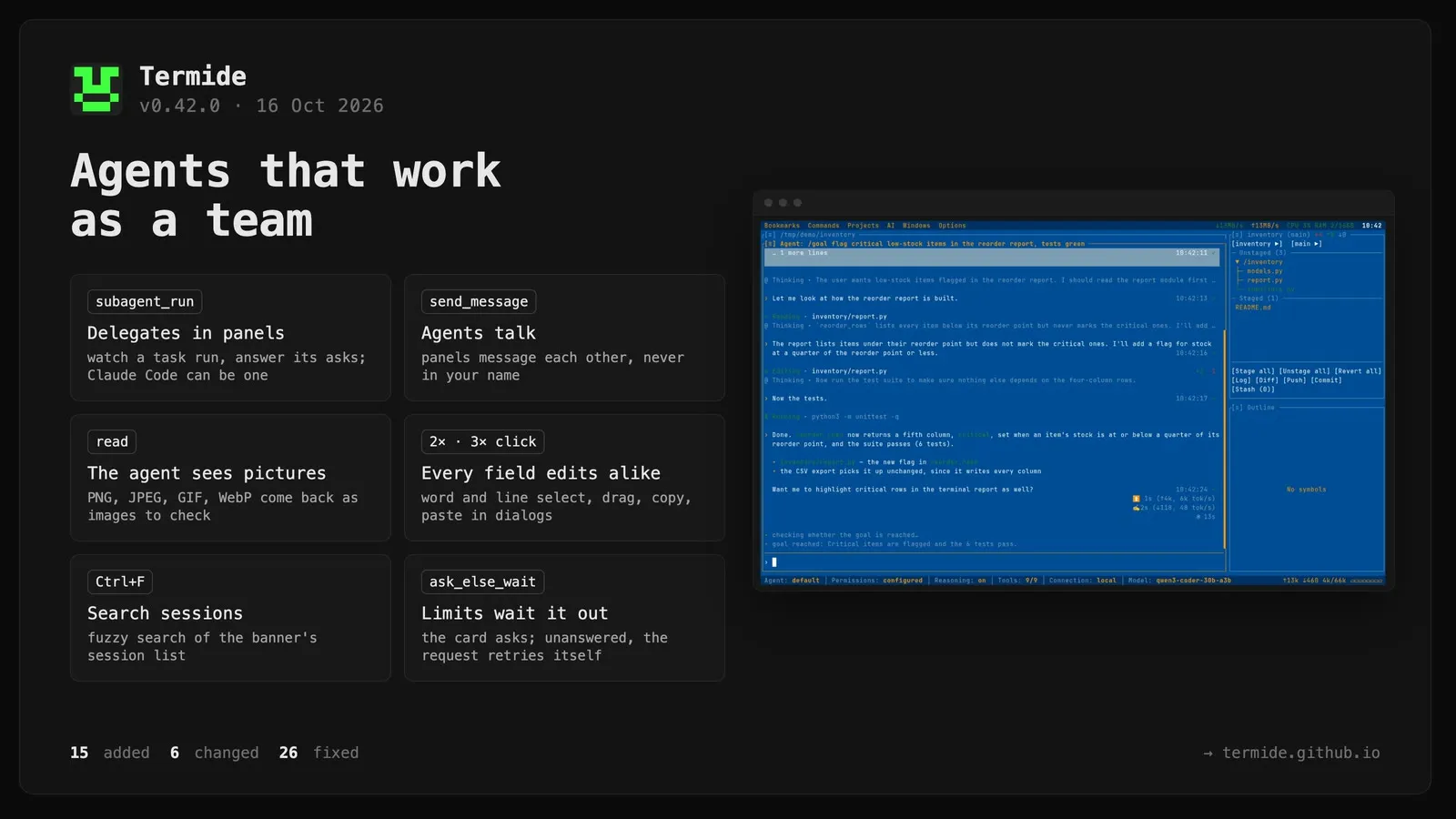
A double click selects a word and a triple click the line in every text field. As in the editor, a quick second press in a dialog’s field, a find bar, the agent’s prompt box, an answer to the agent’s question, the commit message or a Settings field selects the word under the pointer — letters and digits of any script and _ — and a third press selects the line, or all of a one-line field; a drag that follows extends the selection by character. Settings used to select the whole field on a double click.
read shows the agent a picture. A PNG, JPEG, GIF or WebP file comes back as the picture itself, scaled down to 1568 px, instead of being refused as binary, so the agent can look at a screenshot it took or a page or figure it rendered and correct it. Anthropic models get it in the tool result, OpenAI-compatible ones in a user message after the tool results, external agents calling termide’s read as an MCP image.
Skills kept to the user. A skill with disable-model-invocation: true in its front matter stays out of the system prompt, the skill tool and the toolset count; it is still sent as /name, and the / list and AI → Skills mark it (manual only). Skill packs written for Claude Code, such as mattpocock/skills, keep their user-invoked workflows from being started by the model.
Delegated tasks run in agent panels.subagent_run in [ai] (the settings’ AI tab) or in a delegate’s AGENT.md picks where a task runs: hidden, out of sight as before (the default); existing_panel, in an open agent panel that still shows its banner, has nothing typed and is not focused, else hidden; panel, in a new panel opened beside the others without taking the focus when none is free; or ask, a card that lists the tasks handed over together and asks once where they go. In a panel you watch the delegate work and answer its permission requests on the usual cards, so Claude Code, Codex and Gemini CLI can be delegates too. The input reads & Delegate of <agent>: <task> and takes nothing; Esc stops the task, Ctrl+T takes it over after asking, closing the panel asks first and names the agent waiting for it. A taken panel keeps its number, and once the task is over goes back to a fresh panel of the default agent in the directory it had. A click on the task’s row in the delegating panel’s state strip brings the delegate’s panel forward. The auto reviewer of a delegate panel judges by what you asked the delegating agent, not the task alone.
A hidden delegate can ask you. It gets question when its parent has a user to ask; its cards come up in the parent’s panel headed & <delegate> ·. Its permission requests are still refused — a panel is the place for those.
Every delegated task keeps a session log. Hidden or in a panel, on termide’s loop or Claude Code, a stopped one included: it names the delegating session, agent and task call, opens on the connection, model and agent it ran with, and is marked & in the session lists. o on a task block opens it.
Agents in different panels talk to each other. The built-in agent, and Claude Code on termide’s tools, get agents, which lists the project’s agent panels with their numbers, agents, state and directories, and send_message, which hands one of them an info, a question or a reply. A message starts a turn on an idle panel or joins the run under way; the transcript heads it with the sender, and the model and the auto reviewer read it as another agent’s words, never yours. ask mode confirms each message, plan mode sends none, and after ten messages without a word from you the next is refused until you write. A panel running a delegated task takes no messages.
An agent’s edit over another panel’s change is caught. Agents in different panels may work on the same files: an edit or write of a file another panel changed after this one last read it, or that this one never read, is refused and the agent is told to read it again first. Changes made through bash or outside termide are not seen.
on_limit = "ask_else_wait" asks about a limit, then waits it out unanswered. The failure card comes up as with ask, and if nobody answers by the time a wait would try again — the reset the error named, or the backoff — the request goes again by itself, so an unattended /goal or /loop is not left stopped at the card. The card counts that moment down. A card brought back on reopen after its reset passed leaves about half a minute to read it first.
Delegated tasks in the background.task takes background: the task goes to an agent panel and the call returns at once, so the delegating agent carries on while the delegate works; its answer arrives later as a message of the delegate’s. Closing the task’s panel ends it. Skills that ask for a background agent, such as research and implement-spec from mattpocock/skills, get one.
A delegate’s input leads back to the delegating panel. While a panel runs another agent’s task, a click on its input, which reads & Delegate of <agent>: <task>, brings the delegating agent’s panel forward, as a click on the task’s row there brings the delegate’s.
Reasoning sent back to local models (#62). An OpenAI-compatible connection takes send_reasoning (auto, on, off; Send reasoning back on its settings page): it sends the model’s reasoning back as reasoning_content with its earlier answers and, with enable_thinking, asks the chat template for preserve_thinking, without which Qwen 3.6 loses its earlier thoughts and answers worse. auto turns it on where the reasoning level goes in enable_thinking, local servers by default.
Search the sessions on the agent banner.Ctrl+F on a fresh session’s banner turns the prompt box into a search of its list of sessions, titled Search sessions and counting the matches: the list keeps the sessions whose titles match, fuzzy and best first, the matched letters underlined. The arrows walk the matches straight from the query, Enter opens one, F2 and F8 rename or delete it, and Esc ends the search at once with what you had typed back in the prompt.
Skills from ~/.agents/skills/. The user’s cross-agent skills directory, where npx skills add -g and Codex, pi and others keep skills, is read as the lowest skill level.
The context is cut to fit without a model call when it has to be. When a compaction’s summary is refused, or the model calls a tool instead of summarising, the context is cut to half the window by what is cheapest to lose — reasoning first, then read-only output, long output and arguments, then old exploration down to its decisions and the oldest messages — keeping the recent turns, your requests and every call with its result. The summarising call’s own input is cut to the window the same way, so it no longer runs for half an hour over it. An external agent taking over a conversation is told the whole of it within half its window, instead of a recap of the decisions capped at 100 K characters.
Changed
MCP tools work in plan mode, on your word. Plan mode no longer refuses every MCP tool: one its server marks read-only (readOnlyHint) runs, one a configured rule or your answer for the session allows runs, and any other asks, with “Allow always” on offer — so the agent can read a ticket from a tracker’s MCP server while it plans. A deny rule and a tool switched off in the tools menu still keep one out.
An MCP tool its server marks read-only runs without asking in edit mode, as the web does there.
One look for every row of the state strip. A retry waited for, a pause asked for, a queued message, /goal, /loop, a subagent and a background command now read the same way: glyph and what it is in the accent, dim facts and what it works on, and at the right edge how long it has gone on and ✕ where it can be called off. The loop shows how long it has run, its period, count and next run on the left; a queued message and a pending pause show how long they have waited. No row spins any more — the transcript’s live line does — and a retry wait gets a ✕ that gives it up.
Esc clears a typed prompt before it stops the run. While the agent works, the first Esc empties the prompt box; the next stops the run, and an active /goal or /loop with it.
The failure card says what happens next, and keeps to the clock. Its detail opens with what is about to happen — the reset, the backoff, the wait already running — instead of repeating the error shown above it, and while the card stands open its countdown moves; once a reset has passed its row goes, leaving Try again now. The row that switched to another agent is gone: a limit belongs to the connection, which is switched from the status bar, and the card stays up through that switch.
An external agent’s status bar no longer says (acp); the connection chip beside it names the program.
Fixed
A click on a field’s border places the cursor too. In the bookmark, command, command-parameter, save-as, input, rename-by-pattern and editable-select dialogs, a press anywhere on a field’s box focuses it and puts the cursor in it, as a press on its text does: on the border above or below at the column pointed at, on the left border at the start of what is shown, on the right border at its end. Before, it only focused the field, or in some dialogs did nothing. A combo field’s arrow still opens its list.
A drag past the commit message’s edge scrolls it. Dragged above or below the visible rows, the message scrolls a row with each move of the pointer and the selection follows onto the rows that come into view, as in the editor; before, it stopped at the first or last row shown.
A click places the cursor and a drag selects in every dialog’s field. In the rename-by-pattern dialog, the copy, move, pack and unpack destination dialogs, the bookmark, command and command-parameter dialogs, and in the directory picker’s new-folder and rename field, a press puts the cursor on the character under the pointer and focuses the field, and a drag selects from there, reaching the text’s start or end past the field’s sides; the commit message selects by dragging too. The binary viewer’s find bar takes clicks and drags, and a drag begun in the terminal’s find bar keeps selecting there when the pointer leaves the bar instead of starting a selection in the terminal. The command-parameter dialog’s text fields are drawn on their own row again, not over the next label.
A paste into a one-line field keeps its words apart. A line break inside the pasted text turns into a space instead of gluing the lines together, and the break a copied line ends with is dropped rather than left as a trailing space.
The LSP server form in Settings types what the keyboard sends. Its fields got the key turned to the Latin layout, so Cyrillic came out as Latin letters and + and _ as = and -; they now take the key as typed, as the other settings fields do, and Ctrl shortcuts still work in any layout.
A terminal’s paste goes to the open dialog, never the panel below. The rename-by-pattern dialog and the copy, move, pack and unpack destination dialogs take a bracketed paste into their field, as typing does; before, it went to the panel underneath — into the file being edited or to the shell. A dialog with no field now keeps a paste away from the panel too.
Copy, cut and paste work in the find bars. With the find bar of the editor, the terminal, the file manager, the binary viewer, the journal, Markdown or HTML in focus, Ctrl+C/X/V and a terminal’s paste act on its field and search again; before, a paste went into the file being edited, to the shell or nowhere, and in the file manager the keys copied files.
Ctrl+Y redoes in text fields, as in the editor. In inputs, filters and the agent’s prompt it undid instead, against the documented keys; Ctrl+Shift+Z now also redoes where the terminal sends the capital letter.
A panel opened for a delegated task closes when the task is over. It was set up anew as an empty agent panel and stayed open; a free panel taken for the task is still set back to the default agent where it worked before.
Filters and small editors edit like every other field. The command palette and project switcher filters, the git status repo and branch filters, the database filter value, the row editor’s fields, the grid’s cell editor and the commit message now share the app’s editing keys: the cursor shows as an inverted cell where it stands and text goes in there, not only at the end; Shift/Ctrl with the arrows select and jump by words, Ctrl+A, undo and redo work, and Ctrl+C/X/V copy, cut and paste instead of typing v into a filter. A paste lands in the field. In the palette and the project switcher Home/End now move in the filter, and Ctrl+Home/Ctrl+End jump to the first and last entry; in an open cell editor the copy, cut and paste commands act on the cell’s text, not the grid.
A typed answer to the agent’s question edits like any field. The cursor shows as an inverted cell wherever it stands, spaces are no longer squeezed out while typing, Shift/Ctrl with the arrows, Ctrl+A and undo work, a click places the cursor and a drag selects, and a paste, copy or cut goes to the answer instead of the prompt below it; a pasted line break becomes a space.
Ctrl+K shows the hover documentation (#63). The popup asked for from the keyboard was only drawn at the mouse pointer, so with no mouse over the editor the server’s answer, gopls’ godoc among them, never appeared. It now opens at the text cursor; a hover from the mouse still opens at the pointer.
suggest_command works in plan mode. Its card comes up with only Copy and Don’t run, as documented; before, plan mode refused the call and no card appeared.
Delegates of a project open in the background get their panel. An agent of a project that was not on screen could not reach its project’s panels: a task meant for a panel ran hidden, an external agent as delegate and a background task failed, and agents and send_message were refused. The task now takes a panel in that project, which shows when you switch to it, and messages and background answers reach its panels.
A command Claude Code moved to the background stays in sight. To take a message typed while a long command of termide’s tools ran, Claude Code moves the command to the background and answers; the run then ended, though the command went on, and nothing showed it. The agent’s own run now goes on while termide still runs a call for it: the clock ticks until the command ends and the agent has taken it up, the state strip pins a row for the command ($ Running cargo test … with its own clock; a click brings its block into view), and Esc stops the command too.
recall on Claude Code, Codex and Gemini CLI leaves out the session it is called from. The panel’s session log was not passed to an external agent’s calls of termide’s tools, so its own question and the steps after it came back as the first results; now, as on the built-in agent, only what a compaction took out of the context is searched.
recall results carry less noise. Its own earlier calls and results are no longer searched (they repeated old questions and the snippets of other entries, and a deleted session lived on in them), and a tool call — an edit’s or a script’s body naming a subject in passing — counts half as much as an answer, down from 0.8.
A limit’s question survives closing termide, switching the connection and a sleep. Closed with the failure card up or during a wait out of a limit, a session now reopens on the same card, marked ⏸ in the lists, with its /goal or /loop waiting on it, and runs nothing until answered. Switching the connection from the status bar — the way past a subscription limit — no longer drops the card and leaves the request neither retried nor given up, and a session whose request went through is no longer asked about it again. A reset that passed while the machine slept is tried on waking, not hours later. A project of the last run whose agent held such a request loads in the background on start, so its wait or card goes at its time without entering the project.
A run cut off inside an external agent’s call offers to carry on. Closing termide while Claude Code ran a long command left the session looking finished, and the reopened panel asked nothing; the cut-off calls now show in the transcript with a result saying so, and the carry-on card comes up, ringing the bell.
A reopened session keeps its permission mode. A run paused in plan mode went on under the configured mode, without the plan prompt and guard; the mode is now logged and restored, and an undo or rewind keeps the one you are in.
Continuing a /goal on a reopened external agent no longer drops it. Its check came while the agent was still starting and the refusal ended the goal; it is now asked again a second later, and a stopped agent counts as a failed check, retried and then paused with the goal kept.
A message typed while Claude Code works shows in time. It vanished from the queue strip as soon as the agent took it and reached the transcript only after the answer to it, so it read as ignored; it now stays in the strip until logged and is logged before its answer.
An external agent’s usage is no longer taken for the context size. Claude Code reports the whole turn’s spending with cache reads, which filled the context bar and set off a compaction at once on return to the built-in agent.
The mouse wheel scrolls the view in the settings, including the Keybindings tab, and in the diagnostics, outline and git log panels, three rows a notch. Before, it moved a hidden selection and the view followed only once it reached the edge, so the first notches seemed lost.
Selector dropdowns close when their panel loses focus — the repo and branch selectors in Git Status and Git Log, and the database and table selectors in the database viewer.
Stray system messages no longer draw over the screen. Output other code wrote to stderr — on macOS, sandbox_extension_consume failed after pasting files cut with Ctrl+X — went across the panels; it now goes to the journal.
Security
Updated rustls to 0.23.46, clearing RUSTSEC-2026-0346 to 0349, and ruzstd to 0.9.1, clearing RUSTSEC-2026-0344. rustls carries termide’s TLS — the model providers, fetch, remote MCP servers, database and FTPS connections — and ruzstd packs and unpacks zstd archives.